Freedom251 › Interface Design Tools

Flinto
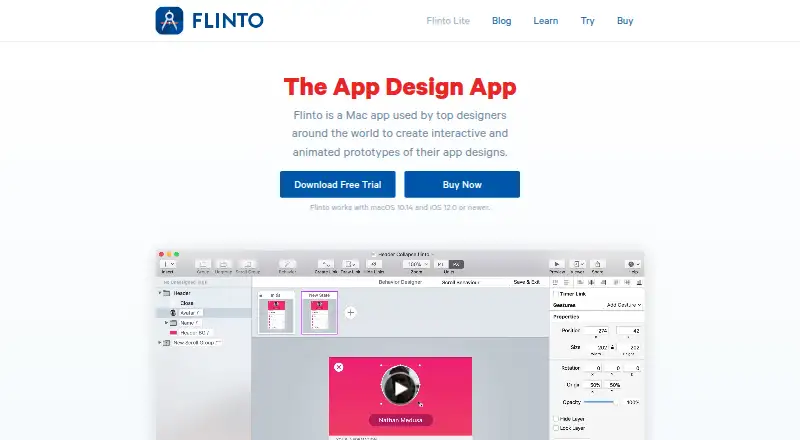
What Flinto is
Flinto is a paid prototyping tool for creating interactive, animated app designs. Flinto for Mac includes a Transition Designer for screen transitions and a Behavior Designer for micro-interactions. It imports Sketch and Figma designs, including vector shapes and editable text, then adds gestures, scrolling, spring and cubic-bezier easing, haptics, sound effects, video layers and 3D rotation. Prototypes can be previewed on an iOS device, shared as Flinto files for viewing in the free iOS viewer or Mac app, and recorded as video or GIF. Recordings can also be sent to Dribbble. Flinto Lite is a web service for turning existing screen designs into iOS and Android prototypes, with visual screen linking, retained links when replacing screens, app-like transitions, fixed headers and footers, and scrolling. Flinto for Mac requires macOS 10.14 or newer; the iOS viewer requires iOS 12 or newer. The Mac app keeps content on local storage, while Lite uploads remain on the maker’s servers unless shared. Pricing starts at $99, paid once for Flinto for Mac, with a 14-day trial.
Who it suits
Flinto suits designers making interactive prototypes for mobile apps, especially those working from Sketch or Figma files. Flinto Lite also suits browser-based iOS and Android prototyping from existing screens.
What it does well
- Imports Sketch and Figma designs
- Provides transition and behavior designers
- Supports gestures, haptics, sound and video layers
- Exports recordings as video or GIF
- Offers prototype sharing and iOS preview
What to know first
- No free plan
- Mac app requires macOS 10.14 or newer
- Lite uploads remain on company servers unless shared
- New major versions require license renewal
Limits
Flinto has no free plan. The listed Mac license remains usable after its yearly license expires, but renewal is needed for a new major version; Flinto Lite team members cost $20 a month each.
Plans
| Plan | Billed and limits | Price |
|---|---|---|
| Flinto | billed annually · Includes one year of free updates · License continues running after the yearly license expires | $99 a month |
| Flinto Lite | $20/Month; 10% savings if you choose to pay by the year · Make as many prototypes as you need; team members cost $20/Month per member | $20 a month |
| Flinto for Mac | $99.00; yearly license, includes one year of free updates · Volume pricing: 5–9 copies $89 each; 10+ copies $79 each | $99, paid once |
As flinto.com lists them, read 19 Sept 2026. The maker's own page has the final word.
Getting started
- Choose Flinto for Mac or Flinto Lite
- Start the 14-day trial or select a paid plan
- Install Flinto for Mac on macOS 10.14 or newer, or open the Flinto Lite web service
- Import a Sketch or Figma design into Flinto for Mac, or use existing screen designs in Lite
- Link screens and add transitions, interactions, scrolling or fixed headers and footers
- Preview on an iOS device or share the prototype through the iOS viewer or Mac app
Verdict
Flinto provides detailed interaction controls on Mac alongside a web-based Lite workflow. Its paid plans and platform requirements should be checked against your prototyping setup.
Questions
How much does Flinto cost?
The Flinto plan is $99 a month, billed annually. Flinto Lite is $20 a month, and Flinto for Mac is $99, paid once.
Is there a free plan or trial?
There is no free plan. A 14-day trial is listed.
Which platforms are supported?
The listed platforms are Android, iOS, macOS and web. Flinto for Mac works with macOS 10.14 or newer, and its iOS viewer requires iOS 12 or newer.
What does Flinto for Mac import?
It imports designs from Sketch and Figma, including vector shapes and editable text.
Can prototypes be shared?
Yes. Flinto files can be viewed in the free iOS viewer or Mac app, and recordings can be sent directly to Dribbble.
Where is project content stored?
Flinto for Mac content is stored on the user’s local storage devices. Flinto Lite uploads stay on its servers unless voluntarily shared.
Facts from Flinto's own pages
- Company
- Flinto describes itself as an independent software company based in California, founded in 2012 by Nathan Manousos and Kazuho Okui. · flinto.com, 9 Oct 2026
- Design imports
- Flinto for Mac imports designs from Sketch and Figma, including vector shapes and editable text. · flinto.com, 9 Oct 2026
- Exports and integration
- Flinto for Mac exports prototype recordings as video or GIF and can send recordings directly to Dribbble. · flinto.com, 9 Oct 2026
- Free plan
- No · flinto.com, 19 Sept 2026
- Lite features
- Flinto Lite lets users visually link screens, replace screens while retaining links, add app-like transitions, fixed headers and footers, and scrolling. · flinto.com, 9 Oct 2026
- Lite purpose
- Flinto Lite is a web-based service for making iOS and Android prototypes from existing screen designs. · flinto.com, 9 Oct 2026
- Mac license limits
- After a Mac license expires, access is not revoked and the app remains usable; renewing is needed to upgrade to a new major version. · flinto.com, 9 Oct 2026
- Mac system requirements
- Flinto for Mac works with macOS 10.14 or newer, and the iOS viewer requires iOS 12.0 or newer. · flinto.com, 9 Oct 2026
- Preview and sharing
- Users can preview prototypes on an iOS device and send Flinto files to others to view with the free iOS viewer or Mac app. · flinto.com, 9 Oct 2026
- Privacy and storage
- The maker says Flinto for Mac content is stored only on the user's local storage devices; Flinto Lite uploads stay on its servers unless voluntarily shared. · flinto.com, 9 Oct 2026
- Prototype controls
- The Mac app supports gestures, scrolling, spring and cubic-bezier easing, haptics, sound effects, video layers, and 3D rotation. · flinto.com, 9 Oct 2026
- Purpose
- Flinto for Mac is a Mac app for creating interactive and animated prototypes of app designs. · flinto.com, 9 Oct 2026
- Security
- The maker says Flinto.com traffic is served over SSL and shared prototype URLs are obfuscated, with password protection available. · flinto.com, 9 Oct 2026
- Support
- The maker offers customer support by email at [email protected] and describes its documentation as including video tutorials. · flinto.com, 9 Oct 2026
- Transitions and interactions
- Flinto for Mac has a Transition Designer for animated screen transitions and a Behavior Designer for micro-interactions. · flinto.com, 9 Oct 2026
Where Flinto stands on Freedom251
- Interface Design Tools#19 of 26
- Prototyping Software#22 of 30
- Game UI Design Software#24 of 32
- UI design tools#28 of 37
- UI/UX Design Tools#20 of 26
- Ui Ux Designing Software#17 of 22
- Prototyping tools#25 of 30