Fling UI
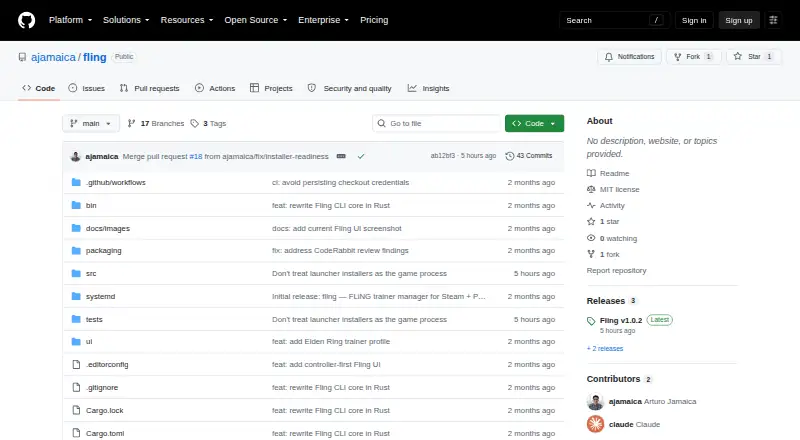
What Fling UI is
Fling UI is a free, fullscreen trainer manager for Steam and Proton games on Linux, designed for controller-first use. Its target systems include Bazzite, Steam Gaming Mode on Steam Deck, ROG Ally, Xbox Ally and regular Linux desktops. A library grid displays games, can use local Steam artwork as a fallback, and shows trainer states. Controller actions and keyboard equivalents cover navigation, installation or removal, refresh, settings and filtering. The Godot 4 .NET interface pairs with a Rust CLI through a versioned JSON API. The CLI discovers Steam games, downloads and validates trainers, integrates with systemd, and runs Windows trainers through Proton. Flatpak Steam and custom Steam library paths are supported, but native Linux trainer executables are not. The installer targets x86_64 Linux or Bazzite, installs in the current user's home directory, and does not require root. Fling is MIT licensed. The maker warns that third-party Windows trainers may be unsafe and that online or anti-cheat systems may ban accounts or block games; trainers are intended for single-player use.
Who it suits
Fling UI is aimed at Linux users managing Steam and Proton trainers, particularly on Bazzite, handheld gaming systems or Linux desktops. It suits people comfortable with its listed runtime requirements and single-player-only warning.
What it does well
- Free plan and MIT license.
- Controller and keyboard navigation are provided.
- Supports Flatpak Steam and custom library paths.
- Installs in the user's home directory without root.
What to know first
- Native Linux trainer executables are unsupported.
- Requires Steam, Proton and several runtime tools.
- Online or anti-cheat systems may ban accounts.
- Third-party trainer executables may be unsafe.
Limits
Fling handles Windows trainers through Proton and does not support native Linux trainer executables. The maker warns that trainers are for single-player use because online services or anti-cheat systems may ban accounts or block games.
Getting started
- Open the Fling GitHub website
- Use x86_64 Linux or Bazzite with a supported installation target
- Install Steam and Proton plus the required Bash, Python 3, curl, file, systemd user services and busctl dependencies
- Run the installer in your user account so it installs under the home directory
- Launch the interface and select a Steam game
- Install, remove or refresh a Windows trainer through the controller or keyboard controls
Verdict
Fling UI provides a controller-oriented way to manage Windows trainers for Steam games through Proton on Linux. Its platform limits, prerequisites and single-player safety warning are important considerations.
Questions
Is Fling UI free?
Yes. It has a free plan and is delivered as standalone Linux software.
Which systems does it support?
It targets Bazzite, Steam Gaming Mode on Steam Deck, ROG Ally, Xbox Ally and regular Linux desktops. The installer targets x86_64 Linux or Bazzite.
Does it work with Flatpak Steam?
Yes. Flatpak Steam and custom Steam library paths are supported.
Can it run native Linux trainers?
No. Fling runs Windows trainers through Proton and does not support native Linux trainer executables.
Does installation require root access?
No. The installer installs under the current user’s home directory without root access.
What license does Fling use?
The repository identifies Fling as MIT licensed.
Facts from Fling UI's own pages
- Audience
- Its target systems include Bazzite, Steam Gaming Mode on Steam Deck, ROG Ally and Xbox Ally, and regular Linux desktops. · github.com, 8 Oct 2026
- Controller input
- Controller actions include select, back, install or remove, refresh, settings, and filter navigation; keyboard equivalents are also provided. · github.com, 8 Oct 2026
- Download checks
- Downloads use redirect handling, HTTP failure checks, connection and total timeouts, size and file validation, and ZIP dependency checks. · github.com, 8 Oct 2026
- Frontend and CLI
- The UI pairs a Godot 4 .NET frontend with a Rust CLI and invokes the CLI through a versioned JSON API. · github.com, 8 Oct 2026
- Install
- The installer targets x86_64 Linux or Bazzite and installs under the current user's home directory without root access. · github.com, 8 Oct 2026
- Install scope
- The installer supports x86_64 Linux or Bazzite, installs under the current user's home directory, and does not require root. · github.com, 8 Oct 2026
- Integration
- Fling discovers Steam games and runs Windows trainers for Proton games; it does not support native Linux executables for trainers. · github.com, 8 Oct 2026
- Integrity metadata
- A successful install records trainer source URLs, SHA-256, and UTC installation time in trainer-metadata.json; the README says this hash is diagnostic change tracking, not proof of safety. · github.com, 8 Oct 2026
- Library
- The app provides a controller-first library grid with local Steam artwork fallback and trainer states. · github.com, 8 Oct 2026
- License
- The repository identifies Fling as MIT licensed. · github.com, 8 Oct 2026
- Logs
- The UI log is stored at Godot's user://logs/fling-ui.log, rotates at roughly 512 KiB, and excludes environment secrets and raw command output. · github.com, 8 Oct 2026
- Network behavior
- The refresh command rereads the selected game's Steam manifest and trainer state locally without contacting the network or modifying files. · github.com, 8 Oct 2026
- Operations
- The JSON API supports game listing, installed trainer listing, status, install, removal and refresh operations. · github.com, 8 Oct 2026
- Prerequisites
- Runtime requirements include Steam and Proton, Bash, Python 3, curl, file, systemd user services and busctl; unzip and protontricks apply to particular cases. · github.com, 8 Oct 2026
- Purpose
- Fling UI is a fullscreen, controller-first trainer manager for Steam and Proton on Linux. · github.com, 8 Oct 2026
- Safety
- The project says trainers should be used only in single-player games, warns that online services or anti-cheat may ban accounts, and notes that third-party Windows trainer executables may be unsafe. · github.com, 8 Oct 2026
- Safety limit
- The maker warns trainers are for single-player only and that online or anti-cheat systems may ban accounts or block games. · github.com, 8 Oct 2026
- Security
- The installer verifies the release archive against SHA256SUMS before extraction, but the project says trainer SHA-256 metadata is diagnostic and does not prove a trainer is safe. · github.com, 8 Oct 2026
- Steam support
- Flatpak Steam and custom Steam library paths are supported. · github.com, 8 Oct 2026
- Target devices
- The project targets Bazzite and Steam Gaming Mode on Steam Deck, ROG Ally, Xbox Ally, and regular Linux desktops. · github.com, 8 Oct 2026
- Trainer handling
- The CLI discovers Steam games, downloads and validates trainers, integrates with systemd, and runs trainers through Proton. · github.com, 8 Oct 2026
Where Fling UI stands on Freedom251
- Game Trainers#19 of 30