
Firejail
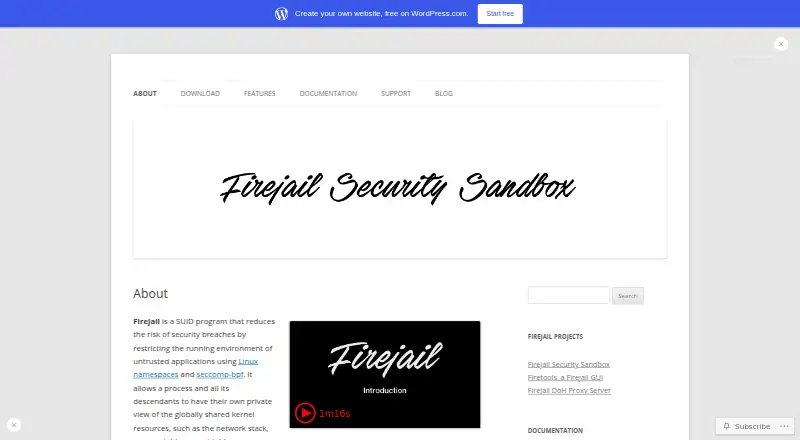
What Firejail is
Firejail is free, self-hosted software for restricting applications and processes on Linux. It uses Linux namespaces and seccomp-bpf to give sandboxed processes separate views of shared resources, including network, process, and mount tables. It runs on Linux systems with kernel version 3.x or newer and can be used with servers, graphical applications, and login sessions.
Its controls include protocol filtering, noroot user namespaces, Linux capabilities, and D-BUS filtering, with optional AppArmor or SELinux support. Mandatory Access Control can block more than 1,000 desktop applications from accessing passwords, encryption keys, and private data; more than 1,000 application profiles are included by default. Firejail can create an isolated TCP/IP stack and inspect traffic using nettrace. It supports AppImage packages. Firetools adds a Qt5 graphical interface for launching and managing sandboxes, and FDNS provides a DNS-over-HTTPS proxy using non-logging providers. The project targets home users and Linux beginners, not enterprise use.
Who it suits
Firejail suits Linux home users and beginners who want to restrict applications on a self-hosted system. The project describes it as a consumer product rather than an enterprise product.
What it does well
- Free GPL v2 community project.
- More than 1,000 application profiles are available by default.
- Can sandbox graphical applications, servers, and login sessions.
- Supports AppImage packages and isolated network stacks.
What to know first
- Requires Linux kernel version 3.x or newer.
- Focused on Linux desktops and home users, not enterprise use.
- Support questions are directed to the GitHub wiki.
Limits
The free community plan is focused on Linux desktops and carries no commercial goals. Firejail runs on Linux computers with a 3.x kernel version or newer.
Plans
| Plan | Billed and limits | Price |
|---|---|---|
| Firejail community project | Linux desktop focus · GPL v2 · no commercial goals | Free |
As firejail.wordpress.com lists them, read 30 Sept 2026. The maker's own page has the final word.
Getting started
- Visit the Firejail project website.
- Use a Linux computer with a 3.x kernel or newer.
- Run sudo firecfg to integrate Firejail with application menus and file-manager launches.
- Use Firetools if you want its graphical sandbox launcher and management interface.
- Consult the GitHub wiki for support questions.
Verdict
Firejail offers application sandboxing and network controls for Linux, with profiles and companion tools. Its stated focus is home and desktop use rather than enterprise environments.
Questions
Is Firejail free?
Yes. The community project plan is listed as free.
Which platforms does Firejail support?
It is listed for Linux and self-hosted deployment. The project says it runs on Linux computers with a 3.x kernel version or newer.
What does Firejail isolate?
Sandboxed processes receive private views of shared kernel resources, including network, process and mount tables. It can also create an isolated TCP/IP stack.
Is Firejail open source?
The community project plan lists GPL v2.
Does Firejail have a graphical interface?
Firetools is a Qt5 graphical interface for launching, editing and managing sandboxes, with system-tray integration and statistics.
Who makes Firejail?
Firejail is described as a community project. It directs support questions to its GitHub wiki and asks users to report security bugs by email.
Facts from Firejail's own pages
- Access control
- Mandatory Access Control blocks access to passwords, encryption keys, and private data for more than 1000 desktop applications. · firejail.wordpress.com, 30 Sept 2026
- AppImage support
- Firejail natively supports AppImage packages through the --appimage option. · firejail.wordpress.com, 30 Sept 2026
- Application coverage
- Firejail can sandbox servers, graphical applications, and user login sessions. · firejail.wordpress.com, 30 Sept 2026
- Desktop integration
- Running sudo firecfg integrates Firejail with application menus and file-manager launches. · firejail.wordpress.com, 30 Sept 2026
- DNS companion
- FDNS is a DNS-over-HTTPS proxy that uses DoH services from non-logging providers. · firejail.wordpress.com, 30 Sept 2026
- GUI companion
- Firetools is a Qt5 graphical interface providing a sandbox launcher, system-tray integration, editing, management, and statistics. · firejail.wordpress.com, 30 Sept 2026
- Kernel support
- The software runs on Linux computers with a 3.x kernel version or newer. · firejail.wordpress.com, 30 Sept 2026
- Network isolation
- Firejail can create an isolated TCP/IP stack with its own routing table, firewall, and interfaces. · firejail.wordpress.com, 30 Sept 2026
- Network monitoring
- The software can inspect network traffic with its nettrace feature for analyzing and monitoring application behavior. · firejail.wordpress.com, 30 Sept 2026
- Process isolation
- Sandboxed processes receive private views of shared kernel resources including the network, process, and mount tables. · firejail.wordpress.com, 30 Sept 2026
- Sandboxing
- Firejail is a SUID program that restricts untrusted applications using Linux namespaces and seccomp-bpf. · firejail.wordpress.com, 30 Sept 2026
- Security controls
- Security filters include seccomp-bpf, communication protocol filtering, noroot user namespaces, Linux capabilities, D-BUS filtering, and optional AppArmor or SELinux support. · firejail.wordpress.com, 30 Sept 2026
- Security profiles
- More than 1000 application profiles are available by default in /etc/firejail. · firejail.wordpress.com, 30 Sept 2026
- Support
- The project directs support questions to its GitHub wiki and asks users to report security bugs by email. · firejail.wordpress.com, 30 Sept 2026
- Target users
- The project identifies home users and Linux beginners as its target market and describes Firejail as a consumer product rather than an enterprise product. · firejail.wordpress.com, 30 Sept 2026
Where Firejail stands on Freedom251
- Sandbox Software#11 of 26