Freedom251 › Menu Bar Customization Software
Finbar
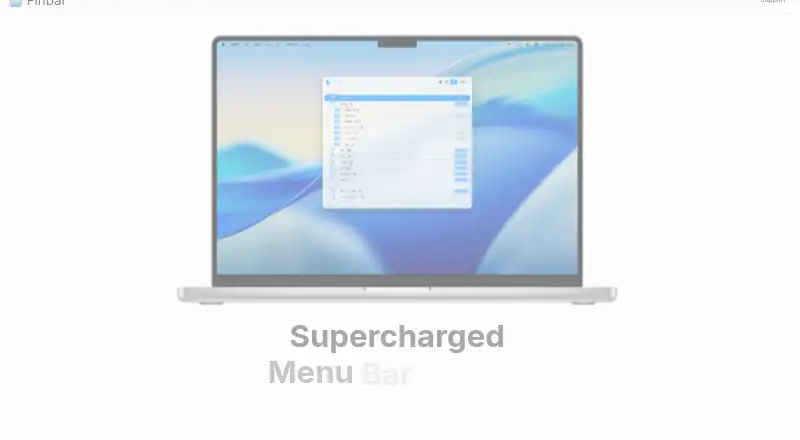
What Finbar is
Finbar is a native Mac command palette for finding and browsing menu bar items. Its fuzzy search can narrow into a selected submenu. List mode sorts matches by score, while outline mode keeps the menu hierarchy visible. Finbar remembers selected items between launches, including items whose titles change, and a rule editor can include or exclude items by path, index or depth.
A global hot key opens the palette, and Command+1 through Command+9 quickly selects one of the first nine results. Shell scripts and AppleScript files placed in designated folders can appear as searchable menu items. Users can hide menu items, pick an included theme or create a theme, and search the system Help menu with one click when the desired item is missing. A command-line tool covers some basic functionality.
Finbar is a paid, one-time purchase for two Macs, and the listed compatibility requirement is macOS 14.6 or later. It requires consent to use Mac accessibility features. The maker says the app stores only the minimum menu item attributes privately on the Mac and consumes no other personal data. Compatibility with every third-party app or macOS configuration is not guaranteed. The maker accepts feature requests and bug reports by email; refund requests require purchase details and a short description of the issue.
Who it suits
Finbar suits Mac users who want a keyboard-driven way to search menu bar items, including nested menus. It may also fit users who want to add shell scripts or AppleScript files to searchable items, filter menu entries, or customize the palette’s appearance.
What it does well
- Fuzzy search can narrow results into a selected submenu.
- List and outline modes offer scored results or menu hierarchy.
- Remembers selected items across launches, including items with changing titles.
- Rules can include or exclude items by path, index and depth.
- Supports global hot key and Command+1 through Command+9 selection.
- Includes themes, custom scripts, and a basic command-line tool.
What to know first
- Requires macOS 14.6 or later.
- Purchase covers two Macs only.
- Use of Mac accessibility features requires consent.
- Compatibility with every third-party app or macOS configuration is not guaranteed.
Limits
The one-time purchase covers two Macs and requires macOS 14.6 or later. The maker does not guarantee compatibility with every third-party app or macOS configuration.
Plans
| Plan | Billed and limits | Price |
|---|---|---|
| Finbar | One-time purchase, for 2 Macs. · 2 Macs · macOS 14.6+ | On request |
As finbarapp.com lists them, read 4 Oct 2026. The maker's own page has the final word.
Getting started
- Open the Finbar website.
- Purchase the one-time license for two Macs.
- Use a Mac running macOS 14.6 or later.
- Give consent for Finbar to use Mac accessibility features.
- Set a global hot key, then search menu bar items or add scripts from the designated folders.
Verdict
Choose Finbar if you use a compatible Mac and want quick keyboard search across menu bar items, scripts and AppleScript files. Look elsewhere if you need guaranteed compatibility across third-party apps or configurations, or a license for more than two Macs.
Questions
What does Finbar cost?
The listed plan is a one-time purchase for two Macs, but no price is provided.
Which Macs can run Finbar?
The homepage specifies macOS 14.6 or later.
Does Finbar work with every app?
No compatibility guarantee is given for every third-party app or macOS configuration.
Does Finbar require accessibility access?
Yes. The app requires consent to use Mac accessibility features. The maker says minimum menu item attributes are stored privately on the Mac and no other personal data is consumed.
Can I add my own menu items?
Yes. Shell scripts and AppleScript files placed in designated folders can be added as searchable menu items.
How do I request a refund?
Contact the maker with the purchase email, receipt or order details, and a short description of the issue.
Facts from Finbar's own pages
- Accessibility and privacy
- The app requires consent to use Mac accessibility features; it says the minimum menu item attributes are stored privately on the Mac and no other personal data is consumed. · finbarapp.com, 4 Oct 2026
- CLI
- Finbar includes a command-line tool for some basic functionality. · finbarapp.com, 4 Oct 2026
- Compatibility limit
- The homepage specifies macOS 14.6 or later, and the maker says compatibility with every third-party app or macOS configuration is not guaranteed. · finbarapp.com, 4 Oct 2026
- Custom scripts
- Shell scripts and AppleScript files placed in designated folders can be added as searchable menu items. · finbarapp.com, 4 Oct 2026
- Fallback search
- When a desired item is missing, users can search the system Help menu with one click. · finbarapp.com, 4 Oct 2026
- Filtering rules
- A rule editor lets users include or exclude menu items by criteria such as path, index, and depth. · finbarapp.com, 4 Oct 2026
- Fuzzy search
- Search matches menu items with fuzzy filtering and can narrow into a selected submenu. · finbarapp.com, 4 Oct 2026
- Keyboard controls
- Finbar supports a global hot key and quick selection of the top nine results with Command+1 through Command+9. · finbarapp.com, 4 Oct 2026
- Product
- Finbar is a native Mac command palette for searching and browsing menu bar items. · finbarapp.com, 4 Oct 2026
- Recents
- Finbar remembers selected menu items across launches, including items with changing titles. · finbarapp.com, 4 Oct 2026
- Refunds
- Refund requests are made by contacting the maker with the purchase email, receipt or order details, and a short description of the issue. · finbarapp.com, 4 Oct 2026
- Search modes
- List mode sorts results by match score, while outline mode preserves menu hierarchy. · finbarapp.com, 4 Oct 2026
- Support
- The maker invites feature requests and bug reports by email at [email protected]. · finbarapp.com, 4 Oct 2026
- Themes
- Users can choose included themes or create their own. · finbarapp.com, 4 Oct 2026
Where Finbar stands on Freedom251
- Menu Bar Customization Software#24 of 25