Freedom251 › Retirement Planning Software

Fidelity Planning & Guidance Center
Visit Fidelity Planning & Guidance Center Alternatives Pricing
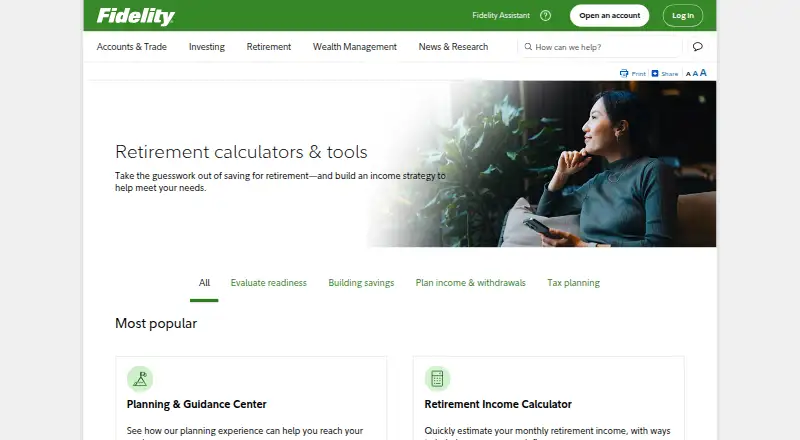
What Fidelity Planning & Guidance Center is
Fidelity Planning & Guidance Center is a free web tool for assessing retirement readiness, reviewing investment strategies, and getting a report with possible next steps. Retirement Analysis lets users model hypothetical scenarios using current savings and estimated future contributions, and users can create and monitor multiple independent financial goals. The analysis draws on historical returns, market volatility, and correlations to estimate potential retirement income. Fidelity says Probability of Success replaced its Retirement Score as a holistic measure of financial plan strength and supports planning beyond retirement. Planning information may carry into other Fidelity tools, including Guided Portfolio Summary and Fidelity Income Strategy Evaluator. The tool may use financial information previously supplied to Fidelity, a workplace plan sponsor, or a third party, so users should verify its accuracy. Projections are hypothetical, do not reflect actual investment results, and are not guarantees. The analysis is informational and nondiscretionary, not personalized advice; users decide whether to implement its strategy. It assumes primarily U.S. tax liability and may not suit people with foreign tax liability, significant margin debt, or certain legal proceedings. There is no fee to generate a plan, though investment expenses and account transaction fees may still apply.
Who it suits
It suits people assessing retirement readiness or tracking several financial goals who fall within its primarily U.S. tax-liability assumption. People with foreign tax liability, significant margin debt, or certain legal proceedings may need other guidance.
What it does well
- No fee to generate a plan.
- Supports hypothetical savings and contribution scenarios.
- Users can monitor multiple independent financial goals.
- Estimates retirement income using returns, volatility, and correlations.
What to know first
- Projections are hypothetical and not guarantees.
- Analysis is informational and nondiscretionary, not personalized advice.
- Investment expenses and account transaction fees may still apply.
- May not suit foreign tax liability or certain circumstances.
Limits
There is no fee to generate a plan, but investment expenses and account transaction fees may still apply. Its projections are hypothetical and its analysis assumes primarily U.S. tax liability; it may not fit situations including foreign tax liability, significant margin debt, or certain legal proceedings.
Plans
| Plan | Billed and limits | Price |
|---|---|---|
| Free plan | No fee to generate a plan · investment expenses and account transaction fees may still apply | Free |
As fidelity.com lists them, read 2 Oct 2026. The maker's own page has the final word.
Getting started
- Open the Fidelity retirement calculator website.
- Use the web tool to review retirement readiness and investment strategies.
- Explore Retirement Analysis scenarios using current savings and estimated future contributions.
- Create and monitor financial goals.
- Review the plan report and check any financial information used in the analysis.
Fidelity Planning & Guidance Center is a free, browser-based workspace for retirement analysis and broader financial-goal planning. It is best suited to Fidelity customers who want a consolidated view of savings, contributions, taxes, and income scenarios. The center is a useful starting point for structured planning, but users should treat its output as a model to interrogate rather than a personal recommendation.
Overview
The center combines retirement-readiness assessment, investment-strategy review, and a report of possible next steps. Its Probability of Success measure replaces Fidelity Retirement Score and evaluates the strength of a financial plan beyond retirement alone. Information from a plan can flow into Fidelity’s Guided Portfolio Summary and Fidelity Income Strategy Evaluator, which is convenient for customers already using those services.
That convenience makes data checking essential. The center can draw on information supplied to Fidelity, a workplace plan sponsor, or a third party. Verify balances and other account inputs before using the resulting outlook to make decisions. Workplace plan participants who need help interpreting results can contact the Workplace Guidance Desk.
Key features
Scenario and income planning
Retirement Analysis allows users to vary current savings and estimated future contributions, then compare hypothetical outcomes. Historical returns, market volatility, and correlations feed its potential-retirement-income estimates. Income projections, savings-growth projections, withdrawal planning, detailed tax modeling, and Social Security modeling cover the major questions a retirement forecast must address. The breadth is useful for exploring trade-offs; it is not a substitute for advice tailored to unusual tax, legal, or debt circumstances.
Multiple goals
Users can create and monitor independent financial goals rather than forcing every objective into one retirement target. That makes the center more practical for households balancing retirement with other priorities. Scenario analysis helps show how changing assumptions affects those goals, while the Probability of Success measure offers a single high-level signal of plan strength.
Connected accounts and tools
Account synchronization is read-only, so connected information can support analysis without giving the center authority to transact. Carrying planning information into other Fidelity tools can reduce duplicate setup for Fidelity customers. Anyone relying on imported data should still inspect it for errors before accepting a projection.
Important boundaries
Results are hypothetical, do not represent actual investment performance, and are not guarantees. The retirement analysis is informational and nondiscretionary: users decide whether to follow any strategy it presents. Its assumptions primarily address U.S. tax liability, making it a poor fit for some people with foreign tax obligations, significant margin debt, or certain legal proceedings. Fidelity also advises users not to enter personal or account information into its site search assistant.
Pricing
The Free plan costs free. It includes plan generation at no fee and provides income projection, savings-growth projection, withdrawal planning, detailed tax modeling, Social Security modeling, scenario analysis, and read-only account synchronization. Investment expenses and account transaction fees may still apply. There are no paid tiers or seat limits stated for this center, so it fits individuals who want a no-subscription planning workspace; readers seeking premium coaching or a different modeling environment should compare alternatives.
Platforms
Fidelity Planning & Guidance Center runs on the web. A browser-based format works across supported desktop and mobile browsers, but no separate native desktop or mobile application is provided.
Who it's for
Choose it if you are a Fidelity customer or workplace-plan participant who wants retirement projections, tax and Social Security modeling, and several independently tracked goals in one free account-connected view. It is also appropriate for early exploration when you want to test contribution or withdrawal changes before seeking professional help.
Look elsewhere if your planning depends on non-U.S. tax treatment, substantial margin borrowing, or legal situations outside the center’s assumptions. It is likewise unsuitable as the sole basis for an investment decision when you require fiduciary, personalized advice.
Pros and cons
Pros
- No plan fee: users can generate a plan without a subscription, while retaining substantial retirement, tax, withdrawal, and Social Security modeling.
- Broad scenario coverage: contribution, savings-growth, income, and withdrawal projections make it possible to examine practical retirement trade-offs.
- Multiple independent goals: households can monitor objectives beyond a single retirement number.
- Fidelity continuity: read-only account connections and transfer to related Fidelity tools reduce repeated data entry for existing customers.
Cons
- Hypothetical output: modeled returns are not actual results or guarantees, so projections require cautious interpretation.
- Not personalized advice: the analysis is informational and leaves implementation decisions to the user.
- U.S.-centric assumptions: foreign tax liability and certain debt or legal circumstances can make the analysis inappropriate.
- Input accuracy burden: imported data may come from several parties and must be checked before relying on results.
Alternatives
Boldin is the better pick if you want Android or iOS apps, a freemium model, and a Basic tier with 100-plus inputs, interactive explorers, charts, and limited daily AI questions.
Flexible Retirement Planner suits people seeking free personal use across Linux, macOS, Windows, and the web, including permitted educational use.
ProjectionLab is worth choosing for cross-platform access and a free Basic plan featuring forecasting, flexible modeling, Monte Carlo simulations, and historical backtesting.
RetireePlan is an option for users who prefer a free, open-source application available on desktop, web, API, and self-hosted setups.
driftcurve offers a free, self-hosted approach with no subscription and no account required in its default local mode.
FI Calc provides a free web calculator supported by donations.
FIRECalc is a free web retirement calculator, with supporter registration unlocking some additional features on request.
Retireator is a free, open-source retirement simulator for web and Windows.
Verdict
Fidelity Planning & Guidance Center is a strong fit for Fidelity users who want a free, connected overview of retirement readiness and multiple goals, especially when detailed tax, withdrawal, and Social Security scenarios matter. Choose another planner when your taxes, debts, legal position, or need for personalized advice fall outside its assumptions; its projections are a planning aid, not a decision-maker.
Verdict
The center offers no-fee planning scenarios and multiple-goal tracking, but its projections are hypothetical and its analysis is not personalized advice. Check the accuracy of any account information it uses and consider whether its U.S.-focused assumptions fit your situation.
Questions
Is Fidelity Planning & Guidance Center free?
Yes. The plan is listed as free, with no fee to generate a plan. Investment expenses and account transaction fees may still apply.
What platforms does it support?
It is available on the web.
What can users model?
Retirement Analysis supports hypothetical scenarios based on current savings and estimated future contributions. Listed capabilities include income and savings growth projections, withdrawal planning, detailed tax modeling, Social Security modeling, and scenario analysis.
Does it give personalized investment advice?
No. The retirement analysis is informational and nondiscretionary, and users decide whether to implement its planning strategy.
Are the projections guaranteed?
No. Fidelity says the projections are hypothetical, do not reflect actual investment results, and are not guarantees of future results.
Can workplace plan participants get help?
Workplace plan participants can contact the Workplace Guidance Desk for support and questions about results.
Facts from Fidelity Planning & Guidance Center's own pages
- Account data
- The tool may use financial information previously provided to Fidelity, by a workplace plan sponsor, or by a third party, and users should verify its accuracy. · fidelity.com, 2 Oct 2026
- Analysis
- Retirement Analysis uses historical returns, market volatility, and correlations to estimate potential retirement income. · fidelity.com, 2 Oct 2026
- Connected tools
- Planning information may carry into other Fidelity tools, including Guided Portfolio Summary and Fidelity Income Strategy Evaluator. · fidelity.com, 2 Oct 2026
- Founded
- 1946 · fidelity.com, 23 Sept 2026
- Goals
- Users can create and monitor multiple independent financial goals. · fidelity.com, 2 Oct 2026
- Headquarters
- Boston, Massachusetts, United States · fidelity.com, 23 Sept 2026
- Hypothetical results
- The tool's projections are hypothetical, do not reflect actual investment results, and are not guarantees of future results. · fidelity.com, 2 Oct 2026
- New measure
- Fidelity says Probability of Success replaced the Fidelity Retirement Score as a holistic measure of financial plan strength and supports planning beyond retirement. · about.fidelity.com, 2 Oct 2026
- Not personalized advice
- The retirement analysis is informational and nondiscretionary; users decide whether to implement its planning strategy. · fidelity.com, 2 Oct 2026
- Purpose
- The center helps users assess retirement readiness, review investment strategies, and get a report with next steps to consider. · fidelity.com, 2 Oct 2026
- Security and privacy
- Fidelity says information entered into its site search assistant is not stored or reviewed except to provide search results, and advises users not to enter personal or account information there. · fidelity.com, 2 Oct 2026
- What-if scenarios
- Retirement Analysis lets users explore hypothetical scenarios based on current savings and estimated future contributions. · fidelity.com, 2 Oct 2026
- Who may need other guidance
- The tool assumes primarily U.S. tax liability and may not be appropriate for some situations, including foreign tax liability, significant margin debt, or certain legal proceedings. · fidelity.com, 2 Oct 2026
- Workplace support
- Workplace plan participants can contact the Workplace Guidance Desk for support and questions about results. · fidelity.com, 2 Oct 2026
Where Fidelity Planning & Guidance Center stands on Freedom251
- Retirement Planning Software#8 of 26