Freedom251 › Game Compatibility Layers
FEX-Emu
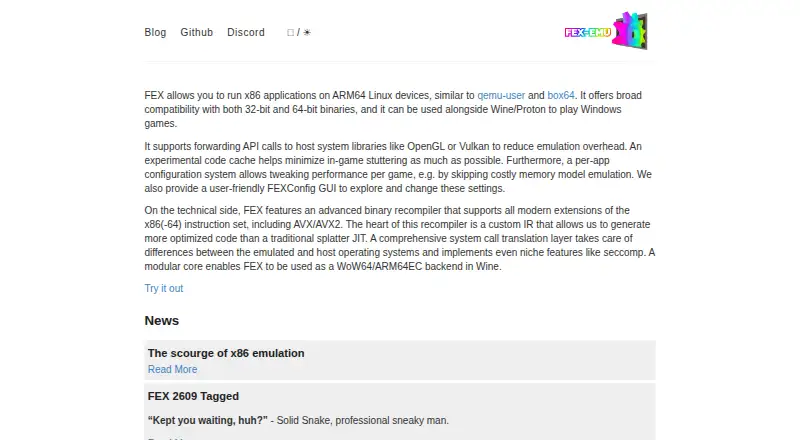
What FEX-Emu is
FEX-Emu runs 32-bit and 64-bit x86 applications on ARM64 Linux devices. It can be used with Wine or Proton to run Windows games, and can forward graphics calls for libraries such as OpenGL and Vulkan to host system libraries to reduce emulation overhead. Its binary recompiler supports modern x86 and x86-64 instruction extensions, including AVX and AVX2. Users can configure applications individually and change settings through the FEXConfig graphical interface. FEX can also act as a WoW64 or ARM64EC backend in Wine. It is free and open source under the MIT License. Running applications on AArch64 hosts requires an x86-64 root filesystem; FEXRootFSFetcher can download images for many distributions. The project lists Arch Linux, Fedora Linux, openSUSE and several Ubuntu releases as tested. It requires ARMv8.0-a or newer hardware with FEAT_FP and FEAT_CRC32 extensions. Android is not a target, SteamVR is not currently functional under FEX, and split-lock emulation is best-effort and can tear data in some cases.
Who it suits
FEX-Emu suits users running x86 applications on ARM64 Linux hardware, including those using Wine or Proton for Windows games. It requires supported ARM hardware and an x86-64 root filesystem.
What it does well
- Runs both 32-bit and 64-bit x86 binaries.
- Supports AVX and AVX2 instruction extensions.
- Can forward OpenGL and Vulkan calls to host libraries.
- Offers per-application settings and a configuration GUI.
- MIT-licensed and free.
What to know first
- Requires ARMv8.0-a hardware with FEAT_FP and FEAT_CRC32.
- AArch64 hosts need an x86-64 root filesystem.
- Android is not a supported target.
- SteamVR is not currently functional under FEX.
Limits
AArch64 hosts require an x86-64 root filesystem, and hardware must provide ARMv8.0-a or newer with FEAT_FP and FEAT_CRC32. Android is outside the target, SteamVR is not currently functional, and split-lock emulation is best-effort with possible data tearing.
Getting started
- Use compatible ARMv8.0-a or newer hardware with FEAT_FP and FEAT_CRC32
- Install FEX on a Linux host
- Obtain an x86-64 root filesystem with FEXRootFSFetcher or another distribution image
- Configure applications with per-app settings or FEXConfig
- Use Wine or Proton when running Windows games
Verdict
FEX-Emu provides a route for running x86 software on supported ARM64 Linux systems, with configuration controls and Wine integration. Check the hardware and root filesystem requirements, and note the stated SteamVR and split-lock limitations.
Questions
What does FEX-Emu run?
It runs 32-bit and 64-bit x86 applications on ARM64 Linux devices. It can also be used with Wine or Proton for Windows games.
Which operating systems and platforms are supported?
FEX targets Linux on Linux devices and supports Linux hosts. Android is not a target and will not be supported.
Is FEX-Emu free and open source?
Yes. It is free, open source, and licensed under the MIT License.
What hardware is required?
FEX requires ARMv8.0-a or newer hardware with FEAT_FP and FEAT_CRC32 extensions.
Is a root filesystem required?
Yes. Applications on AArch64 hosts require an x86-64 root filesystem, and FEXRootFSFetcher can download images for many distributions.
Does FEX support graphics and Steam?
It can forward OpenGL and Vulkan calls to host libraries, and Steam integration is listed. SteamVR is not currently functional under FEX.
Facts from FEX-Emu's own pages
- Android limitation
- FEX-Emu targets Linux on Linux devices; its FAQ says Android is not a target and will not be supported. · wiki.fex-emu.com, 7 Oct 2026
- ARM64 setup requirement
- On AArch64 hosts, running applications requires an x86-64 root filesystem. · wiki.fex-emu.com, 7 Oct 2026
- Code cache
- An experimental code cache is intended to help minimize in-game stuttering. · fex-emu.com, 7 Oct 2026
- Configuration
- FEX provides per-application settings and a FEXConfig graphical interface for changing configuration. · fex-emu.com, 7 Oct 2026
- Configuration GUI
- FEX provides a GUI called FEXConfig for exploring and changing settings. · fex-emu.com, 7 Oct 2026
- Graphics forwarding
- FEX can forward API calls for libraries such as OpenGL and Vulkan to host system libraries to reduce emulation overhead. · fex-emu.com, 7 Oct 2026
- Hardware requirements
- FEX requires ARMv8.0-a or newer hardware with FEAT_FP and FEAT_CRC32 extensions. · github.com, 7 Oct 2026
- Instruction support
- Its binary recompiler supports modern x86 and x86-64 instruction extensions, including AVX and AVX2. · fex-emu.com, 7 Oct 2026
- Known limitation
- The project says split-lock emulation is currently best-effort and can tear data in some cases. · fex-emu.com, 7 Oct 2026
- License
- The FEX repository states that it is licensed under the MIT License. · github.com, 7 Oct 2026
- Per-app settings
- A per-app configuration system lets users adjust performance settings for each game. · fex-emu.com, 7 Oct 2026
- Project history
- The project’s anniversary post says its first prototype commit was made on November 28, 2018. · fex-emu.com, 7 Oct 2026
- Purpose
- FEX runs x86 applications on ARM64 Linux devices and supports both 32-bit and 64-bit binaries. · fex-emu.com, 7 Oct 2026
- Recompiler
- FEX has a binary recompiler supporting modern x86 and x86-64 instruction extensions including AVX and AVX2. · fex-emu.com, 7 Oct 2026
- RootFS requirement
- An x86-64 RootFS is required; the project provides FEXRootFSFetcher for downloading images for many distributions. · github.com, 7 Oct 2026
- Security feature
- The system call translation layer implements features including seccomp. · fex-emu.com, 7 Oct 2026
- Support channels
- The project homepage links to GitHub and Discord. · fex-emu.com, 7 Oct 2026
- Tested distributions
- The project lists Arch Linux, Fedora Linux, openSUSE, and Ubuntu versions 22.04, 24.04, 24.10, and 25.04 as tested distributions. · github.com, 7 Oct 2026
- VR limitation
- The FEX wiki says SteamVR is not currently functional under FEX. · wiki.fex-emu.com, 7 Oct 2026
- Windows games
- FEX can be used alongside Wine or Proton to play Windows games. · fex-emu.com, 7 Oct 2026
- Wine integration
- FEX has a modular core that can serve as a WoW64 or ARM64EC backend in Wine. · fex-emu.com, 7 Oct 2026
Where FEX-Emu stands on Freedom251
- Game Compatibility Layers#14 of 27