Freedom251 › Game Compatibility Layers

Darling
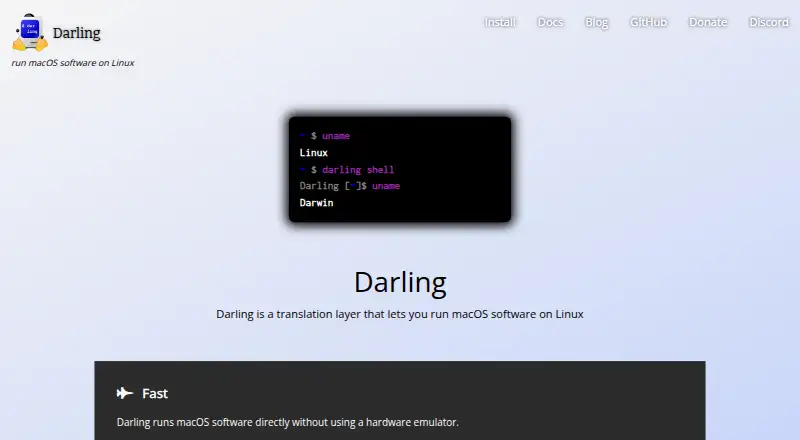
What Darling is
Darling is a free, open-source software project for running macOS software in a Linux environment. It translates macOS interfaces rather than relying on a hardware emulator: a Mach-O binary loader and userspace kernel server provide those interfaces on Linux. Its Darwin environment includes Mach, dyld, and launchd, and it reimplements frameworks such as Foundation, AppKit, CoreAudio, and CoreFoundation.
The Darling shell is currently the main way to interact with the software. Documentation describes installing apps from DMG images, archives, and PKG files, but the lack of a graphical interface brings limitations, and MPKG files are not supported. Graphical Cocoa applications have experimental support; the project describes simple graphical app support as basic, and says most GUI applications do not work. The project lists Homebrew, Xcode command-line tools, and Python 3.11 among software tested to work.
Darling runs on Linux and can be used on Windows through WSL2. Its build instructions call for a 64-bit x86 Linux distribution, Linux 5.0 or later, and at least 4 GB of RAM. Prefixes use overlayfs storage; NFS and eCryptfs are unsupported for this purpose. Darling is distributed under the GNU GPL version 3, and the project links to a Discord community and bug tracker.
Who it suits
Darling suits Linux users who want to run macOS command-line software in a Darwin environment, including software such as Homebrew, Xcode command-line tools, and Python 3.11. It may also suit users exploring macOS graphical apps, provided they are comfortable with experimental support and shell-based interaction.
What it does well
- Free and open source under the GNU GPL version 3
- Runs macOS software directly without a hardware emulator
- Implements Mach, dyld, launchd, and several macOS frameworks
- Lists Homebrew and Xcode command-line tools among tested software
- Can be used on Windows through WSL2
What to know first
- Most graphical applications do not work
- MPKG installation is unsupported
- Requires 64-bit x86 Linux, Linux 5.0 or later, and 4 GB RAM
- NFS and eCryptfs are unsupported for prefix storage
Limits
The shell is the primary interface, and graphical Cocoa app support is experimental; most GUI applications do not work. MPKG installation is unsupported, and prefixes require storage other than NFS or eCryptfs.
Getting started
- Visit the Darling website and read the project documentation.
- Use a 64-bit x86 Linux distribution with Linux 5.0 or later and at least 4 GB of RAM, or use Windows through WSL2.
- Install and interact with Darling through its primary shell interface.
- Install supported software from a DMG image, archive, or PKG file.
Verdict
Choose Darling if you need a free, open-source way to run supported macOS software from Linux or Windows through WSL2. It is most suited to shell use; people who depend on graphical macOS apps should account for the project’s experimental GUI support.
Questions
How much does Darling cost?
Darling is free and has a free plan. It is open-source software distributed under the GNU GPL version 3.
Is there a free trial?
No. Darling is listed as free, with no free trial.
Which platforms can run Darling?
Darling runs on Linux and can be used on Windows through WSL2. Its build instructions require 64-bit x86 Linux, Linux 5.0 or later, and at least 4 GB of RAM.
Can Darling run graphical macOS applications?
It has experimental support for graphical Cocoa applications, but the project says most GUI applications do not work.
Which installation formats does Darling support?
Its documentation describes installing apps from DMG images, archives, and PKG files. MPKG files are not supported.
What storage does Darling use for prefixes?
Darling uses overlayfs. NFS and eCryptfs are unsupported for prefix storage.
Facts from Darling's own pages
- App installation
- The documentation describes installing apps from DMG images, archives, and PKG files, while noting limitations mainly due to the lack of a GUI. · docs.darlinghq.org, 7 Oct 2026
- Command-line compatibility
- The project lists Homebrew, Xcode command-line tools, and Python 3.11 among software tested to work. · docs.darlinghq.org, 7 Oct 2026
- Community
- The project links to a community Discord and a bug tracker. · github.com, 7 Oct 2026
- Community packages
- Community packages are maintained independently and are not maintained or vetted by the Darling core team. · docs.darlinghq.org, 7 Oct 2026
- Contributing
- The project invites contributors to read its documentation and blog and join it on GitHub. · darlinghq.org, 7 Oct 2026
- Environment
- Darling implements a Darwin environment that includes Mach, dyld, and launchd. · darlinghq.org, 7 Oct 2026
- Frameworks
- Darling reimplements frameworks including Foundation, AppKit, CoreAudio, and CoreFoundation. · github.com, 7 Oct 2026
- Graphical apps
- The website describes support for simple graphical applications as basic and experimental. · darlinghq.org, 7 Oct 2026
- GUI support
- Darling has experimental support for graphical Cocoa applications, but the documentation says most GUI applications do not work. · docs.darlinghq.org, 7 Oct 2026
- Installation formats
- Darling documentation describes installing software from DMG images, archives, and PKG files; package installation has limitations, including no support for MPKG files. · docs.darlinghq.org, 7 Oct 2026
- License
- Darling is free and open-source software distributed under the GNU GPL version 3. · darlinghq.org, 7 Oct 2026
- Linux requirements
- The build instructions require a 64-bit x86 Linux distribution, Linux 5.0 or higher, and at least 4 GB of RAM. · docs.darlinghq.org, 7 Oct 2026
- Main interface
- The Darling shell is currently the primary way to use and interact with Darling. · docs.darlinghq.org, 7 Oct 2026
- No hardware emulator
- Darling says it runs macOS software directly without using a hardware emulator. · darlinghq.org, 7 Oct 2026
- Open source
- Darling is free and open-source software distributed under the GNU GPL version 3. · darlinghq.org, 7 Oct 2026
- Package limitation
- Darling does not support installing MPKG files yet. · github.com, 7 Oct 2026
- Prefix storage
- Darling uses overlayfs for prefixes and says NFS and eCryptfs are unsupported for that storage. · github.com, 7 Oct 2026
- Purpose
- Darling is a translation layer for running macOS software on Linux. · darlinghq.org, 7 Oct 2026
- Runtime
- Darling runs macOS software directly without using a hardware emulator. · darlinghq.org, 7 Oct 2026
Where Darling stands on Freedom251
- Game Compatibility Layers#12 of 27