Freedom251 › Executable Packers
Fatpack
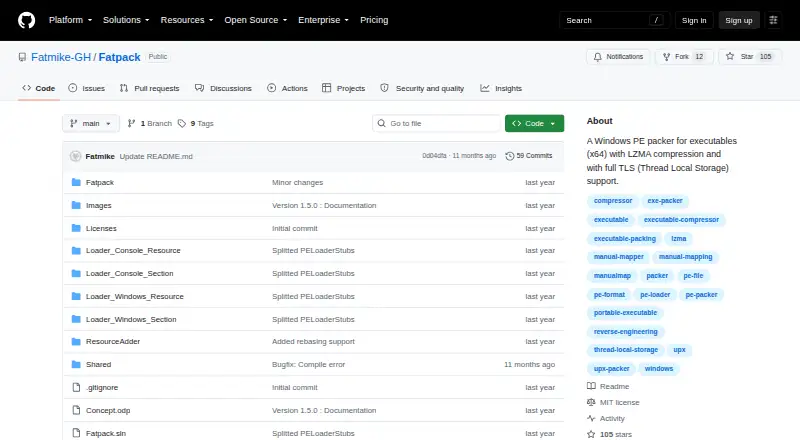
What Fatpack is
Fatpack is a free Windows tool for packing native x64 Windows PE executables. It compresses targets with LZMA and supports TLS callbacks and TLS data, including for Rust and Delphi programs. It supports native console and Windows executables, but not .NET executables. Resource packing is the default; section packing is experimental and may cause issues with some targets, though the README says it uses less memory at runtime.
Other listed capabilities include relocations, imports and delay imports, exception handlers, memory section protection, manifest extraction, and icon extraction. Fatpack and its loader stubs use WinAPI without the C runtime, so C/C++ redistributables are not required. The documented workflow packages a target executable through the Fatpack.exe command-line tool. The software is available under the MIT License. Its 1.5.2 release notes describe packing failures caused by Windows Defender real-time protection interference, and the releases page lists three assets for that version.
Who it suits
Fatpack is for Windows users packaging native 64-bit console or Windows executables with its command-line tool. Its supported targets exclude .NET programs.
What it does well
- LZMA compression for native x64 executables
- Supports TLS callbacks and TLS data
- Does not require C/C++ redistributables
- Available under the MIT License
What to know first
- .NET executables are unsupported
- Section packing is experimental
- Windows Defender interference may cause packing failures
Limits
Fatpack supports native x64 console and Windows executables but not .NET executables. Section packing is experimental and may cause issues with some targets; the 1.5.2 release notes also describe possible failure from Windows Defender real-time protection interference.
Getting started
- Visit the Fatpack GitHub repository.
- Use the release assets listed for version 1.5.2.
- Run Fatpack.exe to package a target executable.
- Use resource packing by default, or try experimental section packing if its tradeoffs suit the target.
Verdict
Fatpack covers a defined set of Windows PE targets, with TLS support and several executable-processing capabilities. Note the .NET exclusion, the experimental status of section packing, and the reported Defender interference issue.
Questions
What does Fatpack cost?
Fatpack is free and has a perpetual license model.
Which executables does it support?
It supports native x64 console and Windows PE executables. .NET executables are not supported.
What license does Fatpack use?
The repository provides Fatpack under the MIT License.
What platform is it for?
Fatpack is for Windows.
How do I use Fatpack?
The documented workflow uses Fatpack.exe from the command line to package a target executable.
Facts from Fatpack's own pages
- Additional features
- It supports icon extraction, relocations, imports, delay imports, exception handlers, memory section protection, and manifest extraction. · github.com, 7 Oct 2026
- Compression
- Fatpack compresses target executables with LZMA. · github.com, 7 Oct 2026
- Executable support
- It supports native console and Windows executables, but not .NET. · github.com, 7 Oct 2026
- Intended users
- The documented workflow is for users packaging a target executable with the Fatpack.exe command-line tool. · github.com, 7 Oct 2026
- Known issue
- The 1.5.2 release notes say packing may fail due to Windows Defender real-time protection interference. · github.com, 7 Oct 2026
- License
- The repository provides the software under the MIT License. · github.com, 7 Oct 2026
- Maker
- The GitHub repository identifies its owner as Fatmike-GH. · github.com, 7 Oct 2026
- Memory use
- The README says section packing is preferred because it requires less memory at runtime. · github.com, 7 Oct 2026
- Other capabilities
- Listed technical features include relocations, imports, delay imports, exception handlers, memory section protection, and manifest extraction. · github.com, 7 Oct 2026
- Packing modes
- Resource packing is the default, while section packing is experimental and may cause issues with some targets. · github.com, 7 Oct 2026
- Purpose
- Fatpack is a Windows PE packer for x64 executables. · github.com, 7 Oct 2026
- Release assets
- The releases page lists three assets for version 1.5.2. · github.com, 7 Oct 2026
- Runtime requirements
- Fatpack and its loader stubs use WinAPI without the CRT, so C/C++ redistributables are not required. · github.com, 7 Oct 2026
- Section mode limitation
- The README says section packing uses less memory at runtime but may cause issues with certain targets. · github.com, 7 Oct 2026
- Supported targets
- It supports native x64 console and Windows executables; .NET executables are not supported. · github.com, 7 Oct 2026
- TLS
- It supports TLS callbacks and TLS data, including executables such as Rust and Delphi programs. · github.com, 7 Oct 2026
- TLS support
- It supports Thread Local Storage, including TLS callbacks and TLS data. · github.com, 7 Oct 2026
- What it does
- Fatpack is a Windows PE packer for x64 executables using LZMA compression and full TLS support. · github.com, 7 Oct 2026
Where Fatpack stands on Freedom251
- Executable Packers#9 of 28