Freedom251 › Farm Accounting Software
FarmBooks
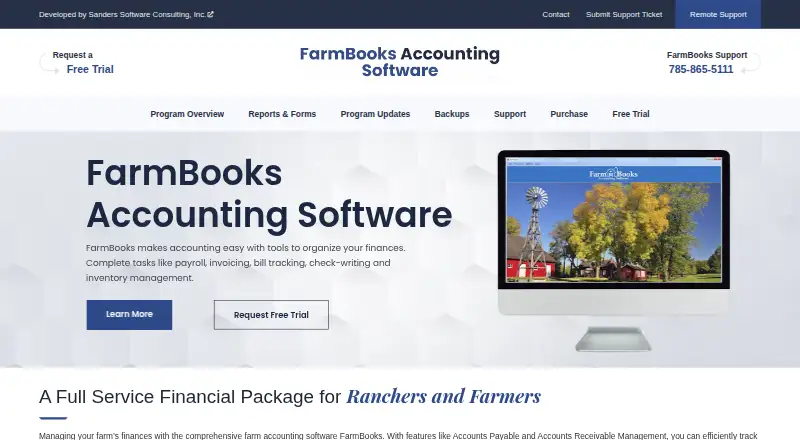
What FarmBooks is
FarmBooks is accounting software for farmers and ranchers, combining bookkeeping with farm records, inventory and payroll. It manages accounts payable and receivable, assets and liabilities, invoicing and check writing. Invoice tools cover estimates, invoices, credit memos, statements, payments and deposits. The software supports multiple farms and tracks crops, livestock, enterprise activity and inventory. Financial reports include balance sheets, income statements, cash flow reports and Schedule F. Payroll reports help users prepare filings, but FarmBooks does not electronically file forms for them. The plan costs $595, paid once for a single farm installation. There is no free plan, although a trial uses a demo farm; after 30 transactions, a registration key is required to create a new farm database. Windows 11 and Windows 10 are supported. Mac use requires running Windows mode.
Who it suits
FarmBooks suits farmers and ranchers needing accounting, farm tracking, reports and payroll records. It is intended for Windows users, or Mac users able to run Windows mode.
What it does well
- Tracks crops, livestock and enterprises
- Includes Schedule F financial reports
- Supports multiple farms
- Inventory and payroll features included
- Database backup location is configurable
What to know first
- Costs $595, paid once
- No free plan
- Trial limits new databases after 30 transactions
- Mac requires Windows mode
Limits
The free trial uses a demo farm. After 30 transactions, a registration key is needed to create a new farm database; the paid FarmBooks plan is a single-farm installation.
Plans
| Plan | Billed and limits | Price |
|---|---|---|
| Yearly maintenance | annual maintenance fee · program updates · support · tax tables | $100 a year |
| Third or more Farm(s) | one time fee per farm · each additional farm after the second | $150, paid once |
| Second Farm | one time fee · additional farm registration | $250, paid once |
| FarmBooks | single farm installation | $595, paid once |
| Single Farm | one time fee; includes 1 year of license and maintenance · single farm installation/registration | $595, paid once |
As farmbooksaccounting.com lists them, read 21 Oct 2026. The maker's own page has the final word.
Getting started
- Open the FarmBooks website
- Choose the FarmBooks single-farm installation
- Install it on Windows 11 or Windows 10
- Run it on a Mac only through Windows mode
- Start the free trial with the demo farm
- Request a registration key after 30 transactions to create a new farm database
Verdict
FarmBooks brings farm-specific records and accounting into one desktop product. Its single-installation price, trial restriction and Windows-dependent Mac use are important purchasing considerations.
Questions
How much does FarmBooks cost?
The FarmBooks plan costs $595, paid once for a single farm installation.
Is there a free plan?
No. A free trial is available instead.
What happens during the free trial?
The trial uses a demo farm. After 30 transactions, a registration key is required to create a new farm database.
Which operating systems are supported?
FarmBooks supports Windows 11 64-bit and Windows 10 in 32-bit or 64-bit versions. On Mac, it runs only in Windows mode.
Can FarmBooks e-file payroll forms?
No. Payroll reports help users file forms, but FarmBooks does not directly e-file them.
Who develops FarmBooks?
Sanders Software Consulting, Inc. is identified as the developer.
Facts from FarmBooks's own pages
- Accounting features
- It includes accounts payable and receivable management, an asset and liability tracker, invoicing, and check writing. · farmbooksaccounting.com, 3 Oct 2026
- Accounts payable
- The software lets users create vendors and pay invoices due. · farmbooksaccounting.com, 21 Oct 2026
- Accounts receivable
- It supports estimates, billings, payments, deposits, statements, sales-tax tracking and customer balances. · farmbooksaccounting.com, 21 Oct 2026
- API and SDKs
- No public API or SDK is listed in the official product navigation, user guide or FAQ pages. · farmbooksaccounting.com, 21 Oct 2026
- Asset tracking
- An asset and liability tracker records asset cost, market value, loan values and amortization schedules. · farmbooksaccounting.com, 21 Oct 2026
- Backup
- The application includes configurable database backups and a restore wizard. · farmbooksaccounting.com, 21 Oct 2026
- Bank accounts
- FarmBooks supports management of unlimited bank accounts. · farmbooksaccounting.com, 21 Oct 2026
- Bank credentials
- The FAQ says FarmBooks does not capture or track online-bank login information during CSV imports. · farmbooksaccounting.com, 21 Oct 2026
- Check writing
- Users can record and print vendor checks, expense checks and paychecks. · farmbooksaccounting.com, 21 Oct 2026
- Company headquarters
- LinkedIn lists headquarters in Lawrence, Kansas, at 3008 W 30th St. · linkedin.com, 21 Oct 2026
- Company product listing
- LinkedIn identifies FarmBooks as the company’s farm-management software product. · linkedin.com, 21 Oct 2026
- Company size
- LinkedIn lists Sanders Software Consulting as having 11–50 employees. · linkedin.com, 21 Oct 2026
- CSV imports
- Bank or credit-card transactions can be imported from CSV files using a mapping wizard. · farmbooksaccounting.com, 21 Oct 2026
- Current version
- The maker lists version 4.0.7.3 as the current release. · farmbooksaccounting.com, 21 Oct 2026
- Data backup
- The software includes a database backup preference that lets users configure where backups are stored. · farmbooksaccounting.com, 3 Oct 2026
- Documentation
- The official full user guide covers farm setup, inventory, banking, invoicing, batch entry, payroll, taxes, reports and backups. · farmbooksaccounting.com, 21 Oct 2026
- Email integration
- Report emailing requires a MAPI-configured mail program such as Microsoft Outlook rather than webmail. · farmbooksaccounting.com, 21 Oct 2026
- Enterprise coding
- ATIG codes separate farm expenses from family living expenses and support enterprise analysis. · farmbooksaccounting.com, 21 Oct 2026
- Financial reports
- Its financial statements include balance sheets, income statements, cash flow reports, and Schedule F. · farmbooksaccounting.com, 3 Oct 2026
- Independent limits
- Fit Small Business cited extra farm-registration costs, desktop-only workflow, dated interface, limited integrations and a steeper transaction-coding learning curve. · fitsmallbusiness.com, 21 Oct 2026
- Independent praise
- Fit Small Business highlighted farm-specific bookkeeping, enterprise tracking, crop/livestock/input inventory, Schedule F reporting and one-time purchase pricing. · fitsmallbusiness.com, 21 Oct 2026
- Independent score
- Fit Small Business scored FarmBooks 3.7 out of 5 overall, with 4.3 for farm-specific features and 3.5 for ease of use. · fitsmallbusiness.com, 21 Oct 2026
- Installation
- After purchase or trial request, users receive a secure download link and install a desktop setup program. · farmbooksaccounting.com, 21 Oct 2026
- Integrations
- SourceForge lists no integrations for FarmBooks. · sourceforge.net, 21 Oct 2026
Where FarmBooks stands on Freedom251
- Farm Accounting Software#7 of 26