
Fade In
What Fade In is
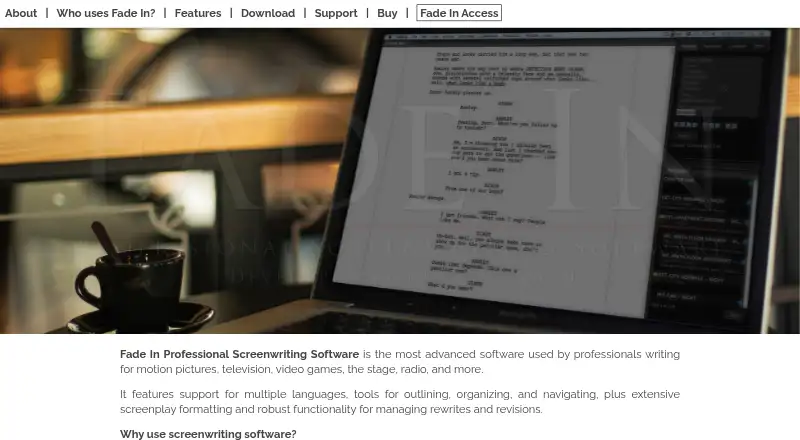
Fade In is screenwriting software for work in film, television, video games, stage, radio, and other script formats. Its desktop app provides screenplay formatting, outlining, organizing, navigation, autocomplete, image support, and tools for rewrites and revisions. It can import and export Final Draft .fdx files and supports .docx, .rtf, Fountain, Scrivener, Celtx, and StudioBinder formats. For production planning, it generates breakdowns and reports covering scenes, cast, and locations, with HTML or CSV export. Scripts use the XML-based Open Screenplay Format, designed to support accessibility and compatibility.
The desktop software works on Windows, macOS, and Linux. Its one-time individual license allows installation on the purchaser’s own computers running those systems, and updates are included at no charge. Optional Fade In Access adds cloud storage, backup, version history, online editing, collaboration, sharing, and publishing through a browser on computers and mobile devices. The desktop demo includes the full feature set, though registration is prompted after 10 pages, printed scripts carry a watermark, and online real-time collaboration is excluded. Access editing does not paginate exactly like the desktop app, and it does not display page numbers while editing.
Who it suits
Fade In suits screenwriters working across film, television, games, stage, radio, and other script formats who need writing and production tools. It also fits writers who exchange scripts in Final Draft or other supported formats, and teams that want browser-based collaboration through Fade In Access.
What it does well
- Screenplay formatting, outlining, navigation, and revision tools are included.
- Imports and exports Final Draft .fdx files.
- Produces breakdowns and reports for scenes, cast, and locations.
- Open Screenplay Format is XML-based.
- Fade In Access adds cloud backup, collaboration, and publishing.
- Desktop updates are included at no charge.
What to know first
- The desktop demo prompts for registration after 10 pages.
- Printed scripts from the demo carry a watermark.
- Online real-time collaboration is excluded from the desktop demo.
- Access does not show page numbers while editing.
Limits
The desktop demo prompts for registration after 10 pages and watermarks printed scripts; it also excludes online real-time collaboration. Access editing does not paginate exactly like the desktop app and does not display page numbers.
Plans
| Plan | Billed and limits | Price |
|---|---|---|
| Fade In Student | $59.95 (USD) per individual registration · Current students at accredited post-secondary institutions · Student status must be verified | $59.95, paid once |
| Fade In Professional Screenwriting Software | $79.95 (page also displays $99.95) · Individual user license · Windows, Mac, Linux · Updates included | $79.95, paid once |
| Fade In Access Monthly | $9.95 per month · All Fade In Access features · Renews monthly · 7-day free trial | $9.95 a month |
| Fade In Access Annual | $99.95 per year · All Fade In Access features · Renews annually · 7-day free trial | $99.95 a year |
As fadeinpro.com lists them, read 7 Oct 2026. The maker's own page has the final word.
Getting started
- Visit the Fade In website.
- Choose the desktop software or a Fade In Access plan.
- Use the free trial for Access, or the desktop demo to explore its feature set.
- Install the desktop software on Windows, macOS, or Linux, or use Access in a browser.
- Start a script and use the writing, import, or production tools.
Verdict
Choose Fade In for a screenplay workflow that combines writing, format exchange, and production reports, with optional browser-based collaboration. Look elsewhere if you need mobile apps, exact desktop-style pagination in Access, or an unwatermarked desktop demo without registration prompts.
Questions
What does Fade In cost?
The listed Fade In Professional Screenwriting Software plan is $79.95 a month. Fade In Student is $59.95, paid once for verified students at accredited post-secondary institutions. Access costs $9.95 a month or $99.95 a year.
Is there a free plan or trial?
There is no free plan. The desktop demo includes the full feature set with registration prompts after 10 pages and watermarks on printed scripts. Fade In Access plans include a 7-day free trial.
Which platforms does it support?
The desktop license covers Windows, macOS, and Linux. Fade In Access works in a web browser on computers and mobile devices, including iOS and Android; there are no mobile apps.
Can it work with Final Draft files?
Yes. Fade In can import and export Final Draft .fdx files. It also supports .docx, .rtf, Fountain, Scrivener, Celtx, and StudioBinder formats.
Who makes Fade In?
Fade In is a registered trademark of GCC Productions Inc.
What does Fade In Access include?
Access provides cloud storage, backup, version history, online editing, collaboration, sharing, and publishing. It is available through a browser on computers and mobile devices.
Facts from Fade In's own pages
- Access devices
- Fade In Access works in a web browser on computers and mobile devices, including iOS and Android. · fadeinpro.com, 7 Oct 2026
- Access pagination limit
- Fade In Access does not paginate exactly like the desktop application, and page numbers are not displayed during editing in Access. · fadeinpro.com, 7 Oct 2026
- Cloud service
- Optional Fade In Access provides cloud storage, backup, version history, online editing, collaboration, sharing, and publishing. · fadeinpro.com, 7 Oct 2026
- Real-time collaboration
- Yes · fadeinpro.com, 19 Sept 2026
- Demo limits
- The free desktop demo includes the full feature set, but prompts for registration after 10 pages and watermarks printed scripts; the download page also notes that online realtime collaboration is excluded. · fadeinpro.com, 7 Oct 2026
- Export formats
- extensive · fadeinpro.com, 19 Sept 2026
- File compatibility
- It can import and export Final Draft .fdx files and supports formats including .docx, .rtf, Fountain, Scrivener, Celtx, and StudioBinder. · fadeinpro.com, 7 Oct 2026
- Free plan
- No · fadeinpro.com, 19 Sept 2026
- License and updates
- The desktop software is a one-time purchase, and the individual license permits installation on the purchaser’s own Windows, Mac, and Linux computers; updates are included at no charge. · fadeinpro.com, 7 Oct 2026
- Maker
- Fade In is a registered trademark of GCC Productions Inc. · fadeinpro.com, 7 Oct 2026
- Mobile apps
- No · fadeinpro.com, 19 Sept 2026
- Offline mode
- Yes · fadeinpro.com, 19 Sept 2026
- Open format
- Fade In saves scripts in the Open Screenplay Format, an XML-based format intended to improve accessibility and compatibility. · fadeinpro.com, 7 Oct 2026
- Production tools
- It can generate script breakdowns and reports, including scenes, cast, and locations, and export reports as HTML or CSV. · fadeinpro.com, 7 Oct 2026
- Publishing tools
- Yes · fadeinpro.com, 19 Sept 2026
- Purpose
- Fade In is screenwriting software for motion pictures, television, video games, stage, radio, and other scripts. · fadeinpro.com, 7 Oct 2026
- Security and privacy
- The maker says its website does not store personal information from visits; purchases may collect email and payment information and may be subject to FastSpring’s data policies. · fadeinpro.com, 7 Oct 2026
- Support
- Fade In directs users to a searchable Knowledge Base and provides a contact form for questions. · fadeinpro.com, 7 Oct 2026
- Version history
- Yes · fadeinpro.com, 19 Sept 2026
- Writing tools
- The desktop application includes screenplay formatting, outlining, organizing, navigation, autocomplete, image support, and tools for rewrites and revisions. · fadeinpro.com, 7 Oct 2026
Where Fade In stands on Freedom251
- Writing Apps#85 of 135
- Script Writing Software#17 of 25
- Screenwriting Software#19 of 27