
Final Draft
by Final Draft
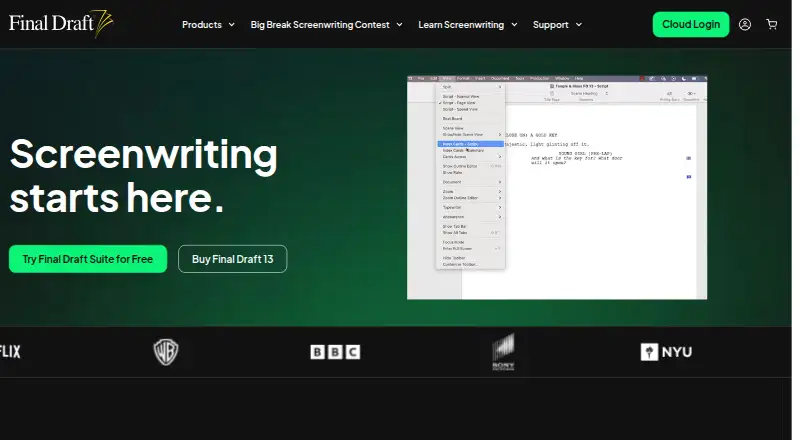
What Final Draft is
Final Draft is screenwriting software that automatically formats scripts to screenplay standards. Its Beat Board, Outline Editor and Structure Lines help writers brainstorm, outline and navigate drafts. Templates, customizable workflows, autosave and editing tools support writing, while SmartType completes character names and locations. Writers can keep multiple dialogue versions and use sprint timers and writing statistics.
Production tools cover revisions, location tracking, casting, scheduling, budgeting, production tagging and reports. Final Draft supports real-time collaboration on scripts and the Beat Board. Final Draft Cloud adds asynchronous collaboration, Vault storage, project folders, ScriptNotes, sharing and optional desktop-to-cloud syncing. Final Draft says its cloud storage is encrypted and its collaboration and sharing are enterprise-secure.
The software is available for macOS, Windows, web and iOS. The desktop app requires macOS 12 Monterey or later, or Windows 10 or later with an Intel or AMD processor; it is not available on Chromebook. Numbered desktop versions do not run on iPad or iPhone, where Final Draft Go is offered separately. Suite subscriptions include Final Draft 13 and Final Draft Cloud, with a free 5-day trial. Final Draft was founded in 1990 and is headquartered in Burbank, California.
Who it suits
Final Draft suits aspiring and professional screenwriters who need screenplay formatting, story planning and editing tools. Producers, directors and industry executives may also find its production workflow, reporting and collaboration tools useful.
What it does well
- Automatically formats screenplays.
- Includes Beat Board, Outline Editor and Structure Lines.
- Production tools cover scheduling, budgeting, revisions and reporting.
- Supports real-time and asynchronous collaboration.
- Available for macOS, Windows, web and iOS.
- Supports more than 90 languages, including several Indian languages.
What to know first
- There is no free plan.
- The Suite trial lasts 5 days.
- Desktop versions are unavailable for Chromebook.
- Numbered desktop versions do not run on iPad or iPhone.
Limits
There is no free plan. The Suite trial lasts 5 days; the Student plan does not include Final Draft Cloud, and Final Draft 13 Personal does not include Cloud. Desktop purchases include two activations and can run on two computers at the same time.
Plans
| Plan | Billed and limits | Price |
|---|---|---|
| Final Draft Suite Monthly | billed monthly · Includes Final Draft 13 · Includes Final Draft Cloud · Includes a free 5-day trial | $16.99 a month |
| Final Draft 13 | Shown as INR 7999 per once on our read (localised); USD price not displayed to our checker · Desktop application for macOS and Windows · One-time purchase · Does not include Final Draft Cloud | $249.99 a month |
| Final Draft Suite | monthly or annual subscription · Final Draft Cloud + Final Draft 13 · encrypted cloud storage · asynchronous collaboration | $16.99 a month |
| Final Draft 13 Personal | ~~US$249.99~~ · Now 20% off! · desktop application · does not include Final Draft Cloud | $199.99, paid once |
| Upgrade to Final Draft 13 | ~~US$129.99~~ · Now 38% off! · for owners of any previous Final Draft desktop version | $79.99, paid once |
| Final Draft Suite annual | billed yearly · Final Draft Cloud + Final Draft 13 | $8.33 a year |
| Final Draft 13 Student | ~~$129.99~~ · Now 23% off! · student verification required · does not include Final Draft Cloud | $99.99, paid once |
| Educational Edition | ~~US$129.99~~ · Now 23% off! · students · college instructors · K-12 teachers | $99.99, paid once |
The first 8 of 11 plans, as finaldraft.com lists them, read 19 Sept 2026. The maker's own page has the final word. Every plan
Getting started
- Visit https://www.finaldraft.com/.
- Choose a Suite subscription or a desktop edition that fits your needs.
- Use the free 5-day trial with a Suite plan if you want to try it first.
- Install the desktop app on macOS 12 Monterey or later, or Windows 10 or later with an Intel or AMD processor.
- For iPad or iPhone, consider Final Draft Go, offered separately.
Verdict
Pick Final Draft if you need screenplay formatting alongside story planning and production tools. The Suite adds Cloud storage and asynchronous collaboration, with a 5-day trial. Look elsewhere if you need a free plan or Chromebook support.
Questions
How much does Final Draft cost?
Final Draft Suite Annual is $99.99 a year, and Suite Monthly is $16.99 a month. Final Draft 13 Personal is 199.99 USD once; other listed options include Student at 99.99 USD once and Upgrade at 79.99 USD once for owners of a previous desktop version.
Is there a free plan or trial?
No free plan is stated. The Suite plans include a free 5-day trial.
Which platforms does Final Draft support?
It is listed for iOS, macOS, web and Windows. Desktop versions require macOS 12 Monterey or later, or Windows 10 or later with an Intel or AMD processor; Final Draft is not available on Chromebook.
Does Final Draft work on iPad or iPhone?
Numbered desktop versions do not work on iPad or iPhone. Final Draft Go is offered separately for those devices.
What does Final Draft Cloud include?
Cloud includes Vault storage, project folders, ScriptNotes, sharing, asynchronous collaboration and optional desktop-to-cloud syncing. Student and Personal editions do not include Final Draft Cloud.
Can Final Draft import PDFs?
Final Draft 13 can import most text-based PDFs. It cannot import PDFs scanned from paper or made from photographs of script pages.
Facts from Final Draft's own pages
- Included Activations
- Each purchase includes two activations. · finaldraft.com, 27 Sept 2026
- Automatic Formatting
- The software automatically formats screenplays. · finaldraft.com, 27 Sept 2026
- Autosave Support
- Automatic formatting, autosave, and advanced editing are included. · finaldraft.com, 27 Sept 2026
- Chromebook Support
- Final Draft is not available on Chromebook. · finaldraft.com, 27 Sept 2026
- Cloud workspace
- Final Draft Cloud provides Writer, Vault storage, project folders, ScriptNotes, sharing, and optional desktop-to-cloud syncing through Vault Sync. · finaldraft.com, 28 Sept 2026
- Collaboration
- Final Draft supports real-time collaboration on the script and Beat Board, while Final Draft Cloud provides asynchronous collaboration. · finaldraft.com, 28 Sept 2026
- Company history
- Final Draft was co-founded in 1990 by Marc Madnick and Ben Cahan and was acquired by Cast & Crew in 2016. · finaldraft.com, 28 Sept 2026
- Export formats
- extensive · finaldraft.com, 19 Sept 2026
- Founded
- 1990 · finaldraft.com, 28 Sept 2026
- Free plan
- No · finaldraft.com, 19 Sept 2026
- Free Tier
- No free tier is stated in the supplied page text. · finaldraft.com, 27 Sept 2026
- Headquarters
- Burbank, California · finaldraft.com, 28 Sept 2026
- Industry adoption
- Final Draft says it is used by 95% of film and television productions. · finaldraft.com, 28 Sept 2026
- Installation limit
- Final Draft 13 can be installed on as many Windows and Mac computers as the owner likes, but can run on two at the same time. · finaldraft.com, 28 Sept 2026
- macOS Requirement
- Mac users need macOS 12 Monterey or higher. · finaldraft.com, 27 Sept 2026
- Mobile apps
- Yes · finaldraft.com, 19 Sept 2026
- Mobile limitation
- The numbered desktop versions do not work on iPad or iPhone; Final Draft Go is offered separately for those devices. · finaldraft.com, 28 Sept 2026
- Refund Period
- The purchase includes a 30-day money-back guarantee. · finaldraft.com, 27 Sept 2026
- Offline mode
- Yes · finaldraft.com, 19 Sept 2026
- PDF handling
- Final Draft 13 can import most text-based PDFs but cannot import PDFs scanned from paper or made from photographs of script pages. · finaldraft.com, 28 Sept 2026
- Primary users
- Final Draft says it is used by professional and aspiring screenwriters, producers, directors, and industry executives. · finaldraft.com, 28 Sept 2026
- Production Features
- Production tools include revision, location tracking, casting, scheduling, budgeting, and reporting. · finaldraft.com, 27 Sept 2026
- Production workflow
- Production tools support scheduling and budgeting, tagging production needs, advanced reports, and revision mode. · finaldraft.com, 28 Sept 2026
- Productivity Tools
- The software includes sprint timers and writing statistics. · finaldraft.com, 27 Sept 2026
Where Final Draft stands on Freedom251
- Writing Apps#82 of 135
- Text App#17 of 24
- Script Writing Software#18 of 25
- Screenwriting Software#20 of 27