Freedom251 › Email Recovery Software
Exchange EDB Recovery Tool
What Exchange EDB Recovery Tool is
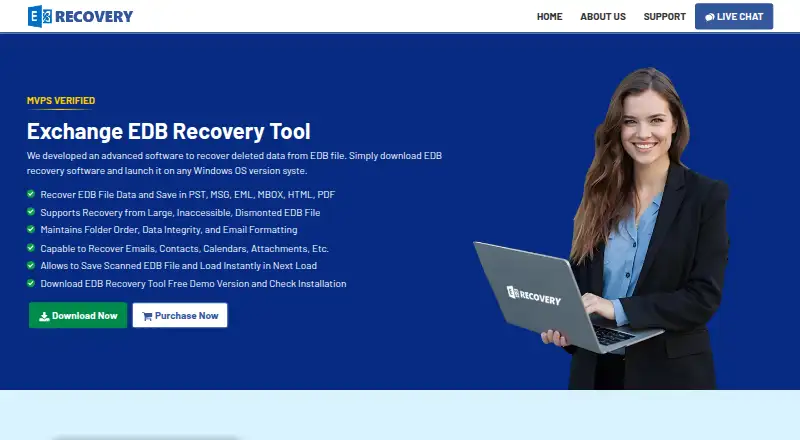
Exchange EDB Recovery Tool is Windows software for retrieving deleted mailbox data from Exchange EDB files, including files that are corrupted, offline, or dismounted. It can restore emails, contacts, calendars, attachments, tasks, notes, and journals. Quick Scan covers files with minimal corruption; Advanced Scan is intended for deeper corruption, and scan data can be saved to continue later. Recovered data can be saved in PST, MSG, EML, MBOX, HTML, or PDF formats, or sent directly to a Live Exchange Server or Office 365 account. The tool can decrypt S/MIME and OpenPGP email if you provide the required certificates or private keys and passwords. The demo previews mailbox data and limits recovery to 25 items per folder. The free version costs nothing, with a 25-item-per-folder limit for saving and migration; the full version is $299, paid once. Supported systems include Windows 11, 10, 8, 7, and listed Windows Server editions. Exchange export requires permissions and, for Exchange 2007 and later, administrator impersonation; the migration PC must be in the server's domain.
Who it suits
It suits Windows users who need to recover Exchange mailbox data or move it to another listed format, a Live Exchange Server, or Office 365. Direct Exchange export is for users who can meet its access, administrator, and domain requirements.
What it does well
- Recovers multiple mailbox data types, including contacts and calendars.
- Offers separate scans for different corruption levels.
- Saves recovered data in six listed formats.
- Can export directly to Exchange or Office 365.
- Supports EDB files without a stated size limit.
What to know first
- Free version limits saving and migration to 25 items per folder.
- Full version costs $299, paid once.
- Direct Exchange export has permission and domain prerequisites.
Limits
The demo previews mailbox data and permits recovery of up to 25 items per folder. The plan comparison also describes that limit for saving recovered data and migrating to Office 365 or Live Exchange Server in the free version.
Plans
| Plan | Billed and limits | Price |
|---|---|---|
| Free Demo | Preview and recover 25 items per folder | Free |
| Free Version | Free version; paid comparison lists a limit of 25 items per folder for saving recovered data and migrating to Office 365 or Live Exchange Server | Free |
| Standard License | one-time · Per-feature license | $299, paid once |
| Full Version | one-time · Unlimited recovered items · PST, EML, MBOX, MSG, PDF and HTML export · Office 365 and Live Exchange export | $299, paid once |
| Corporate License | one-time · Per-feature license | $399, paid once |
| Technical License | one-time · Per-feature license | $499, paid once |
| Enterprise License | one-time · Per-feature license | $899, paid once |
As exchangerecoverytool.com lists them, read 15 Oct 2026. The maker's own page has the final word.
Getting started
- Visit the product website and obtain the Windows software.
- Use the demo to preview mailbox data and recover up to 25 items per folder.
- Choose Quick Scan for minimally corrupted files or Advanced Scan for deeply corrupted files.
- Save scan data if you need to resume later.
- Export recovered data to a listed file format, Live Exchange Server, or Office 365.
Exchange EDB Recovery Tool is Windows software for retrieving mailbox data from Exchange database files that are deleted from, corrupted, offline, or dismounted. It is best suited to administrators and users who need to recover EDB contents and save them as files or move them to Exchange or Office 365. The scan options and export choices are substantial, but the demo’s 25-item-per-folder cap and the full version’s $299.00 one-time price call for a clear decision about scope and migration needs.
Overview
The tool recovers emails, contacts, calendars, attachments, tasks, notes, and journals from EDB files. Preview before export and batch recovery help users check contents and handle multiple mailboxes, while support for PST—but not OST or MBOX—keeps its recovery focus on Exchange databases.
Recovered data can be saved in PST, MSG, EML, MBOX, HTML, or PDF, or exported directly to a Live Exchange Server or Office 365 account. That makes it useful both for restoring mailboxes and for creating portable archives, although direct export depends on permissions and the migration computer’s relationship to the Exchange domain.
Key features
Scanning and recovery
Quick Scan is aimed at minimally corrupted files; Advanced Scan is intended for deeper corruption. Saving scan data to resume later is practical when work spans sessions. The maker states there is no EDB file-size limit and that the tool has been tested with files up to 1 TB, which may matter when dealing with large databases.
Export and encrypted mail
The six output formats cover mailbox files, individual-message formats, and readable documents, giving users options beyond a direct migration. The tool can also decrypt S/MIME and OpenPGP messages when the required certificates or private keys and passwords are supplied; without those credentials, that capability does not remove the encryption barrier.
Direct Exchange export requires mailbox access permissions and, for Exchange 2007 and later, administrator impersonation. The migration PC must be in the same domain as the Exchange server, and exporting scanned files to an Exchange mailbox requires administrator rights. These prerequisites make the direct route a better fit for managed environments than for users without server access.
Pricing
| Plan | Price | What it includes |
|---|---|---|
| Free Version | free | Demo preview and recovery of up to 25 items per folder for saving recovered data and migrating to Office 365 or Live Exchange Server. |
| Full Version | $299, paid once | Full version; no usage limit is stated in the plan comparison. |
The free demo is useful for checking mailbox contents and whether the recovery path fits, but its per-folder cap makes it unsuitable for a complete recovery. The one-time Full Version price is the option for users who need to save or migrate beyond that cap; it is a meaningful upfront cost, so occasional or limited work may not justify it.
Platforms
The software supports Windows 11, 10, 8, and 7, plus Windows Server 2022, 2019, 2016, 2012 R2, and 2008. Compatibility requirements include Microsoft Outlook 2003–2016 and Exchange Server 2003–2019, alongside specified Office 365 plans. It requires .NET Framework 4.5 or later, 100 MB of free disk space, and recommends 4 GB of RAM.
Who it's for
This is a sensible fit for Windows-based Exchange administrators and users who need EDB recovery, a choice of export formats, or a direct route to Exchange or Office 365. It is less suitable for anyone seeking OST or MBOX recovery, or for teams that cannot meet the permissions and domain requirements for direct Exchange export.
Pros and cons
- Pros: Quick and Advanced Scan options, resumable scan data, batch recovery, and preview provide several ways to manage recovery work.
- Pros: Six file export formats plus direct Exchange and Office 365 export support both archiving and mailbox migration.
- Pros: S/MIME and OpenPGP decryption is available when users can provide the required credentials.
- Cons: The demo’s 25-item-per-folder cap limits it to evaluation or small recovery needs.
- Cons: Direct Exchange export has multiple administrative and domain prerequisites, which can rule it out for less controlled environments.
- Cons: Recovery is limited to EDB and PST rather than OST or MBOX, and the Full Version costs $299, paid once.
Alternatives
Browse Email Recovery Software for the wider category. Stellar Repair for Outlook is a paid alternative with a free plan and trial, web and Windows platforms, and a Professional plan at $99, paid once with unlimited file size; consider it when those platform options or its lower stated Professional price matter more than this tool’s Exchange-specific recovery path.
BitRecover Exchange Recovery has a free plan capped at 25 items per folder and a Pro plan with custom pricing; its free cap resembles this tool’s demo, so compare it if you want another Exchange recovery option before paying. Recovery Toolbox for Outlook has a Personal License at $39, paid once for personal, noncommercial use; consider it if that license scope and price fit your needs.
WholeClear Exchange Recovery offers a Personal plan at $299 a year for up to 20 systems and a Professional lifetime plan at $399, paid once; it may suit users who need the stated multi-system personal allowance or prefer a lifetime license. PST Walker has a Lite License at $32.95 a year, with personal use, viewing of existing items, and export of up to 15 emails per folder; choose it when those narrower PST tasks are enough.
EdbMails EDB Recovery has no free plan, a trial, and a Personal Edition at $99, paid once for EDB-to-PST recovery with unlimited mailbox recovery and export; it is worth considering if those stated terms fit better. EdbMails IMAP Migration Tool starts at $200, paid once for a 100-mailbox IMAP/POP3 migration plan; it is a different migration-focused option for users moving IMAP mailboxes. Exchange Recovery Manager is another paid Windows option without a free plan.
Verdict
Choose Exchange EDB Recovery Tool if you need to recover Exchange EDB mailboxes on Windows and value the combination of scan choices, resumable work, multiple export formats, and direct Exchange or Office 365 export. Look elsewhere if the 25-item demo cap, $299.00 one-time purchase, unavailable OST/MBOX recovery, or direct-export prerequisites do not fit your workload.
Verdict
Exchange EDB Recovery Tool offers several recovery paths, scan options, and export destinations for Exchange EDB data. The free version's per-folder limit and the full-version price are important to weigh, as are the prerequisites for direct Exchange export.
Questions
How much does the full version cost?
The Full Version costs $299, paid once.
Is there a free version or trial?
Yes. A free version and a free trial are listed. The demo previews mailbox data and allows recovery of up to 25 items per folder.
Which platforms does it support?
It supports Windows 11, 10, 8, and 7, plus Windows Server 2022, 2019, 2016, 2012 R2, and 2008.
What formats can recovered data be saved in?
The listed formats are PST, MSG, EML, MBOX, HTML, and PDF. Recovered mailboxes can also be exported directly to a Live Exchange Server or Office 365 account.
Can it recover OST files?
No. The listed recovery support includes EDB and PST recovery, but not OST recovery.
What is required for direct Exchange export?
Export requires mailbox access permissions and, for Exchange 2007 and later, administrator impersonation. The migration PC must be in the same domain as the Exchange server.
Facts from Exchange EDB Recovery Tool's own pages
- API and SDK
- The official product page describes a Windows desktop utility and file or Exchange exports but does not describe a public API or SDK. · exchangerecoverytool.com, 15 Oct 2026
- Bates stamping
- PDF exports can include page numbers and date stamps at user-selected positions. · exchangerecoverytool.com, 15 Oct 2026
- Cloud and server export
- Recovered mailboxes can be exported directly to Office 365 or a Live Exchange Server. · exchangerecoverytool.com, 15 Oct 2026
- Company founding
- LinkedIn lists SHINE Recovery as founded in 2005. · linkedin.com, 15 Oct 2026
- Company headquarters
- LinkedIn lists SHINE Recovery headquarters in Austin, Texas. · linkedin.com, 15 Oct 2026
- Company name
- LinkedIn identifies SHINE Recovery as a software-development company associated with Exchange EDB recovery software. · linkedin.com, 15 Oct 2026
- Company size
- LinkedIn lists SHINE Recovery at 501–1,000 employees. · linkedin.com, 15 Oct 2026
- Compatibility
- The requirements list Microsoft Outlook 2003–2016 and Exchange Server 2003–2019, along with specified Office 365 plans. · exchangerecoverytool.com, 5 Oct 2026
- Direct export
- The software can export recovered mailboxes to a Live Exchange Server or Office 365 account. · exchangerecoverytool.com, 5 Oct 2026
- Documentation
- The vendor page links to a software guide, installation guide, uninstallation guide and EULA hosted on systoolskart.com. · exchangerecoverytool.com, 15 Oct 2026
- Email decryption
- It can decrypt S/MIME and OpenPGP emails when the required certificates or private keys and passwords are supplied. · exchangerecoverytool.com, 5 Oct 2026
- Encrypted email
- The tool can batch-decrypt S/MIME and OpenPGP messages when the required certificates, private keys and passwords are supplied. · exchangerecoverytool.com, 15 Oct 2026
- Export formats
- Recovered data can be saved as PST, MSG, EML, MBOX, HTML or PDF files. · exchangerecoverytool.com, 15 Oct 2026
- Export prerequisites
- Live Exchange export requires administrator impersonation or full mailbox access, and the migration PC must be in the same domain as the server. · exchangerecoverytool.com, 15 Oct 2026
- Filtering
- Export can be narrowed with categories, naming conventions and date or time filters. · exchangerecoverytool.com, 15 Oct 2026
- Folder preservation
- The vendor says the original folder order, hierarchy, formatting and data integrity are retained. · exchangerecoverytool.com, 15 Oct 2026
- Large files
- The maker states that the tool has no EDB file size limit and has been tested with data files up to 1 TB. · exchangerecoverytool.com, 5 Oct 2026
- Large PST output
- The vendor says Unicode PST output avoids the traditional 2 GB PST limit. · exchangerecoverytool.com, 15 Oct 2026
- Limit: occasional-use value
- One verified reviewer said the product is situational and may be unnecessary when recovery is only needed infrequently. · softwareadvice.com, 15 Oct 2026
- Limit: review coverage
- G2 states that there are not enough reviews to provide buying insight and shows no submitted reviews. · g2.com, 15 Oct 2026
- Mailbox data
- It can recover emails, contacts, calendars, attachments, tasks, notes, and journals. · exchangerecoverytool.com, 5 Oct 2026
- Mailbox items
- The product recovers emails, contacts, calendars, attachments, tasks, notes and journals. · exchangerecoverytool.com, 15 Oct 2026
- Offline recovery
- The software can recover mailboxes from offline, non-operational, inactive or dismounted Exchange servers. · exchangerecoverytool.com, 15 Oct 2026
- Praise: ease of use
- Software Advice reviewers described installation and use as easy and said the product worked as advertised. · softwareadvice.com, 15 Oct 2026
Where Exchange EDB Recovery Tool stands on Freedom251
- Email Recovery Software#4 of 33