Evcode
What Evcode is
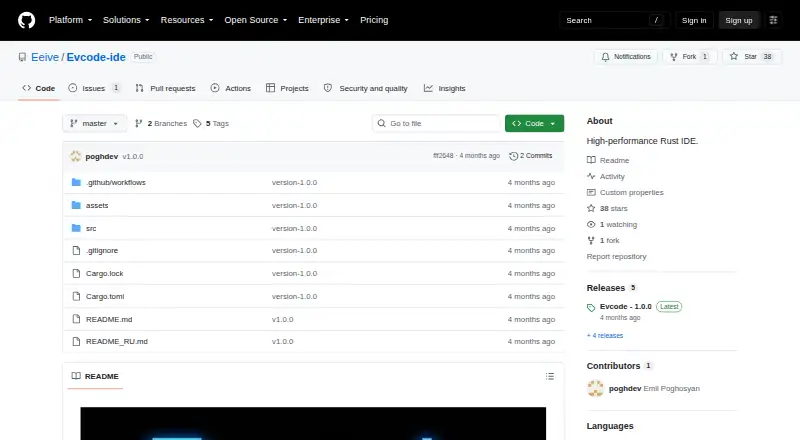
Evcode is a free, open-source Rust terminal IDE for developers who want to work from a keyboard in a minimal interface. Its macOS editor supports multiple tabs, syntax highlighting, text selection, undo and redo, clipboard use, and cursor navigation. Built-in language server support can provide diagnostics, highlight errors, and give language-aware feedback in real time when a language server is available. Teleport offers fuzzy search for navigating project files, including large projects, and a file tree provides another way to browse the project structure. An integrated terminal runs commands for compiling, testing, or running scripts, including Cargo, Python, Node, build systems, and shell commands. Ghost Snap stores a buffer snapshot in memory and mirrors it to ~/.local/share/evcode/snaps/ for persistence. Ghost Diff marks added, removed, and modified code against a snapshot; Ghost Rollback restores the last Ghost snapshot. The project describes its aims as terminal-first development, keyboard-driven work, and fast experimentation. It is MIT licensed. Installation is documented through building with Cargo or running `cargo install evcode`; the latest release listed is 1.0.0. The README reports approximately 7–10 MB of idle RAM usage.
Who it suits
Evcode suits developers using macOS who prefer terminal-first, keyboard-driven work and a minimal coding interface. Its LSP support, integrated terminal, fuzzy file finder, and snapshot tools fit workflows involving language diagnostics, project navigation, command execution, and fast experimentation.
What it does well
- Free and open source under the MIT license.
- Multiple tabs, syntax highlighting, clipboard support, and cursor navigation.
- LSP support provides diagnostics and error highlighting when a server is available.
- Teleport offers fuzzy project file search.
- Ghost Diff and Ghost Rollback compare and restore snapshots.
- Integrated terminal runs compile, test, and script commands.
What to know first
- Available platform listed is macOS only.
- Language feedback depends on an available LSP server.
- Installation is documented through building from source or Cargo.
Getting started
- Open the Evcode GitHub project page.
- Build Evcode from source with Cargo, or install it with `cargo install evcode`.
- Use the macOS version to work in the editor, browse files, or run commands in its integrated terminal.
Verdict
Choose Evcode if you use macOS and want a free, keyboard-driven terminal IDE with LSP support, project search, an integrated terminal, and snapshot rollback. Developers looking for a listed platform beyond macOS should look elsewhere.
Questions
Is Evcode free?
Yes. Evcode is free and open source.
What platforms does it support?
macOS is the listed platform.
Is Evcode open source?
Yes. The repository identifies it as MIT licensed.
How can I install Evcode?
The project documents building from source with Cargo and installing with `cargo install evcode`.
Does Evcode support language diagnostics?
Yes. Built-in LSP support provides diagnostics and error highlighting for languages with available LSP servers.
Does Evcode have an integrated terminal?
Yes. It can run commands for compiling, testing, and running scripts.
Facts from Evcode's own pages
- Editing
- Editing features include multiple tabs, syntax highlighting, text selection, undo and redo, clipboard integration, and cursor navigation. · github.com, 4 Oct 2026
- File search
- Teleport is a fuzzy file finder for jumping between project files. · github.com, 3 Oct 2026
- Ghost diff and rollback
- Ghost Diff highlights added, removed, and modified code, and Ghost Rollback reverts to the last Ghost snapshot. · github.com, 4 Oct 2026
- Ghost rollback
- Ghost Diff compares current code against a snapshot, and Ghost Rollback reverts to the last Ghost snapshot. · github.com, 3 Oct 2026
- Ghost snapshots
- Ghost Snap saves a buffer snapshot in RAM and mirrors it to ~/.local/share/evcode/snaps/ for persistence. · github.com, 4 Oct 2026
- Installation
- The README documents building from source with cargo build --release and installing with cargo install evcode. · github.com, 4 Oct 2026
- Integrated terminal
- The integrated terminal can run commands for compiling, testing, or running scripts, including Cargo, Python, Node, build systems, and shell commands. · github.com, 4 Oct 2026
- Intended users
- The README describes Evcode as developer-focused and emphasizes terminal-first, keyboard-driven development and fast experimentation. · github.com, 4 Oct 2026
- Intended workflow
- The project describes its goals as terminal-first development, keyboard-driven work, fast experimentation, and a minimal interface. · github.com, 3 Oct 2026
- Language support
- Built-in LSP support provides diagnostics, error highlighting, language awareness, and real-time feedback for languages with available LSP servers, including Rust, Python, JavaScript, TypeScript, C, and C++. · github.com, 4 Oct 2026
- Latest release
- The releases page lists Evcode 1.0.0 as the latest release and gives cargo install evcode as its installation command. · github.com, 4 Oct 2026
- License
- The repository identifies Evcode as licensed under the MIT License. · github.com, 4 Oct 2026
- Performance claim
- The README claims approximately 7–10 MB of idle RAM usage. · github.com, 4 Oct 2026
- Product
- Evcode describes itself as a Rust terminal IDE for developers seeking a fast, focused alternative to heavyweight GUI editors. · github.com, 4 Oct 2026
- Release platform note
- A prior release note says the release workflow was updated with macOS support and cross-platform build naming. · github.com, 4 Oct 2026
- Search
- Teleport is a fuzzy file finder for navigating project files, designed for large projects and keyboard-first workflows. · github.com, 4 Oct 2026
- Terminal and file tree
- Evcode includes an integrated terminal for running commands and a file tree for browsing project structure. · github.com, 3 Oct 2026
Where Evcode stands on Freedom251
- Rust IDEs#9 of 13