Freedom251 › Sales Email Tracking Software

EmailCaddie
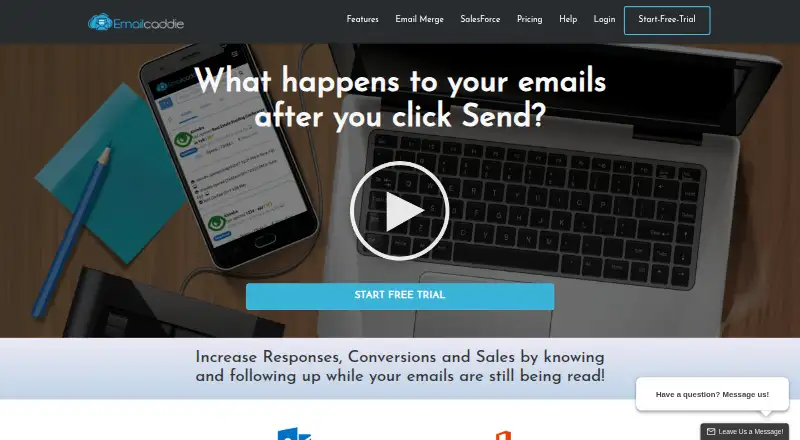
What EmailCaddie is
EmailCaddie tracks Outlook email activity so users can time follow-ups around opens, clicks, and replies. It logs sends and recipient activity in a timeline and shows tracked messages in a dashboard. Windows users can receive desktop alerts for opens and clicks, with email notifications also available. The Outlook mail merge wizard supports custom fields, unique links, customized attachments, and tracking. Users can build follow-up merges based on whether recipients opened or clicked, or clicked and replied. Contact lists can come from Outlook, Excel, Access, or Salesforce, and tracking events can be posted back to Salesforce. Recipient lists can be exported to CSV or Excel, including people who opened, did not open, clicked, or did not click. EmailCaddie runs on web and Windows, and an account is required for tracking. The free trial lasts 14 days. Standard costs $10 a month with annual billing or $15 a month with monthly billing; higher plans add merge tracking and Salesforce capabilities. The maker says sensitive information is encrypted during transmission using SSL.
Who it suits
EmailCaddie suits Outlook users who want activity alerts, reports, and tracking-based follow-up merges. It also supports contact lists from Excel, Access, and Salesforce.
What it does well
- Tracks opens, clicks, and replies.
- Desktop alerts are available for opens and clicks.
- Supports tracking-based follow-up mail merges.
- Exports recipient activity to CSV or Excel.
- 14-day trial available.
What to know first
- No free plan is listed.
- An EmailCaddie account is required for tracking.
- Listed Outlook versions are 2007, 2010, 2013, and 2016.
Limits
The trial lasts 14 days and allows unlimited open and click tracking, while merge tracking is limited to 100 emails per day. Standard plans provide unlimited open and click tracking, but the listed Pro and Premium merge allowances differ by plan.
Plans
| Plan | Billed and limits | Price |
|---|---|---|
| Trial | 14 Day Trial · Open and click tracking (unlimited emails) · Merge tracking (100 emails/day) · Reply tracking (Office 365) | Free |
| Standard (annual billing) | Paid Yearly (Save $60/year) · Open and click tracking (unlimited emails) · Instant and email notifications · Web reports · Reply tracking (Office 365) | $10 a month |
| Standard (monthly billing) | Paid Monthly · Open and click tracking (unlimited emails) · Instant and email notifications · Web reports · Reply tracking (Office 365) | $15 a month |
| Pro (annual billing) | Paid Yearly (Save $120/year) · Open and click tracking (unlimited emails) · Merge tracking (500 emails/day) · Remerge using tracking data · Email Merge Pro included with yearly plan ($79.00 Value) | $20 a month |
| Premium (annual billing) | Paid Yearly (Save $240/year) · Open and click tracking (unlimited emails) · Unlimited number of merge tracking; each merge up to 2000 emails/6000 emails for combined merges · Salesforce Merge Integration · Email Merge Pro included with yearly plan ($79.00 Value) | $30 a month |
| Pro (monthly billing) | Paid Monthly · Open and click tracking (unlimited emails) · Merge tracking (500 emails/day) · Remerge using tracking data | $30 a month |
| Premium (monthly billing) | Paid Monthly · Open and click tracking (unlimited emails) · Unlimited number of merge tracking; each merge up to 2000 emails/6000 emails for combined merges · Salesforce Merge Integration | $50 a month |
As emailcaddie.com lists them, read 4 Oct 2026. The maker's own page has the final word.
Getting started
- Open the EmailCaddie website
- Choose the 14-day trial or a paid plan
- Create an EmailCaddie account
- Use the web or Windows version
- Connect supported Outlook, Excel, Access, or Salesforce contact lists
- Install or use the Outlook tracking features
Verdict
EmailCaddie focuses on Outlook tracking and follow-ups, with mail merge and Salesforce-related capabilities. Check the listed Outlook versions, plan-specific merge limits, and account requirement against your workflow.
Questions
How much does EmailCaddie cost?
Standard annual billing is $10 a month, and Standard monthly billing is $15 a month. Pro and Premium plans are also offered with annual or monthly billing at their listed rates.
Is there a free trial or free plan?
A 14-day trial is available. EmailCaddie does not offer a free plan.
Which platforms and email client does it support?
EmailCaddie is available on web and Windows and supports Outlook. The Salesforce page lists Outlook versions 2007, 2010, 2013, and 2016.
Does it integrate with Salesforce?
Salesforce contact lists are supported, and tracking events can be posted back to Salesforce. Premium plans include Salesforce Merge Integration.
What can EmailCaddie track?
It tracks email opens, clicks, and replies, with timeline records, dashboard reports, and alerts for opens and clicks.
Facts from EmailCaddie's own pages
- Account requirement
- The download page says an Email Caddie account is required to use the tracking features. · emailcaddie.com, 4 Oct 2026
- Company
- The maker identifies itself as Standss (South Pacific) PTE Ltd, says its main team is based in Fiji, and says it sold its first add-in in July 2002. · standss.com, 4 Oct 2026
- Data handling
- The privacy policy says EmailCaddie may collect recipient open and click times, device and browser details, IP address, and location inferred from IP, and that data submitted from outside Fiji is transferred to Fiji. · emailcaddie.com, 4 Oct 2026
- Exports
- EmailCaddie can export CSV or Excel lists of recipients who opened, did not open, clicked, or did not click. · emailcaddie.com, 4 Oct 2026
- Follow-up
- Users can create follow-up merges based on whether recipients opened, clicked, or click-responded to an email. · emailcaddie.com, 4 Oct 2026
- Founded
- 2002 · emailcaddie.com, 28 Sept 2026
- Headquarters
- Suva, Fiji · emailcaddie.com, 28 Sept 2026
- History and reports
- EmailCaddie logs sends, opens, clicks, and replies on a timeline and shows tracked emails in a dashboard. · emailcaddie.com, 4 Oct 2026
- Integrations
- The product describes contact-list support for Outlook, Excel, Access, and Salesforce, and can post tracking events back to Salesforce. · emailcaddie.com, 4 Oct 2026
- Mail merge
- The Outlook mail merge wizard supports custom fields, unique links, customized attachments, and tracking. · emailcaddie.com, 4 Oct 2026
- Notifications
- It provides instant desktop notifications for opens and clicks, with email notifications available as an option. · emailcaddie.com, 4 Oct 2026
- Platform details
- The Salesforce page lists supported Outlook versions as 2007, 2010, 2013, and 2016, and says desktop notifications are available on Windows. · emailcaddie.com, 4 Oct 2026
- Product
- EmailCaddie tracks Outlook emails and reports opens, clicks, and replies so users can follow up while recipients are engaged. · emailcaddie.com, 4 Oct 2026
- Security and privacy
- Standss says it uses administrative, technical, and physical safeguards and encrypts sensitive information during transmission using SSL; it also notes no security system can be completely secure. · emailcaddie.com, 4 Oct 2026
- Support
- The knowledgebase provides getting-started, tracking, website, Salesforce, FAQ, and support topics, and directs users to [email protected] for further help. · emailcaddie.com, 4 Oct 2026
Where EmailCaddie stands on Freedom251
- Sales Email Tracking Software#17 of 27