Freedom251 › Email Testing Software
Email Accessibility
What Email Accessibility is
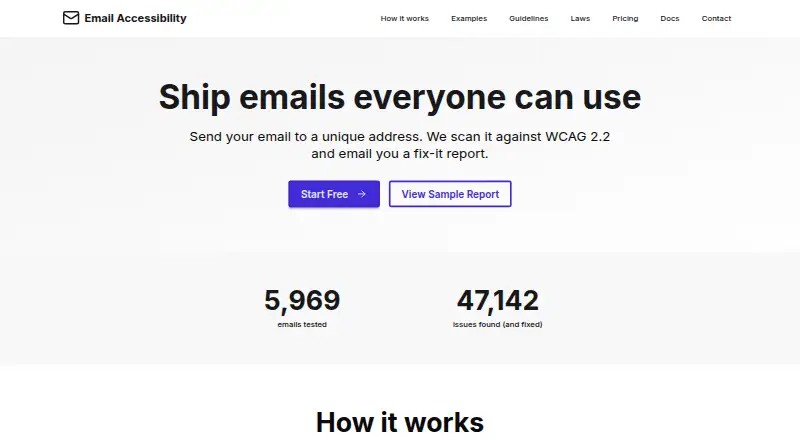
Email Accessibility checks email content against WCAG 2.2. Users send email to a unique address and receive a report of issues. The service says its AI scanner checks more than 80 criteria with 95%+ accuracy. Reports map findings to WCAG guidance and include severity levels, code examples, and suggested fixes. AI also extracts text from images and proposes alt text. Compatibility checks cover Gmail, Outlook, Apple Mail, and other major email clients. Supported inputs include HTML files, email-builder exports, inline CSS, embedded stylesheets, images, attachments, and multipart MIME emails. The service accepts HTML from tools such as Klaviyo, Mailchimp, Salesforce, Braze, Campaign Monitor, and Constant Contact. It runs on the web. The free plan includes one monthly audit; Pro costs $10 a month, billed monthly, and includes ten emails, with additional emails at $0.70 each. Enterprise pricing is available by contacting the provider. Email content is retained for 60 days by default, configurable from one to 365 days. API endpoints are in development and API access is marked as coming soon for Pro.
Who it suits
Email Accessibility may suit email teams that need WCAG 2.2 checks, compatibility findings, and specific remediation guidance. It supports a range of email formats and builder exports.
What it does well
- Reports include severity, code examples, and fix suggestions.
- AI can extract image text and suggest alt text.
- Checks Gmail, Outlook, Apple Mail, and other clients.
- Supports HTML files, exports, images, and MIME emails.
- Free plan includes one monthly audit.
What to know first
- Free plan is limited to one audit monthly.
- Pro includes ten emails monthly; additional emails cost $0.70 each.
- API access is not yet available.
- Email content is retained for 60 days by default.
Limits
Free includes one email audit per month. Pro includes ten monthly emails, with additional emails priced at $0.70 each.
Plans
| Plan | Billed and limits | Price |
|---|---|---|
| Pro | per month · 10 emails included monthly · Additional emails at $0.70 each · Advanced AI insights · Team sharing & collaboration · Priority support · Custom report branding · API access (coming soon) · Advanced analytics | $10 a month |
| Free | per month · 1 email audit per month · Basic WCAG 2.2 scanning · PDF report download · Email support · Access to guidelines · Community forum | On request |
| Enterprise | contact us · Unlimited email audits · SMTP auto-correction · SSO integration (SAML, OIDC) · 99.9% SLA guarantee · Dedicated account manager · Custom integrations · On-premise deployment option · White-label solution | On request |
As emailaccessibility.com lists them, read 8 Oct 2026. The maker's own page has the final word.
Getting started
- Open https://www.emailaccessibility.com/ in a web browser.
- Choose the Free plan or review the paid plans.
- Send an email to the unique address to receive an accessibility report.
- Alternatively, provide a supported HTML email file, builder export, or other listed email format.
Overview
Email Accessibility is a web service for checking email accessibility, best suited to teams that need WCAG-focused reviews as part of producing campaigns. Its findings come with practical repair guidance, but the free allowance is only one audit a month.
Key features
Send an email to a unique address and receive a report against WCAG 2.2. The service says its AI scanner covers more than 80 criteria at 95%+ accuracy. Reports connect issues to WCAG guidance, assign severity, and provide code examples and suggested fixes, making results more actionable than a pass-or-fail check.
Image OCR extracts text and suggests alt text, while compatibility checks cover Gmail, Outlook, Apple Mail, and other major clients. Email Accessibility accepts HTML from tools including Klaviyo, Mailchimp, Salesforce, Braze, Campaign Monitor, and Constant Contact. Supported inputs range from HTML files and builder exports to inline CSS, embedded stylesheets, images, attachments, and multipart MIME emails.
Pro adds advanced AI insights and analytics, team collaboration, and custom report branding. Enterprise adds SMTP auto-correction, SSO through SAML or OIDC, custom integrations, an on-premise option, and white-labeling. API access is still in development, so teams needing a working API should not choose Pro on that basis.
Email content is retained for 60 days by default, configurable in account settings from 1 to 365 days. The privacy policy names encryption in transit and at rest, regular security assessments, and multi-factor authentication among its safeguards; it identifies AWS and Google Cloud as infrastructure providers and Stripe as payment processor.
Pricing
Free: One email audit per month, basic WCAG 2.2 scanning, PDF report downloads, guideline access, community forum, and email support. It is useful for occasional checks, but the single monthly audit makes it a poor fit for regular campaign review.
Pro: $10 a month, billed per month. It includes 10 emails monthly, with additional emails at $0.70 each, plus advanced AI insights, team sharing and collaboration, priority support, custom report branding, advanced analytics, and API access coming soon. This suits teams with recurring audits; the quota and per-email charge matter if volume varies or rises.
Enterprise: Custom pricing, billed by contacting the provider. It includes unlimited email audits, SMTP auto-correction, SSO, a 99.9% SLA guarantee, a dedicated account manager, custom integrations, an on-premise deployment option, and white-labeling. It fits organizations that need unlimited volume or those deployment and identity options, but requires a pricing conversation.
A free trial is offered. Pro is the only plan with a published paid monthly price.
Platforms
Email Accessibility runs on the web. Its broad email-format support helps teams bring in messages from different builders and workflows, but the listed platform is web rather than a desktop app.
Who it's for
This is a strong fit for email marketers and production teams that need accessibility checks across multiple clients and clear guidance for fixing issues. The Free plan can cover an occasional audit; Pro is more practical for routine team use. Organizations requiring SSO, an SLA, unlimited audits, or deployment options should consider Enterprise. It is less suitable for teams whose primary need is an email testing API today.
Pros and cons
- Pros: Reports pair severity and WCAG references with code examples and fix suggestions, helping teams move from findings to remediation.
- Pros: Image text extraction, suggested alt text, and checks across major email clients address accessibility and rendering concerns in one service.
- Pros: A wide range of supported email inputs can accommodate varied campaign workflows.
- Cons: Free allows only one audit each month, too little for frequent campaign checks.
- Cons: Pro includes 10 emails monthly, then charges $0.70 per additional email.
- Cons: API access is coming soon rather than currently available.
Alternatives
For broader email-testing needs, browse Email Testing Software. Choose Mailpit if a free tool for receiving and retaining recent test emails is the priority; its free package retains the most recent 500. MailHog is another free, open-source email testing tool under the MIT license.
Pick EmailQA when real-device renders are more important: its free plan includes 25 monthly renders and a 7-day history, while Pro is $20 a month. Emailens is another freemium alternative, with a free plan offering 30 simulated previews per day.
GlockApps is a better direction when spam testing, DMARC monitoring, or reputation monitoring is the priority; its free plan includes two spam test credits and several monitoring allowances. Choose Mailinator for private inboxes and email verification, or MailSlurp for a free plan centered on sandbox sends, inbox creation, and limited device rendering. Twilio Segment is a broader freemium platform with a free tier for visitor and Reverse ETL volumes, rather than an email accessibility checker.
Verdict
Email Accessibility is the right choice for teams that want WCAG-oriented email audits with issue severity, repair suggestions, image-text assistance, and client compatibility checks in one workflow. Pro's 10 monthly audits and collaboration tools make it the practical option for regular use, while Enterprise serves organizations needing greater control and volume. Look elsewhere if you need an API now or expect frequent audits without paying beyond the Free plan's single monthly check.
Verdict
Email Accessibility provides email-focused WCAG checks with issue guidance and client compatibility coverage. Its free plan is limited to one audit each month, and API access remains in development.
Questions
Is there a free plan?
Yes. Free includes one monthly email audit, basic WCAG 2.2 scanning, a PDF report download, email support, guideline access, and a community forum.
How much does Pro cost?
Pro costs $10 a month, billed monthly, and includes ten emails per month. Additional emails cost $0.70 each.
What platforms does it support?
Email Accessibility is available on the web.
Can I use an API?
API access is listed as coming soon for Pro, and the documentation says API endpoints are in development.
How long is email content retained?
Content is retained for 60 days by default. Account settings can change retention to a period from 1 to 365 days.
What does Enterprise include?
Enterprise includes unlimited audits, SMTP auto-correction, SSO, a 99.9% SLA guarantee, a dedicated account manager, custom integrations, an on-premise deployment option, and a white-label solution. Pricing is available by contacting the provider.
Facts from Email Accessibility's own pages
- API availability
- API access is listed as coming soon for Pro, and the documentation says API endpoints are in development. · emailaccessibility.com, 8 Oct 2026
- Audit limits
- The plans list one monthly audit for Free, ten included monthly for Pro with paid additional emails, and unlimited audits for Enterprise. · emailaccessibility.com, 8 Oct 2026
- Content retention
- Email content is retained for 60 days by default, with account settings configurable from 1 to 365 days. · emailaccessibility.com, 8 Oct 2026
- Email client checks
- Compatibility checks cover Gmail, Outlook, Apple Mail, and other major email clients. · emailaccessibility.com, 8 Oct 2026
- Image OCR
- The service says AI extracts text from images and suggests alt text. · emailaccessibility.com, 8 Oct 2026
- Integrations
- The service accepts HTML from tools including Klaviyo, Mailchimp, Salesforce, Braze, Campaign Monitor, and Constant Contact. · emailaccessibility.com, 8 Oct 2026
- Issue guidance
- Reports map issues to WCAG guidelines and include severity levels, code examples, and fix suggestions. · emailaccessibility.com, 8 Oct 2026
- Scanning
- The site says its AI scanner checks 80+ WCAG 2.2 criteria with 95%+ accuracy. · emailaccessibility.com, 8 Oct 2026
- Security
- The privacy policy lists encryption in transit and at rest, regular security assessments, and multi-factor authentication among its safeguards. · emailaccessibility.com, 8 Oct 2026
- Service providers
- The privacy policy names AWS and Google Cloud infrastructure providers and Stripe as a payment processor. · emailaccessibility.com, 8 Oct 2026
- Support
- The pricing page lists email support for Free, priority support for Pro, and a dedicated account manager for Enterprise. · emailaccessibility.com, 8 Oct 2026
- Supported input
- Documentation lists HTML email files, email builder exports, inline CSS, embedded stylesheets, images, attachments, and multipart MIME emails as supported formats. · emailaccessibility.com, 8 Oct 2026
- What it does
- Users send email to a unique address and receive a report that checks it against WCAG 2.2. · emailaccessibility.com, 8 Oct 2026
Where Email Accessibility stands on Freedom251
- Email Testing Software#3 of 28