Freedom251 › Legal Transcription Software
Eclipse
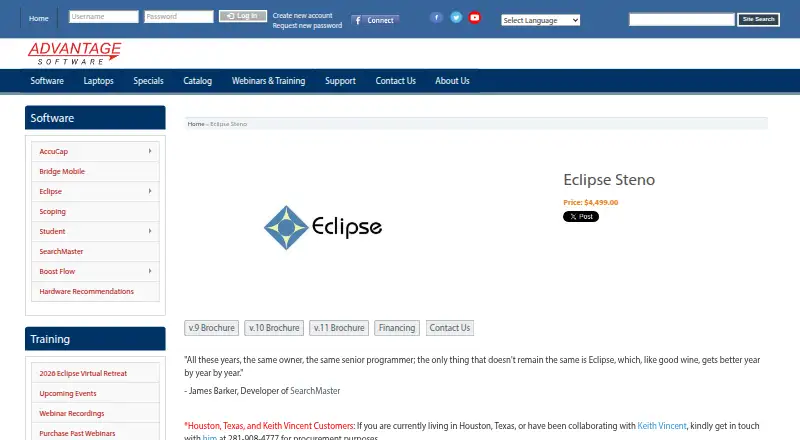
What Eclipse is
Eclipse is computer-aided transcription software from Advantage Software, designed for court reporters producing transcripts. It supports live transcription, speaker identification, and legal formatting. Translation Magic handles phonetic words without dictionary entries and can detect and correct misstrokes, including multi-stroke constructions. AutoMagic suggests up to ten context-aware edits, such as word replacements, punctuation changes, and number conversions.
MultiSync records and plays separate audio channels and can synchronize up to eight microphones with different speakers. Connection Magic lets reporters, scopists, and proofreaders work together on a document over the Internet, with messaging, team roles, and synchronized audio. The Transcript Manager Suite includes PDF encryption and protection, PDF/A-1b compliance, digital signatures, indexing, and embedded exhibit files and links. Realtime viewing works through Bridge/Mobile, Thomson Reuters LiveNote and LiveLitigation/LiveDeposition, LegalCraft Transcend, and other protocols. Bridge Mobile clients can view transcripts on iPads, Android devices, and PC, Mac, or Linux browsers. Eclipse is available for Windows and macOS, with specific Windows requirements for Mac use.
Who it suits
Eclipse suits court reporters who need live transcript production with speaker identification and legal formatting. Its audio tools and shared editing features also suit teams of reporters, scopists, and proofreaders working on transcripts together.
What it does well
- Supports live transcription, speaker identification, and legal formatting.
- Translation Magic handles words absent from the dictionary and corrects misstrokes.
- MultiSync supports up to eight distinct audio channels.
- Connection Magic enables collaborative document editing with messaging and synchronized audio.
- Transcript Manager Suite includes encryption, digital signatures, and PDF/A-1b compliance.
What to know first
- There is no free plan.
- Mac use requires an Intel Mac running Windows 10; M1 Macs are incompatible.
- Speech Engine access requires active Anytime Support, and usage is sold separately.
Limits
Continued access to Speech Engine features requires an active Anytime Support agreement, and speech engine usage is sold separately.
Plans
| Plan | Billed and limits | Price |
|---|---|---|
| Eclipse Edit | Eclipse Edit software; includes 1 year of unlimited updates and 24-hour support | $1,849, paid once |
| Eclipse Steno | Professional steno CAT software; includes 1 year of unlimited updates and 24-hour support | $4,499, paid once |
| Eclipse Anytime Support renewal | Annual one-time payment or monthly payments on a 12-month term · Eclipse Steno; first year included with a new professional license | On request |
As eclipsecat.com lists them, read 7 Oct 2026. The maker's own page has the final word.
Getting started
- Visit the Eclipse website.
- Choose Eclipse Edit or Eclipse Steno.
- Use Windows 10 Professional or above; Mac use requires an Intel Mac running Windows 10.
Verdict
Court reporters who need live transcription, legal formatting, and audio synchronization should consider Eclipse. Teams can also use Connection Magic for shared editing and synchronized audio. The listed plans are paid, and Mac users need an Intel Mac running Windows 10.
Questions
Is Eclipse free?
No. Eclipse has no free plan. Eclipse Edit is listed at $1,849, paid once, and Eclipse Steno at $4,499, paid once.
Which platforms does Eclipse support?
The listed platforms are macOS and Windows. The maker recommends Windows 10 Professional or above; Mac use requires an Intel Mac running Windows 10, and M1 Macs are incompatible.
What do the listed plans cost?
Eclipse Edit costs $1,849, paid once and includes one year of unlimited updates and 24-hour support. Eclipse Steno costs $4,499, paid once and includes one year of unlimited updates and 24-hour support.
Is Anytime Support included?
The first year is included with a new professional license. Renewal is billed as an annual one-time payment or monthly payments on a 12-month term; no renewal price is listed.
Can clients view realtime transcripts on mobile devices?
Bridge Mobile clients can view realtime transcripts on iPads and Android devices, as well as in PC, Mac, or Linux browsers.
Does Eclipse include speech engine usage?
Speech engine usage is sold separately. Continued access to Speech Engine features requires an active Anytime Support agreement.
Facts from Eclipse's own pages
- Audience
- Advantage Software describes Eclipse as its flagship computer-aided transcription product for court reporters. · eclipsecat.com, 7 Oct 2026
- Audio
- MultiSync can record and play separate audio channels and synchronize multiple microphones to different speakers; the page describes support for up to eight distinct channels. · eclipsecat.com, 7 Oct 2026
- Client access
- Bridge Mobile clients can view realtime transcripts on iPads, Android devices, and PC, Mac, or Linux browsers. · eclipsecat.com, 7 Oct 2026
- Collaboration
- Connection Magic lets multiple reporters, scopists, and proofreaders edit a document together over the Internet, with messaging, team roles, and synchronized audio. · eclipsecat.com, 7 Oct 2026
- Editing
- AutoMagic suggests up to ten context-appropriate edits, including word replacements, punctuation changes, and number conversions. · eclipsecat.com, 7 Oct 2026
- Founded
- 1987 · eclipsecat.com, 28 Sept 2026
- Headquarters
- Stuart, Florida, United States · eclipsecat.com, 28 Sept 2026
- Integrations
- The product supports realtime viewing through Bridge/Mobile, Thomson Reuters LiveNote and LiveLitigation/LiveDeposition, and LegalCraft Transcend, among other protocols. · eclipsecat.com, 7 Oct 2026
- Notable limit
- Continued access to Speech Engine features requires an active Anytime Support agreement, and speech engine usage is sold separately. · eclipsecat.com, 7 Oct 2026
- Platform requirements
- The maker recommends Windows 10 Professional or above; Mac use requires an Intel Mac running Windows 10, and the page says M1 Macs are incompatible. · eclipsecat.com, 7 Oct 2026
- Purpose
- Eclipse is computer-aided transcription software designed to help court reporters capture and produce transcripts. · eclipsecat.com, 7 Oct 2026
- Security and document standards
- The Transcript Manager Suite lists PDF encryption and protection, PDF/A-1b compliance, and digital signature support. · eclipsecat.com, 7 Oct 2026
- Support
- A new professional license in North America includes one year of unlimited, around-the-clock technical support and software updates, upgrades, and rewrites. · eclipsecat.com, 7 Oct 2026
- Transcript management
- The Transcript Manager Suite includes PDF encryption and protection, PDF/A-1b compliance, digital signatures, indexing, and embedded exhibit files and links. · eclipsecat.com, 7 Oct 2026
- Translation
- Translation Magic can translate phonetic words without dictionary entries and detect and correct misstrokes, including multi-stroke constructions. · eclipsecat.com, 7 Oct 2026
Where Eclipse stands on Freedom251
- Legal Transcription Software#11 of 24