Freedom251 › Banner Design Software
EasyBanner
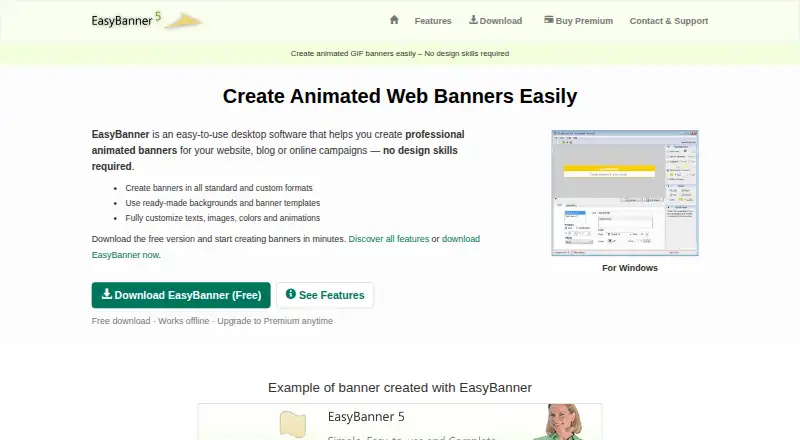
What EasyBanner is
EasyBanner is Windows desktop software for creating animated GIF banners for websites, blogs and online campaigns. Users can choose standard or custom formats, start with templates or ready-made backgrounds, then adjust text, images, colors and animation. Text effects can be applied with one click and previewed immediately, without using a timeline. Finished banners export as optimized GIF files for websites, ads, newsletters or landing pages. Editable projects use EasyBanner’s EBBF format, allowing users to reopen and modify them. The maker says the software works offline and describes it as suitable for webmasters, marketers and small business owners. A free version is available, with advanced features offered through Premium. Premium costs 19.99 USD once and includes a personal license and email technical support. The maker directs users to download the Windows version from the Microsoft Store and says it is compatible with all Windows versions. The program may send anonymous usage statistics to the developer and accesses local storage for project, image and exported GIF actions.
Who it suits
EasyBanner suits webmasters, marketers and small business owners who need to create animated GIF banners on Windows. It may fit people who prefer offline desktop software and editable banner projects.
What it does well
- Works offline, according to the maker.
- One-click text effects include instant preview.
- Exports optimized GIF files.
- Projects can be reopened in EBBF format.
- Free version is available.
What to know first
- Available platform listed is Windows.
- The free version may lack advanced features.
- The program may send anonymous usage statistics.
Limits
The free version has advanced features available through an upgrade. Premium costs $19.99, paid once.
Plans
| Plan | Billed and limits | Price |
|---|---|---|
| EasyBanner (Freemium Version) | Free version; advanced features available by upgrading | Free |
| EasyBanner Premium | Premium features; personal license; email technical support; 30-day money-back guarantee | $19.99, paid once |
As easy-banner.net lists them, read 4 Oct 2026. The maker's own page has the final word.
Getting started
- Visit https://www.easy-banner.net/en/.
- Download the Windows version from the Microsoft Store.
- Choose the free version or purchase Premium for $19.99, paid once.
- Start with a ready-made background or template, or choose a banner format.
- Customize the banner and export it as a GIF.
Verdict
EasyBanner focuses on animated GIF banners, with templates, direct editing and project files for later changes. Premium is a one-time purchase, while a free version is also listed.
Questions
How much does EasyBanner Premium cost?
EasyBanner Premium costs $19.99, paid once.
Is there a free version?
Yes. The EasyBanner Freemium Version is free; advanced features are available by upgrading.
Which platform does EasyBanner support?
It is Windows desktop software. The maker directs users to the Windows version in the Microsoft Store and says it is compatible with all Windows versions.
Can EasyBanner be used offline?
Yes. The maker says EasyBanner works offline.
What does Premium include?
Premium includes Premium features, a personal license, email technical support, and a 30-day money-back guarantee.
What file types does EasyBanner use?
Projects are saved in EasyBanner's EBBF format, and completed banners can be exported as optimized GIF files.
Facts from EasyBanner's own pages
- Animation
- The software offers one-click text animation effects with instant preview and no timeline. · easy-banner.net, 4 Oct 2026
- Audience
- The maker describes EasyBanner as suitable for webmasters, marketers, and small business owners. · easy-banner.net, 4 Oct 2026
- Design tools
- Users can create banners in standard or custom formats with ready-made backgrounds and templates, and customize text, images, colors, and animations. · easy-banner.net, 4 Oct 2026
- Download
- The maker directs users to download the Windows version from the Microsoft Store and says it is compatible with all Windows versions. · easy-banner.net, 4 Oct 2026
- Export
- Completed banners can be exported as optimized GIF files for websites, ads, newsletters, or landing pages. · easy-banner.net, 4 Oct 2026
- Offline use
- The maker says EasyBanner works offline. · easy-banner.net, 4 Oct 2026
- Payments
- The maker says orders are managed by FastSpring and lists credit card, PayPal, and wire transfer among payment methods. · easy-banner.net, 4 Oct 2026
- Privacy
- The program may send anonymous usage statistics to the developer, and it accesses local storage for project, image, and exported GIF actions. · easy-banner.net, 4 Oct 2026
- Product
- EasyBanner is desktop software for creating animated GIF banners for websites, blogs, and online campaigns. · easy-banner.net, 4 Oct 2026
- Project format
- EasyBanner uses its own EBBF project format to save, reopen, and modify banners. · easy-banner.net, 4 Oct 2026
- Refunds
- The Premium purchase page offers a 30-day money-back guarantee and says customers can request a refund by contacting the maker. · easy-banner.net, 4 Oct 2026
- Security
- The download page describes the installer as having no virus, malware, or spyware and calls installation fast and secure. · easy-banner.net, 4 Oct 2026
- Support
- Premium includes technical support by email, and the contact page says the average response time is within 24 hours, often faster. · easy-banner.net, 4 Oct 2026
Where EasyBanner stands on Freedom251
- Banner Design Software#8 of 25
- Banner Maker#11 of 20