Freedom251 › Banner Design Software
DigiLakshya Ad Studio
What DigiLakshya Ad Studio is
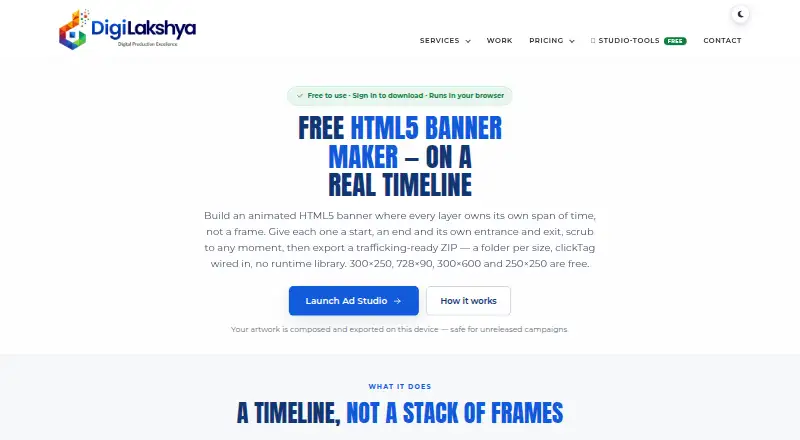
DigiLakshya Ad Studio is a web tool for building animated HTML5 banners. Its timeline lets each layer have independent timing and entrance or exit animation, while a creative set shares copy and timing across sizes and recomposes the layout for each one. Editing copy updates every size in the set. Four sizes—300×250, 728×90, 300×600 and 250×250—can be built and exported free. Animation options are Ascend, Blur, Fade, Flip, Scale and Slide, with In, Out and InOut easing. Exports are standalone HTML5 packages for CM360, DV360 and generic clickTag workflows, plus a separate Google Ads ZIP build. Composing, previewing, GIF rendering and ZIP export run locally in the browser; artwork stays on the device unless the PRO font library is used. GIF export supports one size at a time, but its canvas render omits layer shadows, borders and rounded image corners. Custom sizes and other presets are part of PRO. The company describes the tool and its production service as intended for agencies and teams producing campaign banners at scale.
Who it suits
It suits agencies and teams producing campaign-ready HTML5 banners, especially those adapting a shared creative across sizes. Users needing custom sizes or other presets will need PRO.
What it does well
- Four banner sizes build and export free.
- Shared copy and timing update across sizes.
- Exports target CM360, DV360 and clickTag workflows.
- Browser processing keeps artwork on the device by default.
What to know first
- Custom and other preset sizes require PRO.
- GIF canvas omits shadows, borders and rounded image corners.
- No display ad templates or brand kit.
Limits
The free plan provides half-size samples, a few sizes per batch, 3 GB transfers, 3-day links, and five hosted links per month with a one-per-day limit. Custom sizes and other preset sizes are part of PRO; GIF rendering does not paint layer shadows, borders, or rounded image corners.
Plans
| Plan | Billed and limits | Price |
|---|---|---|
| Free | forever · half-size samples · a few sizes per batch · 3 GB transfers · 3-day links · 5 hosted links/month, 1/day | Free |
| Team | monthly or yearly · full PRO access per member · shared boards · team reviews · +50 GB per member | $20,180 a month |
| Personal PRO | monthly or yearly · full-resolution downloads · all sizes + ZIP · 50 GB storage · 50 hosted links/month | $25,199 a month |
| Agency pack | monthly or yearly · unlimited hosted links · own share domain · 10 client subdomains · +50 GB storage | $30 a month |
As digilakshya.com lists them, read 30 Sept 2026. The maker's own page has the final word.
Getting started
- Open https://digilakshya.com/free-ad-studio.
- Use the web-based builder.
- Choose one of the four free sizes or use a PRO plan for other preset or custom sizes.
- Set layer timing and animation in the timeline.
- Build and export the HTML5 package or a single-size GIF.
DigiLakshya Ad Studio is a browser-based production tool for animated HTML5 display banners. It fits agencies and campaign teams that produce coordinated creatives across many placements. Its strongest advantage is repeatable, ad-platform-ready output; the main cautions are the small free size selection, high paid prices and GIF rendering gaps.
Overview
The editor uses a continuous timeline in which every layer has independent timing plus entrance and exit animation. A creative set keeps content and timing shared while recomposing geometry for each size, so changing copy can update all variants at once. That reduces repetitive work on multi-placement campaigns, although each recomposed layout still needs visual checking.
Composition, previewing, GIF rendering and ZIP creation run locally in the browser, keeping artwork on the device unless the PRO font library is used. DigiLakshya offers NDAs on request, isolated client workspaces, an NDA-bound team and IP transfer after final payment. It does not hold ISO 27001 or SOC 2 certification, so organizations requiring those certifications should look elsewhere.
Key features
Animation and responsive size sets
Six animation types—Ascend, Blur, Fade, Flip, Scale and Slide—support In, Out and InOut easing. This gives production teams a controlled motion vocabulary for banners, but it is a fixed set rather than a broad animation system. Four sizes—300×250, 728×90, 300×600 and 250×250—can be built and exported free. Every other preset and custom dimensions from 20 to 2000 pixels require PRO.
Ad-ready exports
Standalone HTML5 packages contain index.html, ad.size metadata, inline CSS and JavaScript, flat images and no runtime library. Builds target CM360, DV360 and generic clickTag workflows, with a separate Google Ads ZIP that follows Google's image, size and click rules. This focus suits teams delivering directly to display platforms rather than designers seeking general-purpose templates.
Fonts, GIFs and local work
Users can upload fonts, and exported text is rasterised. PRO stores uploaded fonts in an account library, which may help recurring team production but means that library use is the exception to the otherwise device-local workflow. Animated GIFs can be exported for any single size, yet shadows, borders and rounded image corners are omitted from the canvas render. Creatives depending on those treatments should use HTML5 output or inspect GIFs carefully.
Pricing
The freemium model includes a 15-day trial and a free plan billed forever at no cost. Free access is limited to half-size samples, a few sizes per batch, 3 GB of transfers, three-day links and five hosted links per month with a one-per-day limit. It is useful for evaluating the workflow or producing occasional standard banners, not for sustained campaign volume.
- Team: $20,180 a month, billed monthly or yearly. Each member gets full PRO access, with shared boards, team reviews and an additional 50 GB per member. Choose it for collaborative production; the price is difficult to justify for a small team.
- Personal PRO: $25,199 a month, billed monthly or yearly. Includes full-resolution downloads, all sizes plus ZIP, 50 GB storage and 50 hosted links monthly. It suits an individual professional who needs unrestricted dimensions and delivery, but is a steep step up from free.
- Agency pack: $30,300 a month, billed monthly or yearly. Adds unlimited hosted links, a dedicated share domain, 10 client subdomains and 50 GB additional storage. Its controls target agencies distributing many client proofs and links.
Platforms
DigiLakshya Ad Studio runs on the web. Editing, previews and exports are performed in the browser, with no separate desktop platform described.
Who it's for
Agencies and campaign teams producing HTML5 banners at scale are the clearest fit, especially when one message must be maintained across standard sizes and delivered to CM360, DV360, Google Ads or clickTag environments. Solo users can assess it on the free plan, while teams needing shared review, broad dimensions or high link quotas need a paid tier. It is a weaker choice for template-led social design, certification-dependent organizations or campaigns whose visual effects must survive GIF export.
Pros and cons
Pros
- Shared multi-size editing: copy changes propagate across a creative set, reducing duplicate production.
- Platform-specific packages: standalone files and Google Ads, CM360 and DV360 workflows reduce deployment preparation.
- Device-local processing: artwork generally stays on the device during composition and export.
- Team delivery tools: shared boards, reviews, hosted links and client subdomains support agency workflows.
Cons
- Free sizes are narrow: only four dimensions export free, with custom and other presets reserved for PRO.
- Paid plans are costly: the listed monthly prices are substantial for individuals and small teams.
- GIF effects are incomplete: shadows, borders and rounded image corners are not rendered.
- Motion choices are bounded: six animation types may constrain teams wanting more expressive control.
Alternatives
For broader visual design and social publishing, PosterMyWall offers Android, iOS and web access, free downloads, more than 1M templates and one-account social publishing. Visme is a better fit for presentations and page-based projects, with web, Windows, macOS and iOS apps and a 500MB free tier. Choose Google Web Designer when you want a free desktop tool for business on Linux, macOS or Windows. BannerBoo suits users seeking web-based banner creation with a free allowance of four banners and JPG/PNG export. BannerNow provides extension and web access with a free quota of 10 animated or static ads. Bannersnack is relevant for simple static output, but its free plan excludes HTML5, GIF and MP4 export. JUMI Ad Animator is the straightforward free option when no account, export limits or watermarks are wanted. TweenUI is worth considering for personal, non-business use or a lower-cost professional plan.
See more options in Banner Design Software.
Verdict
Choose DigiLakshya Ad Studio if your agency or campaign team needs synchronized multi-size HTML5 banners and direct ad-platform packages from a browser. The timeline, shared resizing and standalone exports address repeat production well. Look elsewhere if you need inexpensive PRO access, a wider free size range, certified security controls or GIFs that preserve decorative effects.
Verdict
DigiLakshya Ad Studio combines layer-based animation with a multi-size workflow and standalone HTML5 exports. Check the listed size limits and GIF rendering omissions against your production needs.
Questions
Is there a free plan or trial?
Yes. Ad Studio has a free plan and a 15-day trial. The free plan is billed forever.
Which banner sizes can I export free?
The 300×250, 728×90, 300×600, and 250×250 sizes can be built and exported free.
What does a paid plan cost?
Team is listed at $20,180 a month, Personal PRO at $25,199 a month, and Agency pack at $30,300 a month. Each is billed monthly or yearly.
Which platforms and ad workflows does it support?
It is web-based. Exports target CM360, DV360, and generic clickTag workflows, with a separate Google Ads ZIP build.
Does it support team collaboration?
Yes. Team collaboration is listed as available, and the Team plan includes shared boards and team reviews.
Where is DigiLakshya based?
Its headquarters are listed as Delhi NCR (New Delhi / Gurugram), India.
Facts from DigiLakshya Ad Studio's own pages
- Ad-platform builds
- Exports target CM360, DV360 and generic clickTag workflows, plus a separate Google Ads ZIP build that follows Google’s image, size and click rules. · digilakshya.com, 30 Sept 2026
- Animation
- The builder provides six animation types—Ascend, Blur, Fade, Flip, Scale and Slide—with In, Out and InOut easing. · digilakshya.com, 30 Sept 2026
- Audience
- The company describes the tool and related production service as intended for agencies and teams producing campaign-ready HTML5 banners at scale. · digilakshya.com, 30 Sept 2026
- Custom sizes
- Every other preset size and custom sizes from 20 to 2000 pixels are part of PRO. · digilakshya.com, 30 Sept 2026
- Exports
- It exports standalone HTML5 packages with index.html, ad.size metadata, inline CSS and JavaScript, flat images and no runtime library. · digilakshya.com, 30 Sept 2026
- Fonts
- Users can upload their own fonts; exported text is rasterised and PRO stores uploaded fonts in the account library. · digilakshya.com, 30 Sept 2026
- Free banner sizes
- The 300×250, 728×90, 300×600 and 250×250 sizes build and export free. · digilakshya.com, 30 Sept 2026
- GIF limitation
- Animated GIF export is available for any single size, but layer shadows, borders and rounded image corners are not painted in the canvas render. · digilakshya.com, 30 Sept 2026
- Headquarters
- Delhi NCR (New Delhi / Gurugram), India · digilakshya.com, 28 Sept 2026
- Local processing
- Composing, previewing, GIF rendering and ZIP export run locally in the browser and artwork stays on the device unless the PRO font library is used. · digilakshya.com, 30 Sept 2026
- Multi-size workflow
- A creative set shares content and timing while geometry is recomposed per size, so editing copy updates every size. · digilakshya.com, 30 Sept 2026
- Purpose
- Ad Studio builds animated HTML5 banners using a continuous timeline where each layer has its own timing and entrance or exit animation. · digilakshya.com, 30 Sept 2026
- Security posture
- DigiLakshya offers NDAs on request, isolated client workspaces, a vetted NDA-bound team and IP transfer to the client on final payment, but says it does not hold ISO 27001 or SOC 2 certification. · digilakshya.com, 30 Sept 2026
Where DigiLakshya Ad Studio stands on Freedom251
- Banner Design Software#7 of 25
- Banner Maker#9 of 20