Freedom251 › CAD Viewer Software

DWGSee
What DWGSee is
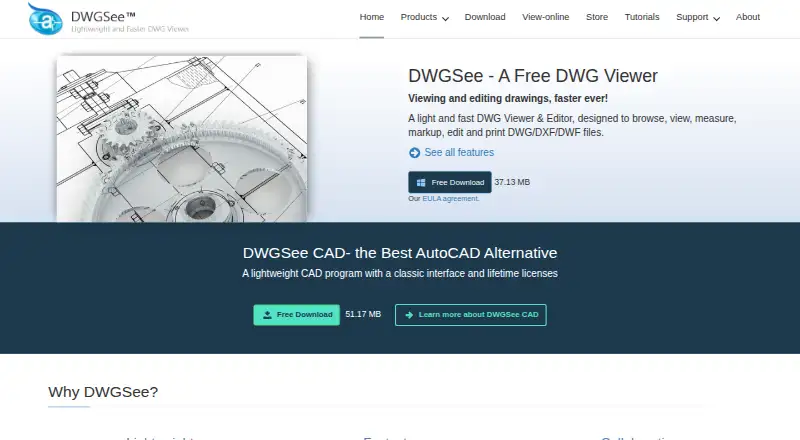
DWGSee is a viewer and editor for DWG, DXF, and DWF drawings, with tools to browse, edit, measure, and print files. It also supports BMP, JPG, PNG, GIF, and TIF images. Users can add drawing objects and change text, lines, layers, and block attributes; measurement tools calculate length, angle, radius, and area. Printing works for individual drawings or batches. For review, DWGSee can display two versions in split windows, synchronize zoom and pan, and highlight differences. Markup can be held in a separate overlay file or added to the DWG. The feature list includes drawing encryption and password protection. Pro exports drawings to PDF and raster images, while Standard lacks those exports. Standard and CAD can copy drawings into Microsoft Word as vector images; Pro does not list this feature. Platforms include Android, macOS, web, and Windows. Standard costs $69, paid once and Pro $98, paid once, each with a lifetime license and one year of free upgrades.
Who it suits
DWGSee suits people who need to view, edit, measure, print, or compare technical drawings. Its plans include a free option and a free trial, with paid lifetime licenses for users who need additional capabilities.
What it does well
- Edits text, lines, layers, and block attributes.
- Measures length, angle, radius, and area.
- Compares drawing versions and highlights differences.
- Supports batch printing and multiple image formats.
- Lists Android, macOS, web, and Windows platforms.
What to know first
- Standard does not export PDF or raster images.
- Pro does not list Word vector-image copying.
- Standard and Pro include one year of free upgrades.
Limits
Standard does not include PDF or raster image export. Its $69, paid once lifetime license is single-user and includes one year of free upgrades; Pro costs $98, paid once and CAD costs $198, paid once.
Plans
| Plan | Billed and limits | Price |
|---|---|---|
| DWGSee CAD | Lifetime license · DWG viewer, editor and CAD tools · command line · 2D drafting · single-user license | $198, paid once |
| DWGSee Standard | Lifetime license; one year of free upgrades · View, measure and print · no PDF/image export · single-user license · bulk discounts | $69, paid once |
| DWGSee Pro | Lifetime license; one year of free upgrades · View and modify DWG · PDF/image export · single-user license · bulk discounts | $98, paid once |
As dwgsee.com lists them, read 15 Oct 2026. The maker's own page has the final word.
Getting started
- Visit https://www.dwgsee.com/.
- Choose free access or start the free trial.
- Select Android, macOS, web, or Windows availability.
- For paid use, choose Standard, Pro, or CAD.
- Install a listed desktop or Android version, or use the web version.
Verdict
DWGSee combines drawing edits, measurement, printing, and comparison tools across a broad range of file formats. Compare plan features carefully, particularly export and Word-copying availability.
Questions
How much does DWGSee cost?
Standard costs $69, paid once, Pro costs $98, paid once, and CAD costs $198, paid once. Standard and Pro include one year of free upgrades and are single-user licenses; bulk discounts are available.
Does DWGSee have a free plan or trial?
Yes. A free plan and a free trial are listed.
Which platforms are available?
DWGSee lists Android, macOS, web, and Windows versions.
Which drawing and image formats does it support?
It supports DWG, DXF, and DWF drawings, plus BMP, JPG, PNG, GIF, and TIF images.
Who makes DWGSee?
DWGSee identifies itself as a featured product of AutoDWG.com, which says it has served customers since 2002.
What do the paid plans include?
Pro exports drawings to PDF and raster images. Standard and CAD can copy drawings into Microsoft Word as vector images; Pro does not include that feature.
Facts from DWGSee's own pages
- API free tier
- The developer center states that the cloud API has a free tier, while paid usage uses monthly subscription plans and quotas. · autodwg.com, 15 Oct 2026
- API samples
- Public API samples are provided for cURL, Python, C#, Node.js JavaScript, PHP and a browser demo. · github.com, 15 Oct 2026
- Batch printing
- The software can print many drawings and layouts in one batch operation. · autodwg.com, 15 Oct 2026
- Browser mode
- Browser mode manages local drawing folders, supports text search across files, comparison, markup, printing and conversion. · dwgsee.com, 15 Oct 2026
- CAD drafting
- DWGSee CAD adds command input, dimension-driven and symmetrical-driven design, blocks, layers, hatches, text, tables and 2D drawing tools. · dwgsee.com, 15 Oct 2026
- Cloud API
- The AutoDWG Conversion API is a REST service using API-key authentication and asynchronous task polling for DWG/DXF/PDF conversions. · github.com, 15 Oct 2026
- Compare drawings
- The comparison feature displays two drawing versions in split windows, synchronizes zoom and pan, and highlights differences. · dwgsee.com, 29 Sept 2026
- Deployment
- The download page lists Windows, Mac, and Android versions, and its Windows requirements include Windows 11, 10, 7, or XP. · dwgsee.com, 29 Sept 2026
- Documentation
- The support center includes command references, feature guides, troubleshooting, installation, registration, licensing and order help. · autodwg.com, 15 Oct 2026
- Drawing comparison
- Its comparison tool shows two drawing revisions in synchronized panes and highlights added, changed and deleted entities. · dwgsee.com, 15 Oct 2026
- Drawing edits
- Users can add drawing objects and edit text, lines, layers, and block attributes. · dwgsee.com, 29 Sept 2026
- Export
- Pro and CAD export drawings to PDF and raster formats, while Standard does not include those exports. · dwgsee.com, 15 Oct 2026
- File support
- The feature page lists DWG, DXF, DWF, and BMP, JPG, PNG, GIF, and TIF image support. · dwgsee.com, 29 Sept 2026
- Founded
- 2002 · dwgsee.com, 28 Sept 2026
- Free trial
- The refund policy says trial versions are fully functional, do not expire, and add a watermark until registration. · dwgsee.com, 29 Sept 2026
- License model
- The EULA says the software is licensed rather than sold, normally for one computer and one user, with a permitted archival copy. · dwgsee.com, 15 Oct 2026
- Licensing
- The pricing page describes floating licenses for concurrent users on a local network or Citrix. · dwgsee.com, 29 Sept 2026
- Limit: bugs
- The sole Capterra reviewer reports that the software has bugs, although the company responds quickly to reported issues. · capterra.com, 15 Oct 2026
- Limit: missing advanced CAD
- Software Advice describes DWGSee CAD as focused on 2D and lacking 3D modeling, BIM simulation and finite-element analysis. · softwareadvice.com, 15 Oct 2026
- Limit: mobile and collaboration
- A G2 review complains that there is no mobile app, while a Trustpilot reviewer says 3D support, LISP, cloud access and collaboration are limited or absent. · g2.com, 15 Oct 2026
- Maker
- DWGSee identifies itself as a featured product of AutoDWG.com and says it has served customers since 2002 with a worldwide team of 50 developers and technicians. · dwgsee.com, 29 Sept 2026
- Maker history
- AutoDWG says it was founded in 2002 and develops CAD software for reading, writing, encrypting, sharing and converting design files. · autodwg.com, 15 Oct 2026
- Maker team
- DWGSee describes a worldwide team of about 50 developers and technicians focused on Adobe and AutoCAD data processing. · dwgsee.com, 15 Oct 2026
- Markup
- Users can place redlines, comments, text and other annotations either in a separate markup file or on drawing layers. · dwgsee.com, 15 Oct 2026
Where DWGSee stands on Freedom251
- CAD Viewer Software#6 of 31