Freedom251 › CAD Viewer Software

CAD Reader
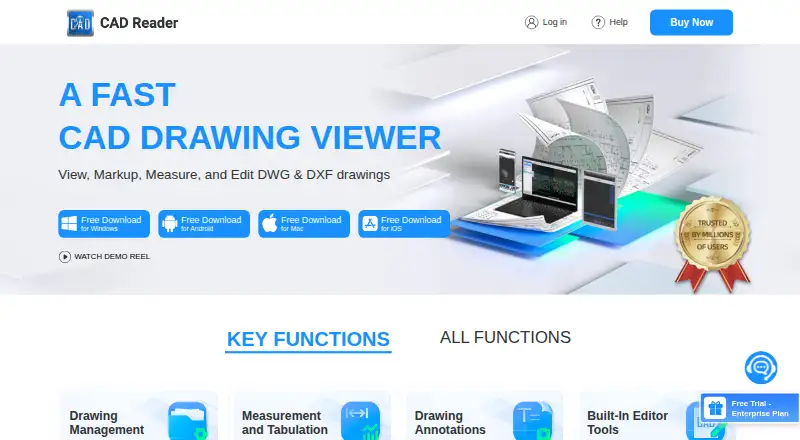
Plans
| Plan | Billed and limits | Price |
|---|---|---|
| Free | Basic functions · Windows, Android, Mac, iOS | Free |
| Professional (6-MONTH VIP) | every 6 months · VIP features | $40 a month |
| Professional (1 YEAR VIP) | per year · VIP features | $45 a year |
| iOS 1 Year VIP | In-app purchase | $50 a year |
| Professional (1 MONTH VIP) | per month · VIP features | $7 a month |
| iOS 1 Month VIP | In-app purchase | $9 a month |
| Enterprise | Team account management · Premium support | On request |
| Professional | Buy Now option; price and billing term not stated on the opened page | On request |
As dwg.fastcadreader.com lists them, read 15 Oct 2026. The maker's own page has the final word.
Facts from CAD Reader's own pages
- Annotations
- Annotation tools include text, freeform lines, clouds, leaders, shapes, categories and revision markups. · dwg.fastcadreader.com, 15 Oct 2026
- API and SDK
- The vendor pages reviewed describe downloadable applications and user help but do not describe a public API, SDK or developer platform. · dwg.fastcadreader.com, 15 Oct 2026
- CAD editing
- Editor tools include creating and recovering DWG files, layer operations, copy, move, rotate, mirror, scale, break, explode, delete and text editing. · dwg.fastcadreader.com, 15 Oct 2026
- Company
- The user agreement identifies Beijing Honghu Yuntu Technology Co., Ltd. as the service provider and gives its address as No. 23 Zhongguancun Software Park, Haidian District, Beijing, China. · yuntu-f.fastcadreader.com, 30 Sept 2026
- Company legal name
- The app stores and vendor copyright identify Beijing Honghu Yuntu Technology Co., Ltd. as the developer or owner. · play.google.com, 15 Oct 2026
- Company profile
- LinkedIn describes FastCADReader as privately held in construction, headquartered in Beijing, with 51–200 employees. · linkedin.com, 15 Oct 2026
- Company relationship
- LinkedIn says CAD Reader and PlanForm were developed by Honghu Yuntu (Hong Kong) Technology Co., Limited. · linkedin.com, 15 Oct 2026
- Data extraction
- It extracts drawing text and tables, and offers Excel export for extracted tables and search results. · dwg.fastcadreader.com, 30 Sept 2026
- Documentation depth
- Documentation consists of a general Q&A page plus a community tutorial and troubleshooting library. · club.fastcadreader.com, 15 Oct 2026
- Drawing comparison
- The comparison tool highlights differences between two drawings. · dwg.fastcadreader.com, 15 Oct 2026
- Drawing splitting
- A one-click drawing-splitting export is intended to handle oversized drawings. · dwg.fastcadreader.com, 15 Oct 2026
- Editing
- The listed editor tools include creating and recovering DWG files, editing text and layers, and modifying drawing objects. · dwg.fastcadreader.com, 30 Sept 2026
- External references
- External reference management automatically loads reference files and binds them to one CAD file. · dwg.fastcadreader.com, 15 Oct 2026
- File handling
- The page lists PDF export, CAD file version conversion, external reference management, and CRP import and export. · dwg.fastcadreader.com, 30 Sept 2026
- Integrations
- The pages identify Excel export for measurement data, extracted tables, and search results; no other named integrations are stated. · dwg.fastcadreader.com, 30 Sept 2026
- Intended users
- The product page highlights QS/cost estimators and site inspection engineers as intended users. · dwg.fastcadreader.com, 30 Sept 2026
- Licence
- The product is presented as proprietary software under Beijing Honghu Yuntu Technology Co., Ltd. copyright notices; no open-source licence is stated. · dwg.fastcadreader.com, 15 Oct 2026
- Limit: coordinate labeling
- A Google Play reviewer reported X and Y coordinates displayed with swapped labels; the developer said the issue was fixed in November 2025. · play.google.com, 15 Oct 2026
- Limit: iOS usability
- Apple reviewers report difficulty importing files, unclear instructions, white-screen experiences and at least one DWG that would not open. · apps.apple.com, 15 Oct 2026
- Limit: missing formats and tools
- G2 reviewers report that fewer file formats are supported and ask for more tools or more free features; one reviewer cannot view Revit models. · g2.com, 15 Oct 2026
- Limit: performance
- G2 reviewers mention slow startup, lag and occasional processing delays. · g2.com, 15 Oct 2026
- Markup
- Markup tools include freeform lines, text, revision clouds, leader lines, and mobile photo and audio attachments. · dwg.fastcadreader.com, 30 Sept 2026
- Measurement
- Measurement tools include length and area, arc length, perpendicular distance, continuous measurement, and radius, circular, and angle measurements. · dwg.fastcadreader.com, 30 Sept 2026
- Measurement tabulation
- Measured lengths and areas can be categorized, tabulated and exported to Excel. · dwg.fastcadreader.com, 15 Oct 2026
Where CAD Reader stands on Freedom251
- CAD Viewer Software#2 of 31