Freedom251 › CAD Viewer Software
DWG FastView
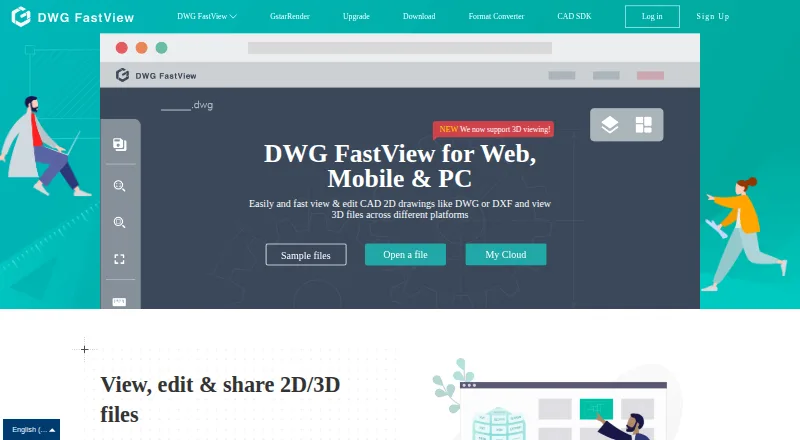
What DWG FastView is
DWG FastView is CAD software for opening and working with drawing files across Android, iOS, web, Windows and self-hosted environments. It supports DWG, DXF, DWF and DWFx files. Users can view and edit 2D CAD drawings, and view 3D formats including RVT, STEP and IFC. Drawing tools include layer and layout controls, length and area measurement, annotations and dimensions, as well as conversion from PDF to DWG. DWG files can be exported to PDF, JPEG, PNG or BMP. Drawings can be shared by link, group or email, with permission controls for sharing. The web viewer can open local drawings in a browser without uploading them. The maker also offers an enterprise CAD SDK for private deployment on Windows and Linux servers, with integrations for web disks, office automation, ERP, file and archive managers, and project or engineering management systems. A free plan and free trial are available. Listed subscriptions include Premium at $3.99 a month and Super at $5.83 a month; the pricing note also gives paid access from $7.99/user/mo. When a subscription expires, the software remains usable, but premium features are unavailable.
Who it suits
DWG FastView suits people who need to view or edit CAD drawings across mobile, web and desktop platforms, with measurement, annotation and export tools. It may also suit organizations seeking a CAD SDK for private deployment or integrations with business and engineering systems.
What it does well
- Works with DWG, DXF, DWF and DWFx files.
- Edits 2D drawings and views listed 3D formats.
- Measures length and area, with annotation and dimension tools.
- Shares drawings by link, group or email with permissions.
- Opens local drawings in the browser without uploading them.
What to know first
- Premium features are unavailable after a subscription expires.
- The enterprise CAD SDK is a separate offering for private deployment.
Limits
The free access available after a subscription expires does not include premium features. The Premium plan lists 5G cloud storage, while Super lists 10G cloud storage and 3D drawing view; Super also includes Premium features.
Plans
| Plan | Billed and limits | Price |
|---|---|---|
| Super | monthly · Premium features · 3D view · Windows, mobile and web · 10G cloud storage | $14.99 a month |
| Premium annual | annually · Windows and mobile · annotations · 5G cloud storage | $47.99 a year |
| Super (Premium and 3D View) | Save 55% · 10G cloud storage · Premium features · 3D drawing view | $5.83 a month |
| Super annual | annually · Premium features · 3D view · Windows, mobile and web · 10G cloud storage | $69.99 a year |
| Premium | monthly · Windows and mobile · annotations · 5G cloud storage | $7.99 a month |
As en.dwgfastview.com lists them, read 15 Oct 2026. The maker's own page has the final word.
Getting started
- Visit https://en.dwgfastview.com/.
- Choose a listed platform: Android, iOS, web, Windows or self-hosted.
- Start with the free plan or use the free trial.
- Subscribe monthly or yearly if you need premium features.
- For private deployment, explore the enterprise CAD SDK.
Verdict
Choose DWG FastView if you need cross-platform drawing access with editing, measurement, markup and sharing tools. Organizations looking for private deployment can consider its enterprise CAD SDK. Look elsewhere if continued access to premium features after a subscription ends is essential.
Questions
Is there a free plan or trial?
Yes. DWG FastView has a free plan and a free trial.
What does it cost?
The pricing note gives paid access from $7.99/user/mo. Listed plans include Premium at $3.99 a month and Super at $5.83 a month.
Which platforms does it support?
The listed platforms are Android, iOS, self-hosted, web and Windows.
Which drawing formats does it support?
It supports DWG, DXF, DWF and DWFx. It can also view 3D formats including RVT, STEP and IFC.
Can drawings be shared?
Yes. Drawings can be shared by link, group or email, with permission controls.
What happens when a subscription expires?
DWG FastView remains usable, but premium features are no longer available.
Facts from DWG FastView's own pages
- 2D and 3D
- The website says users can view and edit 2D CAD files and view 3D formats including RVT, STEP and IFC. · en.dwgfastview.com, 29 Sept 2026
- Annotations
- Annotation tools include text, leaders, lines, arrows, rectangles, ellipses, sketches and revision clouds. · en.dwgfastview.com, 15 Oct 2026
- API
- The web SDK exposes HTTP tasks that accept CAD streams or URLs and return task identifiers and results. · blog.dwgfastview.com, 15 Oct 2026
- CAD formats
- The product supports more than 30 3D formats, including Revit, STEP, SolidWorks, OBJ and STL. · en.dwgfastview.com, 15 Oct 2026
- Cloud collaboration
- Drawings can be shared by link, group or email with permission controls and team annotations. · en.dwgfastview.com, 15 Oct 2026
- Collaboration
- Drawings can be shared by link, group or email, and the site describes permission controls for sharing. · en.dwgfastview.com, 29 Sept 2026
- Company founded
- The legal entity was incorporated on November 27, 2001. · vip.stock.finance.sina.com.cn, 15 Oct 2026
- Company headquarters
- The registered and office address is Dongping Street 286, Suzhou Industrial Park, Jiangsu, China. · vip.stock.finance.sina.com.cn, 15 Oct 2026
- Company legal name
- The maker is Gstarsoft Co., Ltd., legally 苏州浩辰软件股份有限公司, a CAD software company listed in Shanghai under ticker 688657. · vip.stock.finance.sina.com.cn, 15 Oct 2026
- Company size
- LinkedIn displays Gstarsoft as a 501–1,000 employee software-development company headquartered in Beijing. · linkedin.com, 15 Oct 2026
- Conversion
- The software converts PDF to DWG and DWG to PDF, JPEG, PNG or BMP. · en.dwgfastview.com, 15 Oct 2026
- Cross-platform access
- One account provides access through web, Windows and mobile applications with cloud synchronization. · en.dwgfastview.com, 15 Oct 2026
- Developer languages
- SDK materials list Java, C++, .NET, Python, PHP and Swift integrations. · dwgfastview.gstarcad.net, 15 Oct 2026
- Documentation
- The vendor publishes SDK user guides, API installation instructions and detailed web SDK operation documentation. · blog.dwgfastview.com, 15 Oct 2026
- Drawing tools
- Listed tools include layer and layout controls, length and area measurement, annotations, dimensions and PDF-to-DWG conversion. · en.dwgfastview.com, 29 Sept 2026
- Export
- The website says DWG files can be exported to PDF, JPEG, PNG and BMP. · en.dwgfastview.com, 29 Sept 2026
- File formats
- The maker says it is compatible with DWG, DXF, DWF and DWFx files. · blog.dwgfastview.com, 29 Sept 2026
- Free access limit
- The subscription page says expired subscribers can continue using DWG FastView but cannot use premium features. · en.dwgfastview.com, 29 Sept 2026
- Integrations
- The CAD SDK page lists integrations with web disks, office automation, ERP, file and archive managers, and project or engineering management systems. · en.dwgfastview.com, 29 Sept 2026
- Layer and layout control
- Users can switch layouts, turn layers on or off, set current layers and manage drawing views. · en.dwgfastview.com, 15 Oct 2026
- Licence
- The vendor describes its technology as proprietary independent intellectual property and its terms prohibit reverse engineering; no open-source licence is stated. · blog.dwgfastview.com, 15 Oct 2026
- Limit: 3D and subscriptions
- Apple reviewers report that 3D creation is unclear, help is sparse and measurements or editing are placed behind subscriptions. · apps.apple.com, 15 Oct 2026
- Limit: advanced tools
- G2 reviewers report that advanced editing and design capabilities are limited and that larger files can become sluggish. · g2.com, 15 Oct 2026
- Limit: discoverability
- Software Advice reviewers say multiple files cannot be opened concurrently in tabs and some options are difficult to discover. · softwareadvice.ie, 15 Oct 2026
Where DWG FastView stands on Freedom251
- CAD Viewer Software#5 of 31