Freedom251 › ML Experiment Tracking Software

DVCLive
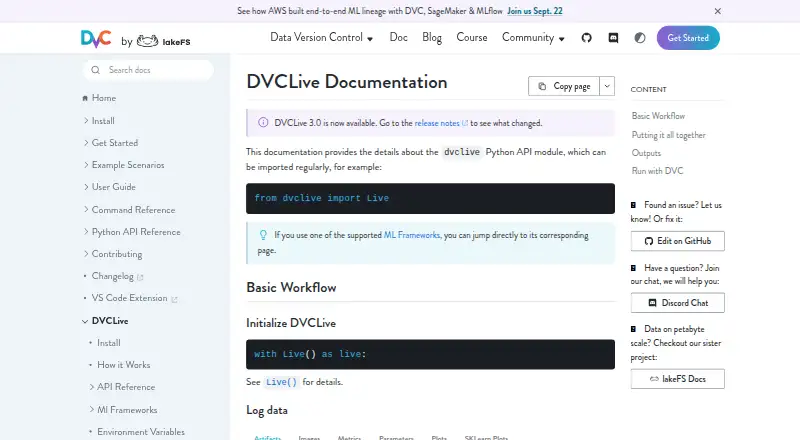
What DVCLive is
DVCLive is a free, open source Python API module for recording machine learning parameters, metrics, artifacts, images, and plots. It saves run data in a `dvclive` directory and tracks it as a DVC experiment, so runs can be analyzed and compared. Its tracking workflow uses Git and DVC rather than a central database. For large artifacts, DVCLive can use DVC to cache the file and create a `.dvc` metadata file tracked in Git. Optional system monitoring records GPU, CPU, RAM, and disk usage. The listed framework integrations cover Fast.ai, Hugging Face, Keras, LightGBM, MMCV, Optuna, PyTorch, PyTorch Lightning, Scikit-learn, TensorFlow, XGBoost, and Ultralytics YOLO v8. Optional dependencies are available for image logging, plots, Scikit-learn plots, Markdown reports, and framework integrations. The latest version requires Python 3.9 or later. Each run is saved to the same path, overwriting results already stored there. DVCLive can also work with DVC pipelines for structured, reproducible machine learning experiments. DVC directs users to its Discord community, GitHub issues, and forum for help. lakeFS has taken over stewardship and active development of DVC and is committed to maintaining DVCLive; DVC says the project will remain open source without paywalled features or restricted access.
Who it suits
DVCLive suits Python machine learning practitioners who want to log experiment data and compare runs through DVC and Git. It can also suit teams using its listed framework integrations or DVC pipelines, provided they account for its same-path overwrite behavior.
What it does well
- Logs parameters, metrics, artifacts, images, and plots.
- Tracks experiments through Git and DVC without a central database.
- Supports comparison of DVC experiments.
- Can cache large artifacts and track their metadata in Git.
- Optional monitoring records GPU, CPU, RAM, and disk usage.
- Free and open source, with listed ML framework integrations.
What to know first
- Latest version requires Python 3.9 or later.
- Each run overwrites earlier results saved at the same path.
- Some logging, reporting, and framework integrations require optional dependencies.
Limits
The latest version requires Python 3.9 or later. Each run uses the same path and overwrites previous results there; optional dependencies are needed for some logging, reporting, and framework integration features.
Plans
| Plan | Billed and limits | Price |
|---|---|---|
| DVCLive | Open source Python library · Python 3.9+ for latest version | Free |
As dvc.org lists them, read 7 Oct 2026. The maker's own page has the final word.
Getting started
- Install Python 3.9 or later for the latest DVCLive version.
- Add DVCLive to a Python machine learning workflow.
- Install optional dependencies for the image, plot, report, or framework integration features you plan to use.
- Track run data through Git and DVC.
- Use a DVC pipeline if you want to run structured experiments.
Verdict
Choose DVCLive if you want a free Python library for recording and comparing machine learning runs within a Git and DVC workflow. Its framework integrations and pipeline use can support varied experiment setups. Plan your run paths carefully because each run overwrites prior results saved to the same location.
Questions
How much does DVCLive cost?
DVCLive is free and open source.
What is required to use the latest version?
Python 3.9 or later is required.
Which machine learning frameworks are supported?
The listed integrations include Fast.ai, Hugging Face, Keras, LightGBM, MMCV, Optuna, PyTorch, PyTorch Lightning, Scikit-learn, TensorFlow, XGBoost, and Ultralytics YOLO v8.
Can I compare experiment runs?
Yes. DVCLive tracks logged data as DVC experiments for analysis and comparison.
Does DVCLive use a central database?
No. Its experiment tracking relies on Git and DVC instead of a central database.
Where can users get help?
DVC directs users to its Discord community, GitHub issues, and forum.
Facts from DVCLive's own pages
- DVC pipeline use
- DVCLive can be used with DVC pipelines to run structured and reproducible ML experiments. · s.dvc.org, 7 Oct 2026
- Experiment tracking
- Logged data is stored in a dvclive directory and tracked as a DVC experiment for analysis and comparison. · doc.dvc.org, 7 Oct 2026
- Founded
- 2018 · dvc.org, 28 Sept 2026
- Framework integrations
- The supported ML frameworks listed include Fast.ai, Hugging Face, Keras, LightGBM, MMCV, Optuna, PyTorch, PyTorch Lightning, Scikit-learn, TensorFlow, XGBoost, and Ultralytics YOLO v8. · origin-doc.dvc.org, 7 Oct 2026
- Large artifacts
- Logging an artifact can cache the file with DVC and create a .dvc metadata file tracked in Git. · s.dvc.org, 7 Oct 2026
- Notable behavior
- DVCLive saves each run to the same path and overwrites previous results there. · s.dvc.org, 7 Oct 2026
- Open source status
- DVC says it will remain 100% open source under the same license, with no plans to paywall features or restrict access. · dvc.org, 7 Oct 2026
- Optional dependencies
- Install extras for image logging, plots, Scikit-learn plots, Markdown reports, and supported ML framework integrations. · s.dvc.org, 7 Oct 2026
- Purpose
- DVCLive is a Python API module for logging machine learning parameters, metrics, artifacts, images, and plots. · doc.dvc.org, 7 Oct 2026
- Python requirement
- Python 3.9+ is required for the latest version of DVCLive. · s.dvc.org, 7 Oct 2026
- Stewardship
- lakeFS says it has taken over stewardship and active development of DVC and is committed to maintaining DVCLive. · dvc.org, 7 Oct 2026
- Support
- DVC directs users to its Discord community, GitHub issues, and forum for help and feedback. · dvc.org, 7 Oct 2026
- System metrics
- When enabled, system monitoring logs GPU, CPU, RAM, and disk usage. · origin-doc.dvc.org, 7 Oct 2026
- Version control
- DVCLive relies on Git and DVC for experiment tracking instead of a central database. · s.dvc.org, 7 Oct 2026
Where DVCLive stands on Freedom251
- ML Experiment Tracking Software#8 of 39
- Data Version Control Tools#24 of 36