dstask
What dstask is
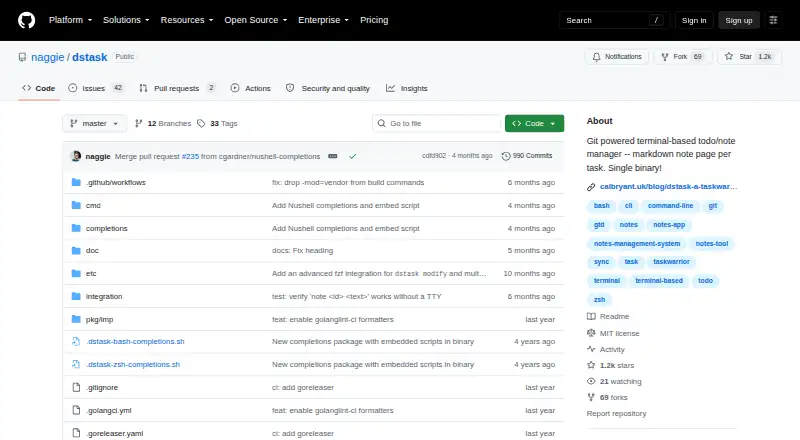
dstask is a free, single-binary personal task tracker that runs in a terminal on Linux, macOS, and Windows. Tasks can be prioritized, tagged, assigned to projects, given due dates, and moved among pending, active, paused, and resolved states. Its context system filters task queries and applies tags to newly added tasks. Each task supports a Markdown note, including checklists, and the open command launches URLs found in the task or its notes. Git provides synchronization, undo, and conflict resolution without a dedicated sync server. The separate dstask-import tool can bring in GitHub issues and Taskwarrior tasks. The project documents shell completion for Bash, Zsh, Nushell, and PowerShell, plus fuzzy-finder examples such as fzf. Git and a 256-color-capable terminal are required. dstask is MIT-licensed and intended for people comfortable working in a terminal. The README says it has no graphical or web interface, does not support collaboration, and may require manual conflict resolution after unsynchronized edits on multiple machines.
Who it suits
dstask suits individuals comfortable using a terminal and occasionally resolving Git conflicts. It is intended for personal tracking rather than shared team projects.
What it does well
- Free to download and use
- Runs on Linux, macOS, and Windows
- Git sync supports undo and conflict resolution
- Tasks include Markdown notes and checklists
- Imports GitHub issues and Taskwarrior tasks
What to know first
- No GUI or web interface
- Collaboration is not supported
- Requires Git and a 256-color terminal
- Encryption is not a design goal
Plans
| Plan | Billed and limits | Price |
|---|---|---|
| dstask | Free to download and use · personal task tracker · no collaboration | Free |
As github.com lists them, read 12 Oct 2026. The maker's own page has the final word.
Verdict
dstask offers focused personal task management with Git-based data handling and Markdown notes. Its terminal-only design and lack of collaboration make it unsuitable for users wanting a shared graphical workspace.
Facts from dstask's own pages
- Collaboration limit
- The README says collaboration is not supported and recommends another system for projects involving multiple people. · github.com, 12 Oct 2026
- Conflict limit
- If a task is edited independently on multiple machines without syncing, users may need to resolve Git conflicts manually. · github.com, 12 Oct 2026
- Contexts
- Its context system applies filters and tags to task queries and newly added tasks. · github.com, 12 Oct 2026
- Encryption
- The README says encryption is not a design goal and that dstask has not been tested with the suggested Git encryption tools. · github.com, 12 Oct 2026
- Free plan
- Yes · github.com, 22 Sept 2026
- Git sync
- Git based sync supports undo and conflict resolution without requiring a dedicated sync server. · github.com, 12 Oct 2026
- GUI limit
- The README says dstask itself has no GUI or web interface. · github.com, 12 Oct 2026
- Import
- The import tool can import GitHub issues or Taskwarrior tasks. · github.com, 12 Oct 2026
- Imports
- The separate `dstask-import` tool can import GitHub issues and Taskwarrior tasks. · github.com, 12 Oct 2026
- Integrations
- The README describes shell completion for Bash, Zsh, and PowerShell, and a fuzzy finder integration using fzf. · github.com, 12 Oct 2026
- Intended user
- The README describes dstask as a personal tracker for people comfortable working in a terminal and occasionally resolving merge conflicts. · github.com, 12 Oct 2026
- License
- The GitHub repository identifies its license as MIT. · github.com, 12 Oct 2026
- Notes and URLs
- Each task can have a Markdown note, and the `open` command opens URLs found in a task or its notes in a browser. · github.com, 12 Oct 2026
- Platforms
- Installation instructions cover Linux, macOS, and Windows; the releases page lists Linux, macOS, and Windows assets. · github.com, 12 Oct 2026
- Purpose
- dstask is a single-binary, terminal-based personal task tracker with Git-based sync and Markdown notes for each task. · github.com, 12 Oct 2026
- Requirements
- The README lists Git and a 256-color-capable terminal as requirements. · github.com, 12 Oct 2026
- Security
- The README says encryption is not a design goal and makes no security claims about suggested repository encryption tools. · github.com, 12 Oct 2026
- Shell integrations
- The project documents shell completion for Bash, Zsh, Nushell, and PowerShell, plus examples for integrating fuzzy finders such as fzf. · github.com, 12 Oct 2026
- Supported platforms
- windows,macos,linux · github.com, 22 Sept 2026
- Sync and undo
- dstask uses Git to sync, undo, and resolve task data, without requiring a dedicated sync server. · github.com, 12 Oct 2026
- Task focus
- The README describes dstask as a personal task tracker designed to help users focus. · github.com, 12 Oct 2026
- Task management
- Tasks can be prioritized, tagged, assigned to projects, given due dates, and moved among pending, active, paused, and resolved states. · github.com, 12 Oct 2026
- Task notes
- The note command lets users edit a full Markdown note for each task, including checklists. · github.com, 12 Oct 2026
- URL handling
- The open command opens URLs found in a task, including its notes, in a browser. · github.com, 12 Oct 2026
Where dstask stands on Freedom251
- To-do list apps#88 of 150