Dream
What Dream is
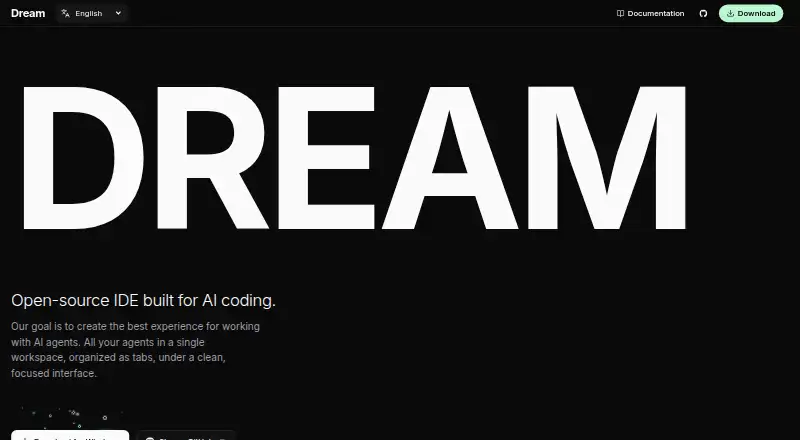
Dream is a free, open-source desktop IDE for working with AI coding agents. It combines projects, agent conversations, files, a terminal, browser previews and Git work in a single workspace. Developers can keep chats side by side, branch a conversation and follow open discussions in an Activity panel. Supported command-line agents include Codex CLI, Claude Code CLI, OpenCode CLI, Cursor Agent CLI and Grok Build CLI. Each agent’s CLI must be installed and authenticated outside Dream, and at least one model must be enabled before starting a chat; subscriptions and API credentials are managed by the relevant providers. For reviewing changes, Dream records a checkpoint for each agent reply, allowing users to inspect or restore files changed in that reply. Git support covers status, branches, diffs, commits, pushes, pull requests and worktrees. In browser previews, users can select page elements and send feedback about them to a chat. Prompts can also be saved with their model and permission settings for later submission. Each chat offers Ask, Accept edits and Full access permissions, with behavior depending on the chosen provider. Dream shows provider usage when available and may estimate it from messages otherwise; its context indicator is guidance rather than an exact billing measurement. Packages are available for macOS on Apple silicon or Intel, Windows x64 and Linux x64.
Who it suits
Dream suits developers who want a desktop workspace for projects, AI agent chats, terminal work, browser previews and Git workflows. It is a fit for people already prepared to install and authenticate a supported agent CLI and enable a model.
What it does well
- Free and open source.
- Keeps projects, chats, files, terminal and previews in one workspace.
- Supports five named agent CLIs.
- Per-reply checkpoints let users review or restore changed files.
- Includes Git workflows and browser-based feedback on page elements.
What to know first
- A supported agent CLI must be installed and authenticated separately.
- At least one model must be enabled before starting a chat.
- Usage estimates and the context indicator may not reflect exact billing.
Limits
The free Dream plan requires an installed and authenticated supported agent CLI and an enabled model. Usage information may be estimated from messages, and the context indicator is guidance rather than an exact billing measurement.
Plans
| Plan | Billed and limits | Price |
|---|---|---|
| Dream | Open-source desktop IDE; requires an installed and authenticated supported agent CLI and an enabled model | Free |
As dreamide.dev lists them, read 4 Oct 2026. The maker's own page has the final word.
Getting started
- Visit https://dreamide.dev/.
- Download the package for macOS, Windows x64 or Linux x64.
- Install and authenticate at least one supported agent CLI outside Dream.
- Enable at least one model through the selected provider.
- Open a project in Dream and start a chat.
Verdict
Choose Dream if you want a free, open-source desktop IDE that brings AI agent conversations together with files, previews and Git tools. Consider another setup if you want to begin chatting without first installing and authenticating a supported provider CLI and enabling a model.
Questions
How much does Dream cost?
Dream is free: its listed plan is free.
Is Dream open source?
Yes. Dream is listed as open source.
Which operating systems are supported?
Dream has packages for macOS on Apple silicon or Intel, Windows x64 and Linux x64.
Which agent CLIs does Dream support?
It supports Codex CLI, Claude Code CLI, OpenCode CLI, Cursor Agent CLI and Grok Build CLI.
Do provider subscriptions and credentials belong to Dream?
No. Provider subscriptions and API credentials remain managed by the providers; their CLIs are installed and authenticated outside Dream.
Does Dream offer multiple models?
Yes. Dream supports multiple models, and at least one model must be enabled before starting a chat.
Facts from Dream's own pages
- Browser feedback
- Users can preview pages in Dream and select page elements to send targeted feedback to a chat. · dreamide.dev, 4 Oct 2026
- Chats
- Users can run multiple side-by-side chats, branch conversations, and track open chats in an Activity panel. · dreamide.dev, 4 Oct 2026
- File review
- Dream captures per-reply checkpoints so users can review and restore files changed by an agent. · dreamide.dev, 4 Oct 2026
- Git tools
- Dream supports Git status, branches, diffs, commits, pushes, pull requests, and worktree workflows. · dreamide.dev, 4 Oct 2026
- Permissions
- Each chat offers Ask, Accept edits, and Full access permissions, with behavior dependent on the selected provider. · dreamide.dev, 4 Oct 2026
- Platform packages
- Dream is available for macOS (Apple silicon or Intel), Windows x64, and Linux x64. · dreamide.dev, 4 Oct 2026
- Prerequisite
- At least one supported agent CLI must be installed and at least one model enabled before starting a chat. · dreamide.dev, 4 Oct 2026
- Product
- Dream is an open-source desktop IDE built for AI coding agents. · dreamide.dev, 4 Oct 2026
- Prompt stash
- Users can save a prompt with its model and permissions for later submission. · dreamide.dev, 4 Oct 2026
- Providers
- Dream supports Codex CLI, Claude Code CLI, OpenCode CLI, Cursor Agent CLI, and Grok Build CLI. · dreamide.dev, 4 Oct 2026
- Provider setup
- Users install and authenticate provider CLIs outside Dream, and provider subscriptions and API credentials remain managed by those providers. · dreamide.dev, 4 Oct 2026
- Usage information
- Dream displays provider usage information when available and may estimate usage from messages otherwise; its context indicator is guidance rather than an exact billing measurement. · dreamide.dev, 4 Oct 2026
- Workspace
- It brings projects, AI coding agents, files, terminals, browser previews, and Git workflows into one desktop workspace. · dreamide.dev, 4 Oct 2026
Where Dream stands on Freedom251
- AI Code Editors#8 of 26