
Clave
What Clave is
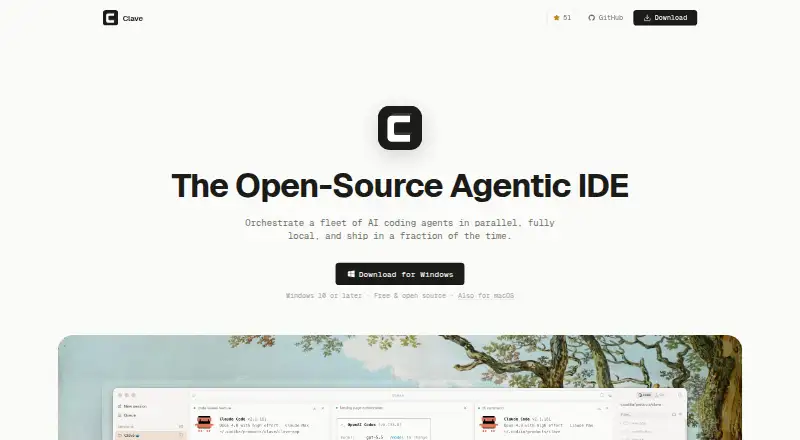
Clave is a desktop workspace for running coding agents alongside project files and terminals. It brings sessions into tabs and groups, and supports Claude Code, Codex, Antigravity, Pi, plain terminals, and remote agents over OpenClaw. Claude Code and Codex can use a chat view with rendered answers, grouped tool calls, attachments, and a model menu. Groups can retain sessions, folders, saved terminals, and prompts; workspace files can supply project templates.
A side panel combines a file tree, editors, HTML preview, and a git panel for diffs, history, and one-click sync. Its MCP server gives agents twenty-three tools to manage tabs, launch groups, pin pages, open files, and message other tabs. Clave also connects Claude Code sessions to that server and includes a plugin with skills for workspace files and recovering lost sessions. Users can inject secrets from a masked field for one action or write them to a file; the values do not pass through the transcript or get read back by the agent.
Clave runs on the user's machine without an account or cloud backend. Remote sessions and files are available over SSH and SFTP. The app is free and open source under the MIT License.
Who it suits
Clave suits developers who run multiple coding agents and want their sessions, project files, terminals, and git tools in one desktop workspace. It also fits teams sharing project group defaults and builders of agent tooling. The macOS version includes every feature; Windows is an early build with some Mac-only capabilities.
What it does well
- Hosts multiple coding agents, terminals, and remote agents in tabs and groups.
- Project groups can retain folders, sessions, terminals, and prompts.
- Includes file editing, HTML preview, and git diffs and history.
- Secrets can be injected without passing through the transcript.
- Runs locally without an account or cloud backend.
- Open source under the MIT License and free to use.
What to know first
- Windows installer is not code-signed.
- Windows lacks Pi and some persistent agent session features.
- Available for macOS and Windows desktop platforms.
Limits
Clave is free, with the listed plan at no cost. The early Windows build does not include Pi, agent state on tabs, or restart-persistent sessions; these are Mac-only for now.
Plans
| Plan | Billed and limits | Price |
|---|---|---|
| Clave | Free and open source · macOS available · Windows early access | Free |
As clave.work lists them, read 7 Oct 2026. The maker's own page has the final word.
Getting started
- Visit https://www.clave.work/.
- Choose the macOS app or the early Windows build for Windows 10 and later on x64.
- Install the app; macOS builds support Apple Silicon and Intel.
- Run Clave without creating an account, then add agent sessions or terminals to tabs and groups.
- Use SSH or SFTP for sessions and files on remote machines.
- Check settings for a pre-release build if desired.
Verdict
Choose Clave if you want a free, open source desktop workspace for several coding agents, with project files and agent controls close at hand. macOS offers the full feature set; Windows users should account for its early access limits and unsigned installer.
Questions
How much does Clave cost?
The listed Clave plan is free, and the pricing model is free.
Is Clave open source?
Yes. The entire app is open source under the MIT License.
Which platforms does Clave support?
Clave has macOS and Windows builds. The Windows build supports Windows 10 and later on x64; macOS supports Apple Silicon and Intel.
Which coding agents can it host?
It supports Claude Code, Codex, Antigravity, Pi, plain terminals, and remote agents over OpenClaw.
Does Clave require an account or cloud backend?
No. Clave says it requires no account and has no cloud backend; agents communicate with their own providers.
Facts from Clave's own pages
- Agent controls
- Clave includes an MCP server with twenty-three tools for agents to manage tabs, launch groups, pin pages, open files and message other tabs. · clave.work, 7 Oct 2026
- Agents
- It supports Claude Code, Codex, Antigravity, Pi, plain terminals and remote agents over OpenClaw. · clave.work, 7 Oct 2026
- Audience
- Clave is presented for developers running multiple coding agents, teams sharing project group defaults, and builders of agent tooling. · clave.work, 7 Oct 2026
- Chat view
- Claude Code and Codex can run in a chat view with rendered answers, grouped tool calls, attachments and a model menu. · clave.work, 7 Oct 2026
- Integrations
- Clave connects Claude Code sessions to its MCP server and provides a plugin with skills for workspace files and recovering lost sessions. · clave.work, 7 Oct 2026
- License
- The entire app is open source under the MIT License. · clave.work, 7 Oct 2026
- Local operation
- Clave says it requires no account and has no cloud backend; agents communicate with their own providers and Clave stays on the user's machine. · clave.work, 7 Oct 2026
- macOS support
- The macOS app supports Apple Silicon and Intel, is a universal disk image signed and notarized by Apple, and includes every feature. · clave.work, 7 Oct 2026
- Purpose
- Clave is a desktop app that hosts coding agent sessions in tabs, groups and project workspaces. · clave.work, 7 Oct 2026
- Remote access
- Sessions and files on remote machines are available over SSH and SFTP. · clave.work, 7 Oct 2026
- Secrets
- Users enter secrets in a masked field for one-action injection or write them to a file; the value does not pass through the transcript or get read back by the agent. · clave.work, 7 Oct 2026
- Side panel
- The side panel includes a file tree, editors, HTML preview and a git panel with diffs, history and one-click sync. · clave.work, 7 Oct 2026
- Updates
- Clave updates itself from releases on GitHub, and pre-release builds can be requested from settings. · clave.work, 7 Oct 2026
- Windows limits
- The early Windows build supports Windows 10 and later on x64; its installer is not code-signed, and agent state on tabs, restart-persistent sessions and Pi are Mac-only for now. · clave.work, 7 Oct 2026
- Workspaces
- Groups remember sessions, folders, saved terminals and prompts; workspace files can provide project templates. · clave.work, 7 Oct 2026
Where Clave stands on Freedom251
- AI Code Editors#5 of 26
- Agentic Ides#5 of 21