Freedom251 › Graphic Design Software
DrawPad
by DrawPad
What DrawPad is
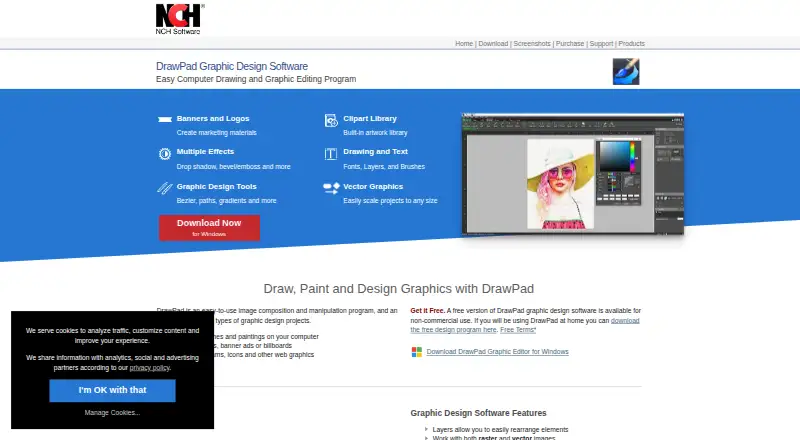
DrawPad is a desktop image composition and manipulation program for graphic design projects on Windows and macOS. It works with raster and vector images and supports non-destructive editing through image layers. Drawing and painting tools are joined by shapes, text, curved text, effects, grids, snapping, alignment, rulers, and guidelines. Templates cover online banner ads, business cards, greeting cards, flyers, letterhead, logos, menus, and newsletters. DrawPad can import SVG, GIF, JPEG, BMP, ICO, PNG, TIFF, PDF, and DrawPad documents, then export PNG, JPEG, BMP, ICO, SVG, PDF, EPS, or PSD files. Tablet and touchpad pressure sensitivity are supported, along with Photoshop brush-pack imports. Banner formats are available for networks including Google Ads and Microsoft Ads. The product has a free non-commercial plan; Home is for non-business use and Professional is for one installation, with no prices listed.
Who it suits
DrawPad suits people creating illustrations, logos, diagrams, presentations, banners, and other graphic-design materials on a Windows or macOS desktop. Its templates and pressure-sensitive input also fit users starting from ready-made layouts or drawing with a tablet.
What it does well
- Edits both raster and vector images
- Supports layered, non-destructive editing
- Includes templates for common print and web designs
- Imports Photoshop brush packs with pressure sensitivity
- Exports PSD, EPS, PDF, SVG, and common image formats
What to know first
- Free version is limited to non-commercial use
- Home plan is specified for non-business use
- Professional plan allows one installation
Plans
| Plan | Billed and limits | Price |
|---|---|---|
| DrawPad Graphic Editor Home | Non-business use | On request |
| DrawPad Graphic Editor Professional | Single installation | On request |
| Free version (non-commercial use) | non-commercial use | Free |
As nchsoftware.com lists them, read 20 Sept 2026. The maker's own page has the final word.
Verdict
DrawPad provides broad desktop drawing, layout, template, and file-format support with a free non-commercial option. Check the stated plan conditions before using it for business work or multiple installations.
Facts from DrawPad's own pages
- Ad formats
- DrawPad supports banner ad formats for ad networks such as Google Ads and Microsoft Ads. · nchsoftware.com, 12 Oct 2026
- Design tools
- Features include drawing and painting tools, shapes, text, curved text, effects, grids, snapping, alignment, rulers and guidelines. · nchsoftware.com, 12 Oct 2026
- Desktop app
- Yes · nchsoftware.com, 20 Sept 2026
- Free plan
- Yes · nchsoftware.com, 20 Sept 2026
- Headquarters
- Greenwood Village, Colorado, USA · nchsoftware.com, 28 Sept 2026
- Illustration tools
- Yes · nchsoftware.com, 20 Sept 2026
- Input formats
- The listed input formats include SVG, GIF, JPEG, BMP, ICO, PNG, TIFF, PDF and DrawPad documents. · nchsoftware.com, 12 Oct 2026
- Maker history
- NCH Software says its software development team has released applications since 1993. · nchsoftware.com, 12 Oct 2026
- Output formats
- The listed output formats include PNG, JPEG, BMP, ICO, SVG, PDF, EPS and PSD. · nchsoftware.com, 12 Oct 2026
- Platforms
- The product page lists downloads for Windows and Mac; system requirements list Windows 7 to 11 and macOS 10.5 or above. · nchsoftware.com, 12 Oct 2026
- Presentation design
- Yes · nchsoftware.com, 20 Sept 2026
- Privacy and security
- NCH's privacy statement says it does not store credit card information and that its server uses SSL to encrypt personal information in transit. · nchsoftware.com, 12 Oct 2026
- Purpose
- DrawPad is an image composition and manipulation program for graphic design projects, including sketches, paintings, logos, banner ads, diagrams, icons and web graphics. · nchsoftware.com, 12 Oct 2026
- Raster and vector editing
- DrawPad works with raster and vector images and supports non-destructive editing with image layers. · nchsoftware.com, 12 Oct 2026
- Related product
- The product page says designs can be retouched and enhanced with NCH PhotoPad Photo Editor. · nchsoftware.com, 12 Oct 2026
- Support
- DrawPad support offers video tutorials, a help manual, a forum, and a link to contact technical support for assistance. · nchsoftware.com, 12 Oct 2026
- Tablet support
- DrawPad supports tablet and touchpad pressure sensitivity and can import brush packs made for Photoshop. · nchsoftware.com, 12 Oct 2026
- Template library
- Yes · nchsoftware.com, 20 Sept 2026
- Templates
- Included templates cover online banner ads, business cards, greeting cards, flyers, letterhead, logos, menus and newsletters. · nchsoftware.com, 12 Oct 2026
Where DrawPad stands on Freedom251
- Graphic Design Software#59 of 150
- Design tools#59 of 146