Freedom251 › Whiteboard Animation Software
Doodable
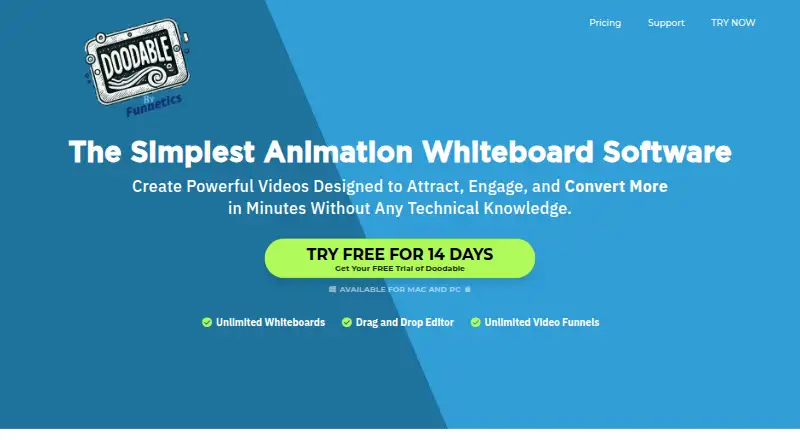
What Doodable is
Doodable is paid desktop software for creating doodle and whiteboard animation videos on Windows and macOS. It supports whiteboard, blackboard, glassboard, and green screen styles. Smart Draw lets users upload images and create custom draw paths, while voiceover tools record audio in the app or upload audio for synchronization with a sketch. Assets include custom-drawn characters, background scenes, props, and royalty-free music tracks. Videos export as MP4 at resolutions up to 1080p and frame rates from 24 to 60 fps. The Standard plan costs $49 a month and includes unlimited videos, 7TB cloud storage, 20 video templates, and 84 scene templates. Enterprise costs $79 a month, with unlimited videos, 10TB storage, 40 video templates, and 84 scene templates. A 14-day trial is listed, but there is no free plan. The application supports Windows 7 or higher and Mac OS X 10.10 or higher; internet access is required for images and cloud-saved projects.
Who it suits
Doodable is aimed at YouTube marketers, teachers and trainers, Facebook advertisers, and sales video creators. It suits desktop users who need illustrated scenes, custom drawing paths, and synchronized narration.
What it does well
- Supports four animation styles
- Creates custom draw paths from images
- Records or uploads voiceovers
- Exports MP4 up to 1080p
- Includes unlimited videos on both plans
What to know first
- No free plan
- Requires an internet connection for some projects
- Desktop-only Windows and macOS software
- Standard plan costs $49 a month
Limits
There is no free plan. The Standard plan is $49 a month and includes 1,164 character images, 1,620 prop images, 150 royalty-free music tracks, 20 video templates, 35 fonts, 84 scene templates, unlimited videos, and 7TB cloud storage; Enterprise costs $79 a month and includes larger asset and storage allowances.
Plans
| Plan | Billed and limits | Price |
|---|---|---|
| Standard | 1,164 character images · 1,620 prop images · 150 royalty-free music tracks · 20 video templates · 35 fonts · 84 scene templates · unlimited videos · 7TB cloud storage | $49 a month |
| Standard | billed annually · 1,164 character images · 1,620 prop images · 150 royalty-free music tracks · 20 video templates · 35 fonts · 84 scene templates · unlimited videos · 7TB cloud storage | $490 a year |
| Enterprise | 3,959 character images · 3,341 prop images · 250 royalty-free music tracks · 40 video templates · 70 fonts · 84 scene templates · unlimited videos · 10TB cloud storage | $79 a month |
| Enterprise | billed annually · 3,959 character images · 3,341 prop images · 250 royalty-free music tracks · 40 video templates · 70 fonts · 84 scene templates · unlimited videos · 10TB cloud storage | $790 a year |
As doodable.com lists them, read 8 Oct 2026. The maker's own page has the final word.
Getting started
- Visit the Doodable website.
- Choose Windows 7 or higher, or Mac OS X 10.10 or higher.
- Select the Standard or Enterprise plan.
- Use the 14-day trial to get started.
- Install the desktop application and connect to the internet for images and cloud-saved projects.
Verdict
Doodable provides a focused desktop workflow for doodle videos, with drawing tools, narration, reusable assets, and MP4 export. Its paid plans differ mainly in included assets, templates, and storage.
Questions
How much does Doodable cost?
Standard costs $49 a month. Enterprise costs $79 a month.
Is there a free plan or trial?
There is no free plan. A 14-day trial is available.
Which platforms does Doodable support?
It is a desktop application for Windows 7 or higher and Mac OS X 10.10 or higher.
What files can users upload?
The FAQ lists PNG and JPEG images, MP3 audio, and TIFF or OTF fonts.
Who owns the work created in Doodable?
The FAQ says users own their work and that the company does not reuse, distribute, or commercialize it.
What support is offered?
Online FAQs and email support are listed, with a stated response time of less than 24 hours.
Facts from Doodable's own pages
- Animation styles
- It creates whiteboard, blackboard, glassboard, and green screen animations. · doodable.com, 8 Oct 2026
- Assets
- The site describes custom drawn characters, background scenes, props, and royalty-free music tracks. · doodable.com, 8 Oct 2026
- Audience
- The homepage identifies YouTube marketers, teachers and trainers, Facebook advertisers, and sales video creators as intended users. · doodable.com, 8 Oct 2026
- Export
- Videos export as MP4, with listed resolutions up to 1080p and frame rates from 24 to 60 fps. · doodable.com, 8 Oct 2026
- Ownership
- The FAQ says users own the work they create and that the company does not reuse, distribute, or commercialize that work product. · doodable.com, 8 Oct 2026
- Product
- Doodable is whiteboard animation software for creating doodle videos. · doodable.com, 8 Oct 2026
- Refund
- The pricing FAQ offers a refund within 30 days of purchase, after which access is lost. · doodable.com, 8 Oct 2026
- Smart Draw
- Smart Draw lets users upload images and create custom draw paths for them. · doodable.com, 8 Oct 2026
- Support
- The pricing FAQ lists online FAQs and email support, with a stated response time of less than 24 hours, typically faster. · doodable.com, 8 Oct 2026
- Supported systems
- Doodable is a desktop application for Windows 7 or higher and Mac OS X 10.10 or higher, and requires an internet connection for images and cloud-saved projects. · doodable.com, 8 Oct 2026
- Uploads
- The FAQ says users can upload PNG and JPEG images, MP3 audio, and TIFF or OTF fonts. · doodable.com, 8 Oct 2026
- Voiceover
- Users can record voiceovers in the app or upload audio and sync it to a sketch. · doodable.com, 8 Oct 2026
Where Doodable stands on Freedom251
- Whiteboard Animation Software#20 of 26