Freedom251 › Animation Software

VideoScribe
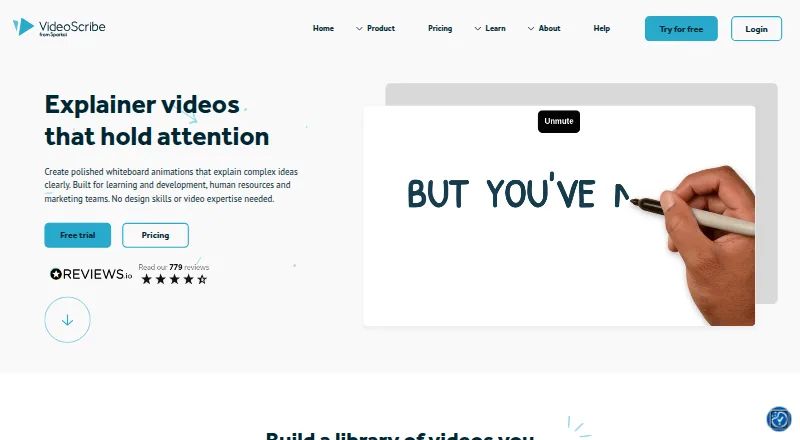
What VideoScribe is
VideoScribe is animation software for creating custom videos for explainer, marketing, and training content. It provides royalty-free images, illustrations, icons, and characters, with options to generate images using AI or upload your own. Animation effects include draw, pulse, spin, shake, bounce, and fade; draw effects can use different drawing hands. For audio, users can generate scripts and voiceovers with AI, record narration and sound effects, and add music from the royalty-free collection. Videos can be square, landscape, or portrait and export at 1080p as MP4 or GIF. Core and Max subscribers can make live preview links for draft feedback. VideoScribe has an installed app for macOS and Windows and a web version. On small screens, the browser version is limited to previewing and downloading projects. The installed app can continue editing through an unreliable connection, but does not provide full offline mode. A 7-day trial is available; there is no free plan.
Who it suits
It suits people creating animated explainers, marketing videos, or training content who want built-in visual and audio tools. Teams that need to resell videos or charge clients for their creation or use need Max reseller rights.
What it does well
- Includes royalty-free images, illustrations, icons, and characters
- Offers AI image, script, and voiceover generation
- Exports MP4 or GIF at 1080p
- Subscription plans include commercial rights
What to know first
- No free plan; trial lasts 7 days
- Small-screen browser use is limited to previewing and downloads
- Full offline mode is unavailable
- Reselling videos requires Max reseller rights
Limits
The free trial lasts seven days and permits three downloads, five-minute maximum videos, 9,000-plus images and icons, and watermarked videos. Lite allows five downloads per month and five-minute videos; Core allows 30 downloads and 10-minute videos; Max allows unlimited downloads and 20-minute videos.
Plans
| Plan | Billed and limits | Price |
|---|---|---|
| Free trial | 7 day free trial · 3 video downloads · Max. 5 minute video length · 9,000+ images & icons · Watermarked videos · No credit card required | Free |
| Lite | $150.00 billed annually · 5 video downloads/month · Max. 5 minute video length · 9,000+ images & icons · Watermarks only on premium images | $12.50 a month |
| Core | $225.00 billed annually · 30 video downloads/month · Max. 10 minute video length · 5M premium images & icons · No watermark · Preview links · Team licenses | $18.75 a month |
| Max | $280.00 billed annually · Unlimited downloads/month · Max. 20 minute video length · Reseller rights · Custom fonts · Brand kit configuration · Team licenses | $23.33 a month |
As videoscribe.co lists them, read 29 Sept 2026. The maker's own page has the final word.
Getting started
- Open the VideoScribe website
- Start the seven-day free trial without a credit card
- Use the macOS or Windows app, or open the web version
- Create scenes with images, characters, and animation effects
- Add generated or recorded audio and music
- Export a project as a 1080p MP4 or GIF
Verdict
VideoScribe brings video animation, asset, and audio tools together, with several formats and export options. Check the plan limits and reseller-rights requirement against your intended use.
Questions
Is there a free plan?
There is no free plan, but a seven-day trial is available without a credit card.
Which platforms does VideoScribe support?
It provides installed apps for macOS and Windows and a web version. On small-screen devices, the browser version is limited to previewing and downloading.
What formats can it export?
Videos export as MP4 or GIF at 1080p, in square, landscape, or portrait formats.
Does it include commercial rights?
All subscription plans include commercial rights. Reselling videos or charging clients for their creation or use requires Max reseller rights.
Can drafts be shared for feedback?
Core and Max subscribers can create live preview links for draft videos.
What publishing destinations are named?
The publishing tutorial names YouTube, Vimeo, PowerPoint, device downloads, and Sho.co.
Facts from VideoScribe's own pages
- Animation
- Animation options include draw, pulse, spin, shake, bounce, and fade, with a choice of drawing hands for draw animations. · videoscribe.co, 29 Sept 2026
- Audio and AI
- Users can generate AI scripts and voiceovers, record narration and sound effects, and add music from the royalty-free collection. · videoscribe.co, 29 Sept 2026
- Free plan
- No · videoscribe.co, 22 Sept 2026
- Image library
- The product offers royalty-free images, illustrations, icons, and characters, plus AI image generation and user image uploads. · videoscribe.co, 29 Sept 2026
- Integrations
- VideoScribe’s publishing tutorial names YouTube, Vimeo, PowerPoint, device downloads, and its Sho.co sharing platform as sharing options. · videoscribe.co, 29 Sept 2026
- Offline use
- The installed app can keep editing through a patchy connection, but full offline mode is unavailable. · videoscribe.co, 29 Sept 2026
- Payments
- VideoScribe says its e-commerce partner Fastspring handles subscription processing and payment data, and identifies Fastspring as PCI Level 1 compliant. · videoscribe.co, 29 Sept 2026
- Plan rights
- All subscription plans include commercial rights, while reselling videos or charging clients for their creation or use requires Max reseller rights. · videoscribe.co, 29 Sept 2026
- Platform limit
- The installed app is for computers; on small-screen devices, the browser version is limited to previewing and downloading projects. · videoscribe.co, 29 Sept 2026
- Platforms
- VideoScribe is available in a browser and as an installed app for Windows and macOS; projects sync between web and app. · videoscribe.co, 29 Sept 2026
- Product
- VideoScribe is animation software for creating custom videos, including explainer, marketing, and training content. · videoscribe.co, 29 Sept 2026
- Security
- VideoScribe says it uses AWS hosting in Northern Virginia, encrypts data across public networks, and uses firewalls to protect web applications and APIs. · videoscribe.co, 29 Sept 2026
- Sharing
- Core and Max subscribers can create live preview links to share draft videos for feedback. · videoscribe.co, 29 Sept 2026
- Support
- The maker provides a help site with troubleshooting, guides, tutorials, and a customer support contact option. · videoscribe.co, 29 Sept 2026
- Video output
- VideoScribe supports square, landscape, and portrait formats and exports videos in 1080p as MP4 or GIF. · videoscribe.co, 29 Sept 2026
Where VideoScribe stands on Freedom251
- Animation Software#71 of 106
- Explainer Video Software#32 of 40
- Whiteboard Animation Software#22 of 26
- AI Explainer Video Makers#23 of 27
- Animated Presentation Software#22 of 25