Freedom251 › Email Parsing Software
Document Parser
What Document Parser is
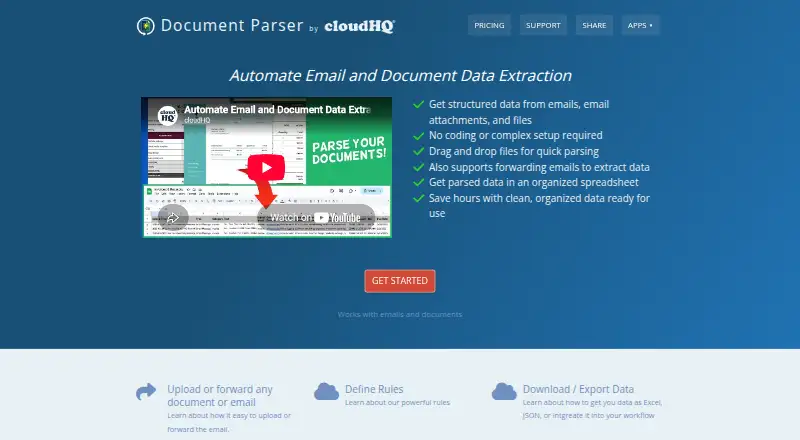
Document Parser turns information in emails, attachments, and uploaded files into structured data. Users can upload PDFs, Word documents, and other formats, or forward email to a unique cloudHQ-issued address for automatic parsing. Attachments in forwarded messages can be processed too. Extractable fields include contacts, invoice dates, amounts, due dates, vendors, names, email addresses, and phone numbers. Users can set rules for processing documents and emails, then download the results as a spreadsheet; the product overview also lists Excel and JSON exports. It accepts forwarded messages from any email provider and can send extracted data into a workflow. The maker describes uses such as invoice processing, customer data extraction, accounting records, legal documents, medical forms, and education records. Document Parser is a web-based cloudHQ product. Its Free plan is for one user and limited to 20 documents. Premium costs $69.90 a month per user and includes email and phone support; that support is unavailable on Free. The product page says documents and emails are not kept on its servers and that cloud communications are encrypted using SSL.
Who it suits
It may suit teams that need to convert emailed documents or uploaded files into structured records, including for invoice processing, accounting, legal, medical, or education workflows. The Free plan is limited to one user and 20 documents; Premium adds email and phone support.
What it does well
- Parses uploaded PDFs, Word files, and other formats.
- Processes forwarded emails and their attachments.
- Extracts invoice dates, amounts, vendors, and contact details.
- Offers spreadsheet, Excel, and JSON exports.
- Accepts email from any provider and exports to workflows.
What to know first
- Free plan is limited to one user and 20 documents.
- Premium costs $69.90 a month per user.
- Email and phone support are unavailable on Free.
Limits
The Free plan costs nothing, is for one user, and is limited to 20 documents. It does not include email or phone support. Premium costs $69.90 a month per user and includes that support.
Plans
| Plan | Billed and limits | Price |
|---|---|---|
| Free | one user · limited to 20 documents | Free |
| Premium | $69.90/month · per user | $69.90 a month |
As document-parser.com lists them, read 8 Oct 2026. The maker's own page has the final word.
Getting started
- Open https://www.document-parser.com/ in a web browser.
- Choose the Free plan or Premium plan.
- Upload a PDF, Word file, or another supported format, or forward email to the unique cloudHQ-issued address.
- Define rules and custom fields for the information to extract.
- Download the parsed results as spreadsheet data, Excel, or JSON.
Overview
Document Parser is a web service for extracting structured data from emails, attachments and uploaded files. It is best suited to people who need to turn recurring documents into spreadsheet-ready records; the one-user Free plan is capped at 20 documents, so check that ceiling against your workload before relying on it.
Rules for processing and exports to spreadsheets, Excel and JSON give the service a practical path from incoming files to usable data. Its per-user Premium price makes the document volume and team size important considerations.
Key features
Email and file extraction
Users can forward emails to a unique cloudHQ address for parsing, including attached PDFs and Word files, or upload PDFs, Word documents and other formats directly. That gives teams more than one route for processing documents, and forwarded email can come from any provider. The service extracts fields such as invoice dates, amounts, due dates, vendors, names, contacts, email addresses and phone numbers. Custom extraction fields and rules let users shape processing around their documents rather than relying only on a fixed set of outputs.
Structured exports and integrations
Parsed data can be downloaded as a spreadsheet, with Excel and JSON exports also described in the product overview. It is a fit for users whose next step is structured data, not for those who need a named, ready-made integration.
Security and support
The product says it does not store emails or documents on its servers, encrypts cloud communications with SSL, and uses OAuth and OpenID without storing passwords. Those are useful stated safeguards for sensitive records, though they do not remove the need to assess suitability for the data a particular organization handles. Premium includes email and phone support; Free does not.
Pricing
Free
The Free plan costs nothing and covers one user with a limit of 20 documents. It is a sensible way for an individual to evaluate the extraction workflow or handle occasional documents, but the tight quota makes it a poor fit for steady or team-wide processing.
Premium
Premium costs $69.90 a month, billed $69.90/month per user. It adds email and phone support, but the supplied plan details do not give a document quota. Because the price is per user, costs rise with each seat; teams should weigh that against their processing needs before committing. A free trial is available, though its length and terms are not given.
The pricing model is paid despite the limited Free plan. The listed starting price is $69.90/user/mo; there is no separate published custom-pricing tier to compare.
Platforms
Document Parser is available on the web. Email forwarding accepts messages from any email provider, but the product is not described as a desktop or mobile app.
Who it's for
Invoice processing, accounting records and customer data extraction are natural fits for its structured fields and spreadsheet exports. The maker also identifies legal documents, medical forms and education records as use cases. Those examples do not establish a fit for every organization's compliance requirements, so buyers handling sensitive records should assess the service against their own standards.
It is less compelling for high-volume users who need a clearly defined allowance before choosing a plan, or for teams seeking a low-cost multi-seat option: Free allows one user, while Premium is priced per user.
Pros and cons
- Pros: Handles both forwarded emails and uploaded files, including attachments, so users can process documents from different entry points.
- Pros: Custom fields, processing rules and spreadsheet, Excel and JSON exports support structured workflows.
- Pros: Premium includes email and phone support, while the product describes SSL encryption and OAuth/OpenID authentication.
- Cons: Free is limited to one user and 20 documents, making it suitable only for light use or evaluation.
- Cons: Premium's $69.90 monthly price is per user, and a document allowance is not part of the stated plan terms.
Alternatives
For more options, browse Email Parsing Software.
- PHP MIME Mail Parser is a free, MIT-licensed library for PHP 8.2+ that requires the mailparse extension. Choose it instead if you want a self-hosted parsing library rather than a web service.
- Stalwart mail-parser is a free Rust email-parsing library under MIT or Apache-2.0, with Linux, macOS and self-hosted platforms. It suits readers who want an open-source library in that ecosystem.
- CloudMailin offers a free plan with 10,000 emails per month and a 512KB per-message limit, plus a $25.00 monthly Starter plan with 10,000 emails and a 2MB per-message limit. Choose it if email-volume allowances and message-size limits are central to your decision.
- DigiParser has a paid plan starting at $14/month for 100 payslips and enterprise pricing for 1,000+ documents per month. It is the more directly specified option for payslip processing at those volumes.
- MailFrame has a free plan with 100 parse operations per month, one active schema and webhook delivery. Choose it if those operation and schema limits suit your workflow.
- MailParse offers a free plan with 100 emails per month, webhook delivery, REST polling and one inbound address. It may suit readers who need those API-based delivery options within a defined free quota.
- noima offers a free allowance of 10 documents one time with 30 days' retention, and a €12 monthly Starter plan for 150 documents per month with 60 days' retention. Choose it if those document and retention terms match your needs.
- Parserr has a free plan with 15 emails and 10 documents per month, one inbox, unlimited parsing rules and integrations, and Zapier plus Microsoft Flow. It is worth considering when those allowances and integrations fit your workflow.
Verdict
Document Parser is a strong candidate for individuals and teams that need configurable extraction from both email and files, with structured exports as the end product. Its chief advantage is that flexibility of input and output; its main drawback is the one-user, 20-document Free cap and a per-user Premium price without a stated document allowance. Choose it when those extraction tools match your workflow, and look elsewhere if predictable volume limits or lower multi-user costs matter more.
Verdict
Document Parser combines email and file parsing with configurable processing rules and structured exports. Check the Free plan's user and document limits against your workload before choosing a plan.
Questions
How much does Document Parser cost?
The Free plan costs nothing for one user. Premium costs $69.90 a month per user.
Is there a free plan or trial?
Yes. Document Parser has a Free plan and offers a free trial.
What platforms does it support?
Document Parser is available on the web.
What can it extract?
It can extract fields including contacts, invoice dates, amounts, due dates, vendors, names, email addresses, and phone numbers.
Can it parse email attachments?
Yes. Forwarded email attachments, including PDFs and Word files, can be parsed.
Who makes Document Parser?
Document Parser is presented as a cloudHQ product. cloudHQ says it was founded in 2011 by Senad Dizdar.
Facts from Document Parser's own pages
- Attachments
- Forwarded email attachments, including PDFs and Word files, can also be parsed into structured data. · document-parser.com, 8 Oct 2026
- Authentication
- The product page says it does not store passwords and uses OAuth and OpenID for authentication. · document-parser.com, 8 Oct 2026
- Company
- Document Parser is presented as a cloudHQ product, and cloudHQ says it was founded in 2011 by Senad Dizdar. · cloudhq.net, 8 Oct 2026
- Email parsing
- Users can forward emails to a unique cloudHQ-issued address for automatic parsing. · document-parser.com, 8 Oct 2026
- Export
- The site says parsed data can be downloaded as a spreadsheet, and its overview mentions Excel and JSON exports. · document-parser.com, 8 Oct 2026
- Extracted fields
- The service can extract contacts, invoice dates, amounts, due dates, vendors, names, emails, and phone numbers. · document-parser.com, 8 Oct 2026
- File upload
- Users can upload PDFs, Word files, or other formats for extraction into a structured spreadsheet. · document-parser.com, 8 Oct 2026
- Founded
- 2011 · document-parser.com, 28 Sept 2026
- Headquarters
- San Francisco, California, United States · document-parser.com, 28 Sept 2026
- Integrations
- The product accepts forwarded emails from any email provider and can export data into a workflow. · document-parser.com, 8 Oct 2026
- Premium support
- The Premium plan includes email and phone support; the Free plan lists that support as unavailable. · document-parser.com, 8 Oct 2026
- Purpose
- Document Parser extracts structured data from emails, email attachments, and uploaded files. · document-parser.com, 8 Oct 2026
- Rules
- The overview says users can define rules for processing emails and documents. · document-parser.com, 8 Oct 2026
- Security
- The product page says emails and documents are not stored on its servers and that cloud communications are encrypted using SSL. · document-parser.com, 8 Oct 2026
- Use cases
- The maker describes use cases including invoice processing, customer data extraction, accounting records, legal documents, medical forms, and education records. · document-parser.com, 8 Oct 2026
Where Document Parser stands on Freedom251
- Email Parsing Software#3 of 22