Freedom251 › E-Signature Software

Docracy
by Docracy
What Docracy is
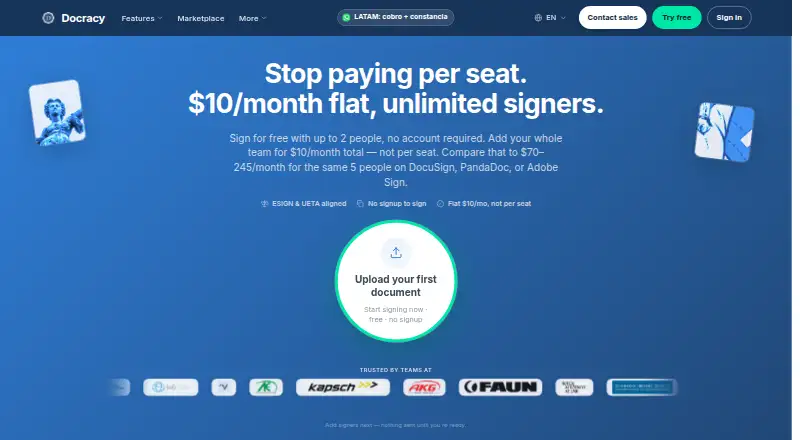
Docracy is an electronic document-signing service available on the web and through an API. It supports signing in a chosen order or having all signers act at once, and its free workflow lets up to two people sign without an account. Start with a PDF upload or a Google Docs link that is viewable by anyone with the link; Word files are not directly supported. Documents can include signature, initials, text, date, checkbox, and dropdown fields, with 642 ready-to-use templates available. Paid accounts add AI tools for placing fields, explaining contract language, flagging clause risks, and generating contracts.
Docracy connects with Dropbox, OneDrive, Box, Google Drive, Zapier, and webhooks. Its MCP connector works with Claude, ChatGPT, Grok, and Perplexity. Completed files include an audit trail and completion certificate, and anyone can verify a document without an account. Users may attach their own PayPal, Stripe, or Mercado Pago payment link after signing; Docracy says it does not collect those payments. The free plan costs nothing and deletes signed PDFs after 9 days. Paid service is $10 a month, flat rather than per seat. Docracy is based in Vienna, Austria.
Who it suits
Docracy suits people handling everyday agreements such as freelance or roommate arrangements and NDAs before an initial call. It can also fit teams that need document templates, signing order choices, integrations, or API access.
What it does well
- Free signing supports two signers without an account.
- Choose sequential or all-at-once signing workflows.
- Includes 642 ready-to-use document templates.
- Completed documents carry an audit trail and certificate.
- Verification is available without an account.
- Paid accounts include AI contract tools.
What to know first
- Free signed PDFs are deleted after 9 days.
- Word files are not directly supported.
- It does not verify signer identity or provide QES.
- It is not HIPAA-ready and does not sign Business Associate Agreements.
Limits
The free plan allows up to two signers per document and one WhatsApp signing link per month; signed PDFs are deleted after 9 days. The paid plan is $10 a month and includes 10 WhatsApp signing links per month, then $0.50 each; signed PDFs are kept until the next April 15 or 13 months.
Plans
| Plan | Billed and limits | Price |
|---|---|---|
| Free | No account, no card · Up to 2 signers per document · 1 WhatsApp signing link/month · signed PDFs deleted after 9 days | Free |
| Paid | Flat — not per seat · Unlimited signers · 10 WhatsApp signing links/month, then $0.50 each · keeps signed PDFs until next April 15 or 13 months | $10 a month |
| Enterprise | Custom · Unlimited signers · 50 WhatsApp signing links/month (fair use) · premium customer support · invoice billing and annual contracts | On request |
As docracy.io lists them, read 8 Oct 2026. The maker's own page has the final word.
Getting started
- Open https://docracy.io/.
- Use the free workflow for up to two signers without an account, or choose a paid plan.
- Upload a PDF or provide a Google Docs link viewable by anyone with the link.
- Add the needed signature, initials, text, date, checkbox, or dropdown fields.
- Set sequential or all-at-once signing and send the document.
Verdict
Choose Docracy for everyday electronic signing with templates, integrations, and a free no-account workflow for up to two signers. Look elsewhere if your process requires verified signer identity, QES, HIPAA readiness, or a Business Associate Agreement.
Questions
Is Docracy free?
Yes. Its Free plan costs nothing, requires no account or card, and supports up to two signers per document.
What does the paid plan cost?
Paid service costs $10 a month, billed flat rather than per seat. Enterprise uses invoice billing and annual contracts, with price not listed.
Which platforms does Docracy support?
Docracy is available on the web and through an API.
Can I upload a Word document?
Word files are not directly supported. You can upload a PDF or use a Google Docs link shared for anyone with the link to view.
What integrations does it list?
Docracy lists Dropbox, OneDrive, Box, Google Drive, Zapier, webhooks, and an MCP connector for Claude, ChatGPT, Grok, and Perplexity.
Does Docracy provide QES or HIPAA readiness?
No. Docracy says it does not provide QES, is not HIPAA-ready, and does not sign Business Associate Agreements.
Facts from Docracy's own pages
- AI features
- Paid accounts offer automatic field placement, plain-English contract explanations, clause risk highlighting, and AI contract generation. · docracy.io, 8 Oct 2026
- API access
- Yes · docracy.io, 21 Sept 2026
- Audit and verification
- Completed documents include an audit trail and completion certificate, and anyone can verify a document without an account. · docracy.io, 8 Oct 2026
- Audit trail
- Yes · docracy.io, 21 Sept 2026
- Bulk sending
- Yes · docracy.io, 21 Sept 2026
- Compliance limits
- Docracy says it does not verify signer identity, does not provide QES, and does not hold its own SOC 2 or ISO 27001 attestation. · docracy.io, 8 Oct 2026
- Document input
- Users can upload a PDF or paste a Google Docs link shared for anyone with the link to view; Word files are not directly supported. · docracy.io, 8 Oct 2026
- Document templates
- Yes · docracy.io, 21 Sept 2026
- Fields and templates
- Signing fields include signature, initials, text, date, checkbox, and dropdown, and the site offers 642 ready-to-use templates. · docracy.io, 8 Oct 2026
- Free plan
- Yes · docracy.io, 21 Sept 2026
- Free signing
- The free workflow supports up to two signers without requiring an account. · docracy.io, 8 Oct 2026
- Headquarters
- Vienna, Austria · docracy.io, 28 Sept 2026
- Healthcare limit
- Docracy says it is not HIPAA-ready and does not sign Business Associate Agreements. · docracy.io, 8 Oct 2026
- Integrations
- The site lists Dropbox, OneDrive, Box, and Google Drive connectors, plus Zapier, webhooks, and an MCP connector for Claude, ChatGPT, Grok, and Perplexity. · docracy.io, 8 Oct 2026
- Intended users
- The company describes the product as suited to everyday documents such as freelance agreements, roommate agreements, and NDAs before an initial call. · docracy.io, 8 Oct 2026
- Payments
- Users can attach their own PayPal, Stripe, or Mercado Pago link after signing, while Docracy says it does not collect the payment. · docracy.io, 8 Oct 2026
- Product
- Docracy provides electronic document signing, with sequential or all-at-once signing workflows. · docracy.io, 8 Oct 2026
- Retention
- Anonymous signing documents are normally deleted after 9 days, while paid workspace history and templates remain until deletion or account closure. · docracy.io, 8 Oct 2026
- Security
- Docracy says traffic uses HTTPS/TLS, documents and application data receive Cloudflare platform encryption at rest, and signing links use HMAC-signed tokens. · docracy.io, 8 Oct 2026
- Signature order
- both · docracy.io, 21 Sept 2026
- Support
- The pricing page lists customer support for paid plans and premium support for Enterprise. · docracy.io, 8 Oct 2026
Where Docracy stands on Freedom251
- E-Signature Software#11 of 68
- E-signature tools#29 of 68