Freedom251 › Content Management Systems
django CMS
by django CMS
What django CMS is
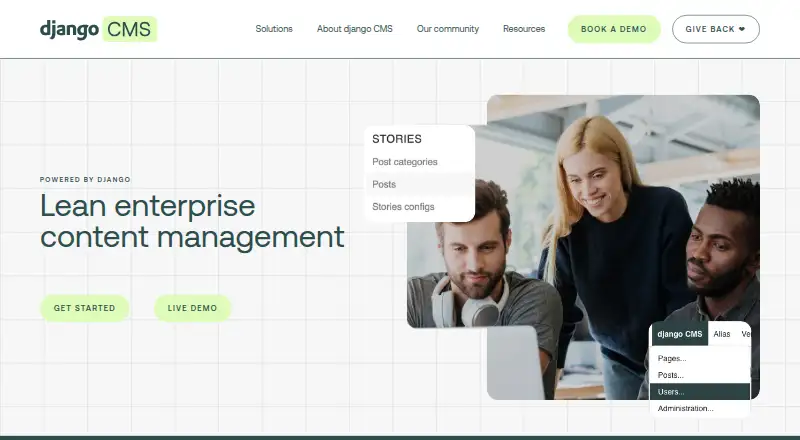
django CMS is an open-source content management system built on Django for creating and managing websites. Editors can update pages visually on the page, while its drag-and-drop builder arranges reusable components such as text, images, videos, forms, and custom business elements. The system supports multiple languages and multi-site publishing, with editorial workflows, custom roles, granular privileges, and editor and publisher permissions. Developers can integrate Django applications through application views and placeholders. It supports traditional Django rendering, hybrid rendering with a REST API, and headless delivery; the headless option and REST API use the djangocms-rest add-on. The feature list includes SEO tools, a media library, and custom content types. The core CMS costs nothing, with no license fees. It can be self-hosted and supports web, Linux, Windows, and API contexts. Installation requires Python 3.10 or later. The maker is based in Zurich, Switzerland, and was founded in 2007.
Who it suits
It suits enterprises, universities, and digital agencies building content-rich websites, particularly teams already working with Django. Teams needing approval workflows, spell checking, or digital asset management integrations should note these are provided through third-party packages or services rather than the core.
What it does well
- Free open-source core with no license fees
- Visual editing and drag-and-drop page layouts
- Supports multilingual content and multi-site publishing
- Custom roles, granular privileges, and editorial workflows
- Django app integrations and multiple delivery architectures
What to know first
- Headless mode and REST API require an add-on
- Approval workflows are not built into the core
- Spell checking requires third-party packages or services
- Digital asset management integrations are not built in
Limits
The core CMS is free and has no license fees. Headless mode and the REST API require the djangocms-rest add-on; approval workflows, spell checking, and digital asset management integrations are available through third-party packages or services.
Plans
| Plan | Billed and limits | Price |
|---|---|---|
| django CMS | Open-source CMS · no license fees | Free |
| Silver Association Membership | $1,500 p.a · Small business membership · all tiers include the same benefits | $1,500 a year |
| Platinum Association Membership | $15,000 p.a · Enterprise membership · all tiers include the same benefits | $15,000 a year |
| Supporter Association Membership | From $2 a month · Individual membership | $2 a month |
| Gold Association Membership | $3,000 p.a · Large business membership · all tiers include the same benefits | $3,000 a year |
| Bronze Association Membership | $500 p.a · Very small business membership · all tiers include the same benefits | $500 a year |
As django-cms.org lists them, read 7 Oct 2026. The maker's own page has the final word.
Getting started
- Open the django CMS website.
- Install Python 3.10 or later.
- Install django CMS with pip.
- Run the documented command to create a configured project.
- Choose traditional Django rendering, hybrid REST API rendering, or headless delivery; headless mode and REST API use the djangocms-rest add-on.
Verdict
django CMS combines visual page editing and reusable content components with Django application integration and multilingual publishing. The core is free, but several capabilities, including headless delivery, depend on add-ons or third-party services.
Questions
How much does django CMS cost?
The django CMS plan is free. The Association also lists membership plans from $2 a month, with business memberships billed annually.
Is django CMS open source?
Yes. The Association describes django CMS as free and open, with no license fees.
Where can django CMS run?
It supports web, Linux, Windows, API, and self-hosted contexts.
Does django CMS support a REST API and headless delivery?
Yes, through the djangocms-rest add-on.
Can I connect my Django applications?
Yes. Custom Django applications can be integrated through application views and placeholders.
Who makes django CMS?
The maker is django CMS, based in Zurich, Switzerland. It was founded in 2007.
Facts from django CMS's own pages
- Custom content types
- Yes · django-cms.org, 22 Sept 2026
- Custom user roles
- Yes · django-cms.org, 22 Sept 2026
- Deployment modes
- The documented architectures include traditional Django rendering, hybrid rendering with a REST API, and headless delivery through REST endpoints. · django-cms.org, 7 Oct 2026
- Django integrations
- Existing Django apps can be integrated, including through application views and placeholders. · django-cms.org, 7 Oct 2026
- Editing
- Editors can change content directly on the page using visual frontend editing. · django-cms.org, 7 Oct 2026
- Editorial workflows
- Yes · django-cms.org, 22 Sept 2026
- Founded
- 2007 · django-cms.org, 28 Sept 2026
- Free plan
- Yes · django-cms.org, 22 Sept 2026
- Headless
- The feature list marks headless mode and a REST API as available through the djangocms-rest add-on. · django-cms.org, 7 Oct 2026
- Headquarters
- Zurich, Switzerland · django-cms.org, 28 Sept 2026
- Hosting
- The feature list says development sandboxes and automated backups are part of a hosting solution rather than built into the CMS. · django-cms.org, 7 Oct 2026
- Installation
- The install tutorial requires Python 3.10 or later and documents installation with pip and a command that creates a configured project. · docs.django-cms.org, 7 Oct 2026
- Integrations
- django CMS can integrate custom Django applications, while add-ons provide capabilities such as rich-text editing, Bootstrap 5 components, media management, versioning, and reusable content blocks. · docs.django-cms.org, 7 Oct 2026
- Intended users
- The site describes django CMS as serving digital agencies, marketers and publishers, developers and product managers, and business executives. · django-cms.org, 7 Oct 2026
- Languages
- It supports managing content in multiple languages from one platform. · django-cms.org, 7 Oct 2026
- Languages and sites
- The product supports multilingual content management and multi-site publishing. · django-cms.org, 7 Oct 2026
- License and cost
- The Association says django CMS is free and open, and that it charges no license fees. · django-cms.org, 7 Oct 2026
- Limits and add-ons
- Approval workflows, spell checking, and digital asset management integrations are listed as available through third-party packages or services rather than built into the core. · django-cms.org, 7 Oct 2026
- Media library
- Yes · django-cms.org, 22 Sept 2026
- Multilingual content
- Yes · django-cms.org, 22 Sept 2026
- Not built in
- The feature list marks analytics, third-party authentication, and digital asset management integrations as available through third-party packages or services. · django-cms.org, 7 Oct 2026
- Page building
- The page builder supports drag-and-drop layouts and reusable content components. · django-cms.org, 7 Oct 2026
- Permissions
- The feature list includes granular privileges, and the product page lists editor and publisher permissions. · django-cms.org, 7 Oct 2026
- Platform type
- self_hosted · django-cms.org, 22 Sept 2026
Where django CMS stands on Freedom251
- Content Management Systems#12 of 165