Freedom251 › Digital Signage Software
DisplayGrid
What DisplayGrid is
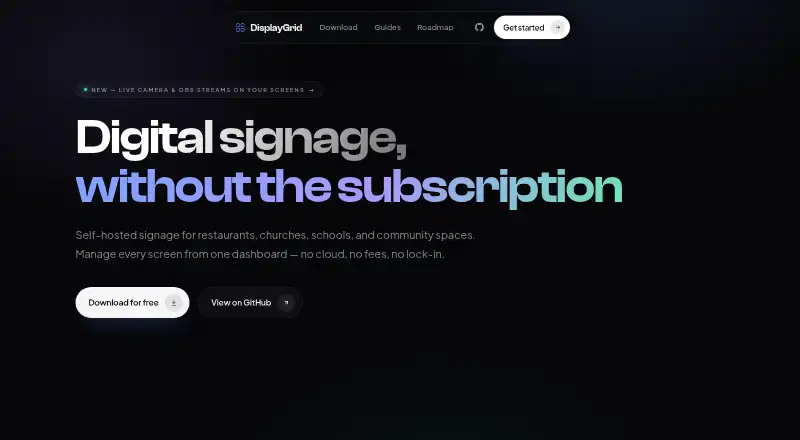
DisplayGrid is free, self-hosted digital-signage software for restaurants, churches, schools, and community spaces. It can display images, videos, PDFs, HLS streams, WebRTC streams, web pages, custom HTML, clocks, and text, with offline playback available. Screens can be divided into independently controlled regions, each with its own playlist, and slides can run on day-and-time schedules. The asset library supports images, videos, and PDFs, with automatic WebP optimization for images. Roles include Super Admin, Admin, Operator, and Viewer, plus a PIN-protected kiosk overlay. HLS and WebRTC (WHEP) sources can carry camera or OBS feeds paired with go2rtc or MediaMTX. A token-authenticated REST API supports Home Assistant, n8n, and cron jobs, including emergency overrides and read-only screen and playlist status. The server runs in Docker or from source and requires no cloud account. Network traffic stays local unless optional HTTPS is configured through a Caddy reverse proxy. Raspberry Pi 5 or x86 hardware is recommended for video-heavy use; Pi 4 may struggle with 4K or complex video.
Who it suits
DisplayGrid suits organizations that can host signage themselves and need scheduled, offline playback across varied media types. Its roles and REST API also fit teams managing multiple screens or automated integrations.
What it does well
- Free forever and self-hosted
- Supports offline playback
- Flexible media and stream support
- Independent screen regions and playlists
- REST API with token authentication
What to know first
- Requires self-hosted deployment
- Pi 4 may struggle with 4K video
- Video-heavy use recommends Raspberry Pi 5 or x86
Plans
| Plan | Billed and limits | Price |
|---|---|---|
| Free | Free forever · self-hosted | Free |
As joemighty.github.io lists them, read 12 Oct 2026. The maker's own page has the final word.
Verdict
DisplayGrid offers broad signage playback, scheduling, access roles, and local automation without a cloud account. It is a strong fit for groups able to run and maintain their own Docker or source-based server.
Facts from DisplayGrid's own pages
- Access control
- It offers Super Admin, Admin, Operator, and Viewer roles, plus a PIN-protected kiosk overlay. · joemighty.github.io, 12 Oct 2026
- API access
- Yes · joemighty.github.io, 21 Sept 2026
- Content types
- images,videos,PDFs,HLS streams,WebRTC streams,web pages,custom HTML,clocks,text · joemighty.github.io, 21 Sept 2026
- Deployment
- The server can run as a Docker container or from source, and the product describes itself as self-hosted with no cloud account required. · joemighty.github.io, 12 Oct 2026
- Free plan
- Yes · joemighty.github.io, 21 Sept 2026
- Hardware limits
- The maker recommends Raspberry Pi 5 or x86 hardware for video-heavy use; Pi 4 may struggle with 4K or complex video. · joemighty.github.io, 12 Oct 2026
- Integrations
- The token-authenticated REST API can be used with Home Assistant, n8n, or cron jobs; its stated API surface covers emergency overrides and read-only screen and playlist status. · joemighty.github.io, 12 Oct 2026
- Layouts
- Screens can be split into independently controlled regions, each with its own playlist. · joemighty.github.io, 12 Oct 2026
- Live streams
- Slides can play HLS or WebRTC (WHEP) sources, including camera and OBS feeds paired with go2rtc or MediaMTX. · joemighty.github.io, 12 Oct 2026
- Media
- The asset library supports images, videos, and PDFs, with automatic WebP optimisation for images. · joemighty.github.io, 12 Oct 2026
- Offline playback
- Displays cache their last playlist and keep playing through network outages. · joemighty.github.io, 12 Oct 2026
- Platforms
- Native apps are offered for Windows 10 or later, macOS 11 or later, and Linux; the display client can also run in a browser. · joemighty.github.io, 12 Oct 2026
- Product
- DisplayGrid is self-hosted digital signage for restaurants, churches, schools, and community spaces. · joemighty.github.io, 12 Oct 2026
- Scheduling
- Slides can be scheduled by day and time window. · joemighty.github.io, 12 Oct 2026
- Security
- The network guide says traffic stays on the local network and nothing needs to be exposed to the internet; it documents optional HTTPS through a Caddy reverse proxy. · joemighty.github.io, 12 Oct 2026
- Support
- The project page links to GitHub for reporting bugs. · joemighty.github.io, 12 Oct 2026
- User roles
- advanced · joemighty.github.io, 21 Sept 2026
Where DisplayGrid stands on Freedom251
- Digital Signage Software#31 of 207