Freedom251 › AI Software Testing Tools

Diffblue Cover
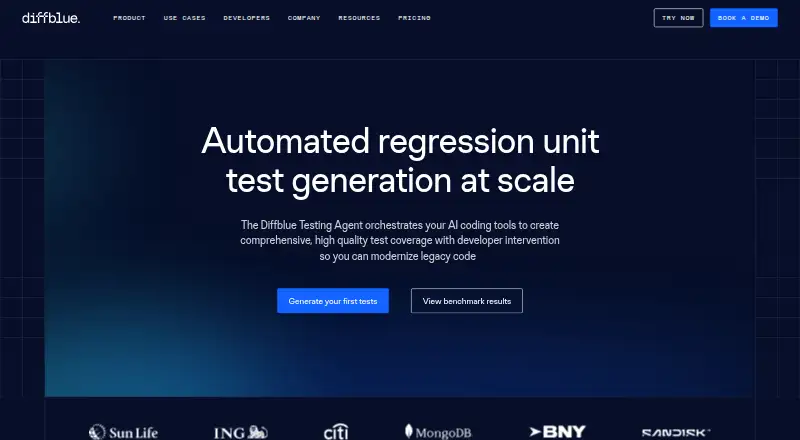
What Diffblue Cover is
Diffblue Cover automatically generates Java unit tests for Java and Kotlin projects. The maker says its generated tests compile and run, validating the code’s current behavior. Cover is available as an IntelliJ plugin, a command-line tool, and a CI pipeline integration, with support listed for GitHub, GitLab, Maven, Jenkins, Azure, and AWS environments.
The product includes tools for different parts of testing and code maintenance. Cover Reports visualizes test coverage, coverage risk, testability, and code complexity. Cover Optimize selects unit tests to validate code changes and is integrated into Cover CLI and Cover Pipeline. Cover Refactor can suggest and apply Java refactorings intended to improve observability and testability.
The maker says Cover runs locally in the customer environment without a cloud service, and that no data leaves the organization. Projects need Java 8, 11, 17, or 21 or Kotlin, Maven 3.2.5+ or Gradle 4.9+, and must compile without failing unit tests. The IntelliJ plugin supports JUnit and TestNG. Community Edition is free, with a perpetual license after product verification. A free trial is also available. Each use requires a remote check with Diffblue’s licensing server; offline activation is available only for Enterprise Edition through the CLI. Diffblue was founded in 2016 as a University of Oxford spin-out and is headquartered in Oxford, United Kingdom.
Who it suits
Diffblue Cover suits teams working on Java or Kotlin projects that want to generate unit tests. It is also suited to organizations that want the product to run locally; use still requires a remote licensing-server check.
What it does well
- Automatically generates tests for Java and Kotlin projects.
- Available as an IntelliJ plugin, CLI tool, and CI integration.
- Reports coverage, coverage risk, testability, and code complexity.
- Runs locally, with the maker saying no data leaves the organization.
- Supports JUnit and TestNG.
What to know first
- Projects must compile and have no failing unit tests.
- Every use requires a remote licensing-server check.
- Offline activation is limited to Enterprise Edition through the CLI.
Limits
Community Edition is an IntelliJ plugin with a perpetual license after product verification. The free trial length is stated on the GitHub and GitLab pages. Offline activation is available only for Enterprise Edition through the CLI.
Plans
| Plan | Billed and limits | Price |
|---|---|---|
| Community Edition | IntelliJ plugin · perpetual license after product verification | Free |
| Free trial | 14 days · Diffblue Cover trial · trial length stated on GitHub and GitLab pages | Free |
| Teams Edition | Paid license · price not stated on opened pages | On request |
| Enterprise Edition | Paid license · offline activation available through CLI | On request |
As diffblue.com lists them, read 7 Oct 2026. The maker's own page has the final word.
Getting started
- Confirm the project uses Java 8, 11, 17, or 21, or Kotlin.
- Use Maven 3.2.5+ or Gradle 4.9+ and make sure the project compiles with no failing unit tests.
- Choose the IntelliJ plugin, command-line tool, or CI pipeline integration.
- For the IntelliJ plugin, use JUnit or TestNG if you want to work with a listed supported framework.
- Choose Community Edition or begin the free trial.
- Allow the required remote licensing-server check when using Cover.
Diffblue Cover generates unit tests for Java and Kotlin projects, for developers and teams working in IntelliJ, the command line, or CI. Its strongest case is local test generation that fits existing workflows; its required licensing-server check is a serious constraint for disconnected environments.
Overview
Cover uses AI to create tests intended to validate the code’s current behavior. Diffblue says generated tests compile and run, which can help teams add regression coverage without writing every test by hand. That is useful for maintaining a growing test suite, but teams still need to decide whether generated tests capture the behavior they want to preserve.
The software runs in the customer environment without a cloud service, and Diffblue says no data leaves the organization. Yet each use requires a remote check with Diffblue’s licensing server. Local execution is therefore not offline operation: only Enterprise customers can activate offline, and that option is through the CLI.
Key features
Test generation and workflows
Cover supports unit and regression testing for Java and Kotlin. Developers can use an IntelliJ plugin or command-line tool, while teams can integrate it into CI. Supported pipeline environments include GitHub, GitLab, Maven, Jenkins, Azure, and AWS. This breadth makes Cover a plausible fit for teams that want test generation close to coding or in an established build process, rather than a separate cloud testing service.
Projects need compatible Java 8, 11, 17, or 21 source, or Kotlin; Maven 3.2.5+ or Gradle 4.9+; and a project that compiles and has no failing unit tests. The plugin supports JUnit and TestNG. These prerequisites make Cover less suitable as a first step for a broken build or an uncompiled project.
Coverage, optimization, and refactoring
Cover Reports visualizes test coverage, coverage risk, testability, and code complexity, giving teams several signals for deciding where test work may matter most. Cover Optimize selects the unit tests needed to validate code changes and is integrated into Cover CLI and Cover Pipeline; that is most relevant to teams using those workflows. Cover Refactor can suggest and apply Java refactorings intended to improve observability and testability, extending the product beyond test creation, though the described refactoring support is for Java.
Pricing
Cover has a free Community Edition, a free trial, and paid Teams and Enterprise editions with custom pricing. The Community Edition costs nothing and provides the IntelliJ plugin with a perpetual license after product verification. It is the clearest fit for an individual trying the IDE workflow, but it does not include the offline activation reserved for Enterprise.
The Free trial costs nothing and lasts 14 days. It offers a time-limited way to evaluate Cover, rather than a continuing team license. Teams Edition is a paid license with custom pricing and more comprehensive support than the community forum. Enterprise Edition is also custom pricing; its distinguishing stated advantage is offline activation through the CLI, alongside more comprehensive support. That makes Enterprise the relevant tier for organizations that need disconnected use, while Teams is the paid option for teams that do not require that exception.
All editions remain subject to the licensing-server check unless using Enterprise offline activation through the CLI. Community support is through the Community forum; more comprehensive support comes with Teams and Enterprise.
Platforms
Cover is available for Linux, macOS, and Windows, as well as self-hosted environments. Its local execution model may suit organizations that want code to remain within their environment, but licensing connectivity still needs to be addressed.
Who it's for
Cover is best suited to Java and Kotlin developers who want AI-generated unit tests in an IntelliJ, command-line, or supported CI workflow, and to teams that can meet its build prerequisites. Its reports and test-selection tools add value for teams already using its CLI or pipeline integration. It is a poor fit for projects that do not compile or have failing tests, and for organizations unable to reach the licensing server unless Enterprise CLI offline activation meets their needs.
Pros and cons
- Pros: IntelliJ, CLI, and CI options let teams place test generation in existing workflows.
- Pros: Local execution and the maker’s no-data-leaves claim may suit organizations with strict data boundaries.
- Pros: Reports, change-focused test selection, and Java refactoring suggestions extend its use beyond generating tests.
- Cons: A remote license check is required each time Cover is used, limiting use in disconnected environments.
- Cons: Projects must compile and have no failing unit tests, so Cover is not a remedy for an unhealthy build.
- Cons: The free Community Edition is limited to the IntelliJ plugin; offline activation requires the custom-priced Enterprise Edition and CLI.
Alternatives
For a wider range of AI software testing tools, browse the AI Software Testing Tools list.
Consider Autify if you want a freemium alternative with a free plan and trial across web, mobile, API, desktop, and self-hosted platforms; its listed Aximo Individual User plan includes 2,000 one-time credits with no expiration.
Katalon Studio may suit teams seeking low-code and full-code authoring across web, mobile, and desktop, with a free plan and trial and an Enterprise tier whose price is custom.
Choose testRigor if a public open-source plan with public tests and results fits your needs better than Cover’s Java/Kotlin unit-test focus.
SmartestQA is another freemium option; its free Solo plan includes one user, one Local Agent, and one parallel execution.
Keploy is worth considering if an open-source core local record-and-replay platform under Apache 2.0 is a closer match.
TestZeus Hercules offers a free Platform Access plan with monthly scenario runs, steps, AI test cases and reports, and agent simulations.
Momentic may be a better fit for web, mobile, or API testing; it has a free plan and trial, plus custom-priced Enterprise plans.
TestFirst offers a free plan with 100 one-time credits per workspace and one test at a time, as well as a Plus plan for $12 a month.
Verdict
Choose Diffblue Cover if you need Java or Kotlin unit-test generation within an IntelliJ, CLI, or supported CI workflow and can satisfy its build and licensing requirements. The local execution model and workflow range are its main strengths; the per-use remote license check is the reason to look elsewhere if your environment cannot connect and Enterprise CLI offline activation is not an option.
Verdict
Choose Diffblue Cover if you need automated Java or Kotlin unit tests within an IntelliJ, command-line, or listed CI workflow. Consider another approach if your environment cannot contact the licensing server for each use; offline activation is only available to Enterprise customers through the CLI.
Questions
Is there a free version of Diffblue Cover?
Yes. Community Edition costs nothing and has a perpetual license after product verification.
How long is the free trial?
The trial length stated on the GitHub and GitLab pages is 14 days.
Which platforms and workflows are supported?
Cover is offered for Linux, macOS, self-hosted, and Windows environments as an IntelliJ plugin, command-line tool, and CI pipeline integration.
Which CI environments are listed?
Diffblue lists GitHub, GitLab, Maven, Jenkins, Azure, and AWS.
Which test frameworks does the IntelliJ plugin support?
The plugin getting-started page lists JUnit and TestNG.
Does Cover send project data to a cloud service?
The maker says Cover runs locally without requiring a cloud service and that no data leaves the organization. Each use still requires a remote check with Diffblue’s licensing server.
Facts from Diffblue Cover's own pages
- CI integrations
- The maker lists GitHub, GitLab, Maven, Jenkins, Azure, and AWS among supported pipeline environments. · cover-docs.diffblue.com, 7 Oct 2026
- Company
- Diffblue was founded in 2016 as a spin-out of the University of Oxford and is headquartered in Oxford. · diffblue.com, 7 Oct 2026
- Data handling
- The maker says Cover runs locally in the customer environment without requiring a cloud service and that no data leaves the organization. · cover-docs.diffblue.com, 7 Oct 2026
- Founded
- 2016 · diffblue.com, 28 Sept 2026
- Headquarters
- Oxford, United Kingdom · diffblue.com, 28 Sept 2026
- License connectivity
- Cover requires a remote check with Diffblue’s licensing server each time it is used; offline activation is available only for Enterprise Edition through the CLI. · cover-docs.diffblue.com, 7 Oct 2026
- Optimization
- Cover Optimize selects the unit tests needed to validate code changes and is integrated into Cover CLI and Cover Pipeline. · cover-docs.diffblue.com, 7 Oct 2026
- Project prerequisites
- The getting-started page lists Java 8, 11, 17, or 21 compatible source or Kotlin, Maven 3.2.5+ or Gradle 4.9+, and a project that compiles and has no failing unit tests. · cover-docs.diffblue.com, 7 Oct 2026
- Purpose
- Diffblue Cover automatically writes human-like Java unit tests for Java and Kotlin projects. · cover-docs.diffblue.com, 7 Oct 2026
- Refactoring
- Cover Refactor can suggest and apply Java code refactorings intended to improve observability and testability. · cover-docs.diffblue.com, 7 Oct 2026
- Reports
- Cover Reports visualizes test coverage, coverage risk, testability, and code complexity. · cover-docs.diffblue.com, 7 Oct 2026
- Support
- Community support is provided through the Community forum, while more comprehensive support is included with Teams and Enterprise editions. · info.diffblue.com, 7 Oct 2026
- Test frameworks
- The plugin getting-started page states that JUnit and TestNG are supported. · cover-docs.diffblue.com, 7 Oct 2026
- Test quality
- The maker says generated tests compile, run, and validate the current behavior of the code. · cover-docs.diffblue.com, 7 Oct 2026
- Workflows
- Cover is offered as an IntelliJ plugin, a command-line tool, and a CI pipeline integration. · cover-docs.diffblue.com, 7 Oct 2026
Where Diffblue Cover stands on Freedom251
- AI Software Testing Tools#4 of 34
- Ai Code Testing#4 of 25
- AI software testing tools#17 of 34