Freedom251 › Packaging Design Software

Dielineo
What Dielineo is
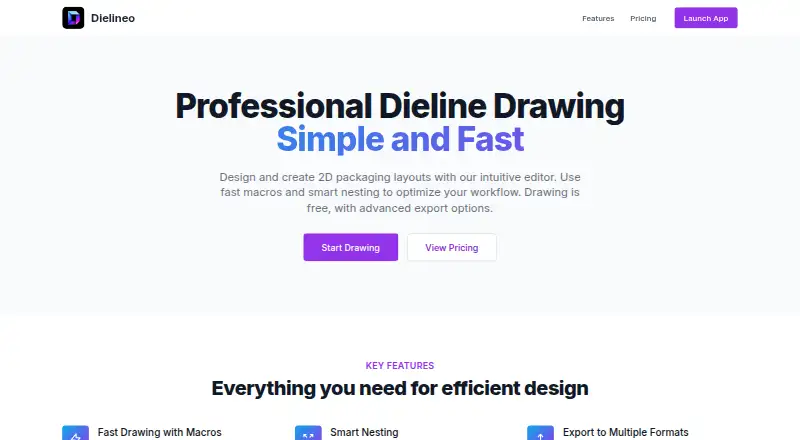
Dielineo is a web editor for creating 2D packaging layouts. Its macro system generates standard designs, including options from the FEFCO catalog, as well as custom templates. Smart Nesting arranges designs on a sheet to reduce material waste. The editor supports dieline import, and drawing exports for plotters are available in PDF, DXF, HPGL, and SVG formats. The Free plan includes unlimited drawing, fast drawing macros, and Smart Nesting; it is listed as free, billed forever. The Pro plan adds exports in those four formats to the Free features, but no price is listed. Dielineo describes Free as suited to learning and creating projects, while Pro is intended for professionals and businesses. Payments are secured by Paddle. The service provider is Kumibox Jakub Kumoch, with a registered office in Psarskie, Poland. Its terms say service complaints can be submitted by email or through a contact form.
Who it suits
Dielineo may suit people learning to create packaging layouts or working on projects with its Free plan. Its Pro plan is presented for professionals and businesses that need drawing exports.
What it does well
- Creates 2D packaging layouts in a web editor.
- Macros generate standard and custom designs.
- Smart Nesting aims to reduce material waste.
- Free plan includes unlimited drawing.
- Supports dieline import.
What to know first
- PDF, DXF, HPGL, and SVG exports require Pro.
- No Pro price is listed.
Limits
The Free plan does not include the drawing exports listed for Pro. Pro adds PDF, DXF, HPGL, and SVG exports, but its price is not provided.
Plans
| Plan | Billed and limits | Price |
|---|---|---|
| Free | forever · Unlimited drawing · Fast drawing macros · Smart Nesting | Free |
| Pro | $-- / year · Everything in Free · Export drawings to PDF · Export drawings to DXF · Export drawings to HPGL & SVG | On request |
As dielineo.com lists them, read 7 Oct 2026. The maker's own page has the final word.
Getting started
- Open the Dielineo website in a web browser.
- Choose the Free plan for unlimited drawing, fast drawing macros, and Smart Nesting.
- Use the editor to create a layout or import a dieline.
- Choose Pro if you need PDF, DXF, HPGL, or SVG drawing exports.
Dielineo is a web editor for creating and editing 2D packaging layouts. It suits learners, designers, and packaging teams whose work uses repeatable structures and sheet planning. The strongest case for it is focused dieline production; the main limitation is that plotter-oriented drawing exports require the Pro plan.
Overview
Dielineo combines a dieline editor, dieline import, packaging macros, and automatic sheet nesting in one browser application. Macros can generate standard packaging designs from the FEFCO catalog as well as custom templates, making the tool particularly relevant when projects reuse familiar carton structures. Smart Nesting arranges designs on a sheet to minimize material waste, so it addresses not only drawing but also an important layout decision before production.
The product is made by Kumibox, whose registered office is in Psarskie, Poland. Payments are secured by Paddle. Kumibox says personal information is kept on password- and firewall-protected servers, with electronic financial transactions encrypted. Service complaints can be sent to [email protected] or through its contact form.
Key features
Macros and dieline editing
The macro system generates standard designs, including FEFCO structures, and supports custom templates. That is a practical advantage for users who repeatedly build boxes or other packaging from known specifications: a template-driven starting point can reduce repetitive construction. The editor also supports drawing from scratch and importing existing dielines, allowing a project to move between new layouts and previously prepared work.
Smart Nesting
Smart Nesting automatically positions designs on a sheet to reduce material waste. It is most useful when several layouts must share a sheet and material efficiency matters. It does not remove the need to check the resulting arrangement against the requirements of the intended production process, but it gives packaging-focused users a dedicated planning function rather than leaving placement entirely manual.
Drawing exports
PDF, DXF, HPGL, and SVG are the relevant output formats for plotter and production workflows, and Dielineo makes these exports a Pro feature. That division keeps Free suitable for learning and project work, but makes it a poor fit for anyone who must routinely deliver those file types without a paid subscription.
Pricing
| Plan | Price | Includes |
|---|---|---|
| Free | free, billed forever | Unlimited drawing, fast drawing macros, and Smart Nesting |
| Pro | Custom pricing; billed $-- / year | Everything in Free, plus PDF, DXF, HPGL, and SVG drawing exports |
Free is the sensible starting point for learning, experiments, and projects that can remain inside the editor. “Unlimited drawing” and Smart Nesting give that tier meaningful working capacity rather than a short demonstration allowance. Pro is aimed at professionals and businesses whose deliverables require the four listed export formats. Because its price is custom, prospective buyers should obtain a quotation before committing; the published terms do not provide a seat count, export quota, or trial period.
Platforms
Dielineo runs on the web, so it is suited to users who want a browser-based workflow rather than a platform-specific desktop installation. The editor supports both dieline creation and import within that web environment.
Who it's for
Choose Dielineo if you are learning packaging layout, developing projects around standard or custom templates, or need automatic sheet arrangement to limit material waste. It is also a logical fit for a professional workflow when Pro's export formats match the files required by a plotter or downstream production tool. Look elsewhere if you need a broader packaging suite, a published Pro price, or production exports while staying on a free plan.
Pros and cons
Pros
- Focused packaging workflow: drawing, import, macros, and nesting address the core steps of 2D dieline preparation.
- FEFCO and custom macro support: repeatable packaging structures can start from generated designs instead of being rebuilt each time.
- Unlimited Free drawing: the free tier can support ongoing learning and project work rather than imposing a stated drawing cap.
- Material-conscious placement: Smart Nesting automatically arranges designs to minimize sheet waste.
Cons
- Exports are paywalled: PDF, DXF, HPGL, and SVG drawing exports are not part of Free.
- Pro pricing is not published: businesses cannot compare its annual cost directly from the plan page.
- Web-only availability: users seeking a native desktop or mobile application will need another tool.
Alternatives
Packaging Design Software is the broader category guide for comparing packaging-focused tools.
- ZebraDesigner is the better choice for barcode label and tag design, with a free Essentials plan and Android, iOS, web, and Windows support.
- PACKZ fits production-PDF inspection on macOS and Windows; PACKZVIEW is a free downloadable viewer.
- Packly suits users who want web-based dieline templates, 3D mockups, repair, and sharing, with a capped free Basic plan.
- Cubit Design Studio is preferable when unlimited AI generations and canvas annotation are the priority.
- DielineLab is a no-signup, community-driven free web project with SVG and DXF capabilities.
- FinalPack offers API, self-hosted, and web access, but its free starter tier limits models and omits PDF/DXF export.
- Pacdora is a stronger match for large template libraries and AI credits, with a free trial and workspace limits.
- Packaging Dieline provides a free web tier with multiple styles, unlimited exports, and commercial use.
Verdict
Dielineo is a good choice for learners and packaging practitioners who want focused 2D dieline editing, reusable macros, and waste-conscious sheet nesting in a web app. Choose it chiefly for that concentrated workflow and its substantial Free tier. Look elsewhere when export files are essential but custom Pro pricing is unacceptable, or when you need a wider production system than dieline creation and nesting.
Verdict
Dielineo offers layout tools, macros, and Smart Nesting in its free plan. Pro adds four drawing export formats, but its price is not published.
Questions
Is Dielineo free?
Yes. The Free plan costs nothing, billed forever, and includes unlimited drawing, fast drawing macros, and Smart Nesting.
What does Pro add?
Pro includes everything in Free and adds drawing exports to PDF, DXF, HPGL, and SVG.
How much does Pro cost?
No Pro price is provided.
Which platform does Dielineo support?
Dielineo is available on the web.
Who provides Dielineo?
The service provider is Kumibox Jakub Kumoch, with a registered office in Psarskie, Poland.
Facts from Dielineo's own pages
- Exports
- The site lists PDF, DXF, HPGL, and SVG as export formats for use with plotters. · dielineo.com, 7 Oct 2026
- Free plan
- The Free plan includes unlimited drawing, fast drawing macros, and Smart Nesting. · dielineo.com, 7 Oct 2026
- Headquarters
- Psarskie, Poland · dielineo.com, 28 Sept 2026
- Intended users
- The site describes the Free plan as ideal for learning and creating projects and the Pro plan as intended for professionals and businesses. · dielineo.com, 7 Oct 2026
- Macros
- Its macro system generates standard packaging designs, including designs from the FEFCO catalog, and custom templates. · dielineo.com, 7 Oct 2026
- Maker
- The Dielineo site carries the copyright notice “© 2025 Kumibox.” · dielineo.com, 7 Oct 2026
- Nesting
- Smart Nesting automatically arranges designs on a sheet to minimize material waste. · dielineo.com, 7 Oct 2026
- Payments
- The site says payments are secured by Paddle. · dielineo.com, 7 Oct 2026
- Privacy and security
- Kumibox's privacy policy says it uses reasonable technical and organizational precautions, stores personal information on password- and firewall-protected servers, and encrypts electronic financial transactions. · kumibox.net, 7 Oct 2026
- Pro plan
- The Pro plan adds PDF, DXF, HPGL, and SVG drawing exports to the Free features. · dielineo.com, 7 Oct 2026
- Provider
- Kumibox's terms identify the service provider as Kumibox Jakub Kumoch, with a registered office in Psarskie, Poland. · kumibox.net, 7 Oct 2026
- Purpose
- Dielineo is an editor for designing and creating 2D packaging layouts. · dielineo.com, 7 Oct 2026
- Support
- Kumibox's terms say service complaints can be sent to [email protected] or through its contact form. · kumibox.net, 7 Oct 2026
Where Dielineo stands on Freedom251
- Packaging Design Software#6 of 27