Freedom251 › Minecraft Add-on Editors

DialogueDesigner
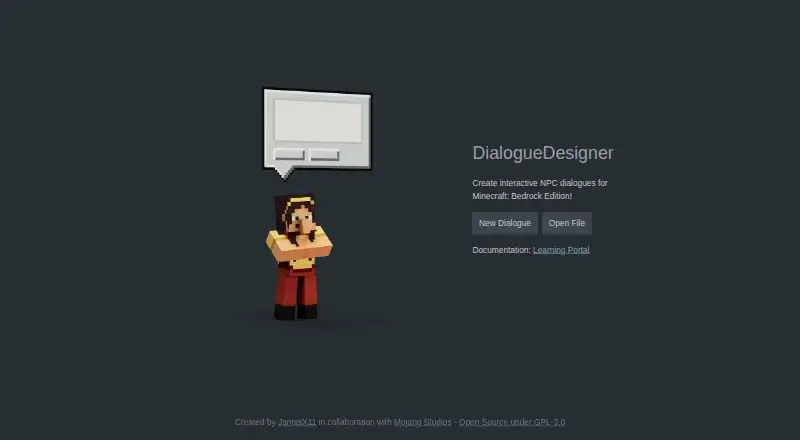
What DialogueDesigner is
DialogueDesigner is a free, open-source web editor for interactive NPC dialogue in Minecraft: Bedrock Edition. A dialogue file can hold any number of scenes, which players navigate through buttons. The visual editor has Edit and Preview modes; Preview shows how dialogue looks and behaves in-game, including translated versions. Text supports Minecraft formatting codes and raw JSON, which can include translations and dynamic data such as scoreboard values. Custom commands can run when a dialogue opens or closes, or when a player presses a button. Translations are saved as language files in a resource pack’s texts folder. Documentation places exported dialogue files in a dialogue folder inside a behavior pack. Using the dialogue requires an NPC entity; the built-in NPC entity is an option for simple applications. The project uses the GPL-3.0 license. Its app page credits JannisX11 in collaboration with Mojang Studios, while the repository identifies JannisX11 as project owner. Documentation recommends knowing the basics of resource and behavior packs before creating NPC dialogue.
Who it suits
It suits Minecraft: Bedrock Edition creators building interactive NPC conversations who are comfortable with resource and behavior packs. It can also serve users who want to localize dialogue or add commands and dynamic text.
What it does well
- Free and open source under GPL-3.0.
- Supports any number of linked dialogue scenes.
- Preview mode shows in-game dialogue behavior.
- Commands can run at several dialogue events.
- Translations and dynamic JSON text are supported.
What to know first
- Requires Minecraft: Bedrock Edition NPC entities.
- Documentation recommends pack fundamentals.
- Version targeting is unspecified.
Getting started
- Open the DialogueDesigner website
- Create scenes and connect them with dialogue buttons
- Add text, commands, translations, or raw JSON in the visual editor
- Preview the dialogue in Edit or Preview mode
- Export files into a dialogue folder inside a behavior pack
- Use the dialogue with a Minecraft NPC entity
Verdict
DialogueDesigner provides a focused visual workflow for authoring and previewing Bedrock NPC dialogue. Its pack requirements and recommended background knowledge make it a better fit for users already familiar with Minecraft content structure.
Questions
What does DialogueDesigner cost?
It is free and open source under the GPL-3.0 license.
Which platform does it support?
DialogueDesigner is available on the web.
What game does it target?
It creates interactive NPC dialogues for Minecraft: Bedrock Edition.
Where do exported files go?
Documentation places exported dialogue files in a dialogue folder inside a behavior pack.
Can it create translated dialogue?
Yes. Translations are saved as language files in a resource pack’s texts folder, and the editor previews those languages.
What is required to use a dialogue in Minecraft?
A Minecraft NPC entity is required; the built-in NPC entity is an option for simple applications.
Facts from DialogueDesigner's own pages
- Author
- The project repository identifies JannisX11 as the project owner. · github.com, 9 Oct 2026
- Commands
- Users can configure commands to run when a dialogue opens, closes, or a button is pressed. · github.com, 9 Oct 2026
- Export
- Projects can be exported for use in a Minecraft behavior pack, with language files saved in a resource pack when used. · github.com, 9 Oct 2026
- Intended users
- The documentation recommends familiarity with resource and behavior packs before creating NPC dialogues. · github.com, 9 Oct 2026
- License
- The repository lists a GPL-3.0 license. · github.com, 9 Oct 2026
- Localization
- The tool supports language files for dialogue translations and lets users preview dialogue in those languages. · github.com, 9 Oct 2026
- Maker attribution
- The app page says it was created by JannisX11 in collaboration with Mojang Studios. · jannisx11.github.io, 8 Oct 2026
- Preview
- The editor has Edit and Preview modes, with Preview showing how the dialogue looks and behaves in-game. · github.com, 9 Oct 2026
- Purpose
- DialogueDesigner creates interactive NPC dialogues for Minecraft: Bedrock Edition. · jannisx11.github.io, 9 Oct 2026
- Raw JSON
- Text fields can use raw JSON, including translations and dynamic data such as scoreboard values. · github.com, 8 Oct 2026
- Requirement
- Using a dialogue requires an NPC entity in Minecraft; the built-in NPC entity is an option for simple applications. · github.com, 9 Oct 2026
- Requirements
- The documentation recommends understanding the basics of resource and behavior packs before creating NPC dialogues. · github.com, 8 Oct 2026
- Scenes
- A dialogue can contain multiple scenes linked through player-selectable buttons. · github.com, 9 Oct 2026
- Text formatting
- Dialogue text supports Minecraft formatting codes and raw JSON text, including translations and dynamic data such as scoreboard values. · github.com, 9 Oct 2026
- Translations
- The tool supports dialogue translations saved as language files in a resource pack's texts folder. · github.com, 8 Oct 2026
Where DialogueDesigner stands on Freedom251
- Minecraft Add-on Editors#25 of 26