
Dev-C++
What Dev-C++ is
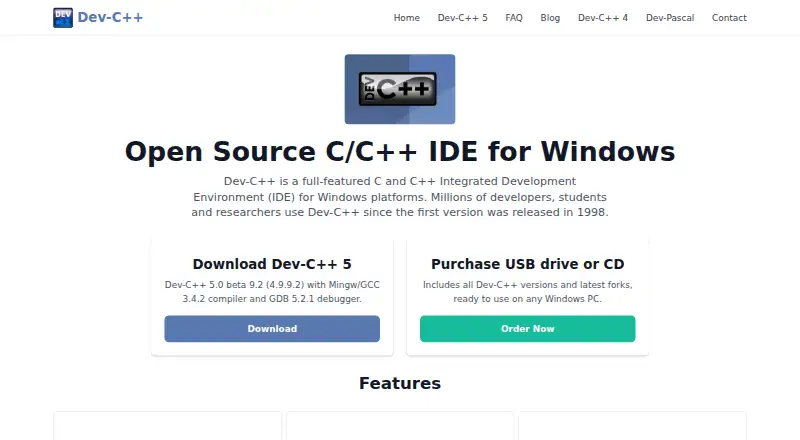
Dev-C++ is a free integrated development environment for creating C and C++ software on Windows. It can build Windows GUI and console applications, static libraries, and DLLs. The editor provides code completion, customization options, a class browser, and function listings. Build tools include Makefile generation, resource-file editing and compilation, profiling, and find-and-replace. Dev-C++ works with GCC-based toolchains such as MinGW, Cygwin, TDM-GCC, and other GCC compilers. The listed Dev-C++ 5 download includes MinGW/GCC 3.4.2 and GDB 5.2.1 for local debugging. The project is free software under GNU GPL version 2, with source code available under that license. The maker presents it as a learning tool for developers, students, and researchers, and says it is popular in universities and schools. Dev-C++ is available in more than 30 languages. Its FAQ covers compilation, debugging, libraries, and platform topics, and names wxWidgets, GTK+, Qt, FLTK, and the Win32 API as usable GUI libraries with Dev-C++ and MinGW. Colin Laplace identifies himself as the original author and maintainer.
Who it suits
Dev-C++ suits developers, students, and researchers learning or building C and C++ programs on Windows. Its project types, GCC toolchain support, local debugger, and educational positioning also fit university and school use.
What it does well
- Free GPL v2 software with source code available
- Creates GUI, console, static-library, and DLL projects
- Supports MinGW, Cygwin, TDM-GCC, and other GCC toolchains
- Includes code completion, class browsing, and function listings
- Provides Makefile creation, profiling, and resource compilation
- Available in more than 30 languages
What to know first
- Windows-only development environment
- Linux version was abandoned
- Listed Dev-C++ 5 download uses MinGW/GCC 3.4.2 and GDB 5.2.1
Limits
Dev-C++ is provided for Windows, and the FAQ says its Linux version was abandoned. The listed Dev-C++ 5 download includes MinGW/GCC 3.4.2 and GDB 5.2.1.
Plans
| Plan | Billed and limits | Price |
|---|---|---|
| Dev-C++ | Windows IDE · GPL v2 | Free |
As dev-cpp.com lists them, read 7 Oct 2026. The maker's own page has the final word.
Getting started
- Visit the Dev-C++ website
- Download the listed Dev-C++ 5 package
- Use the included MinGW/GCC compiler and GDB debugger
- Create a GUI, console, static-library, or DLL project
- Configure a GCC-based compiler such as MinGW, Cygwin, or TDM-GCC
- Build with Makefile generation and debug locally
Verdict
Pick Dev-C++ for a free Windows C and C++ IDE with GCC toolchains, project types, and local debugging. It is particularly suited to learning and school settings. Look elsewhere if you need Linux support or a non-Windows development environment.
Questions
How much does Dev-C++ cost?
Dev-C++ is free software. Its plan is free and uses the GNU GPL version 2 license.
Which operating systems are supported?
The supported platforms list includes Windows 7, Windows 8.1, and Windows 10. The FAQ says the Linux version was abandoned.
Which compilers can Dev-C++ use?
It supports GCC-based toolchains including MinGW/GCC, Cygwin, TDM-GCC, and other GCC-based compilers.
What project types can it create?
Dev-C++ creates Windows GUI applications, console applications, static libraries, and DLLs.
Does Dev-C++ include debugging?
The listed Dev-C++ 5 download includes GDB 5.2.1, and its debugging scope is local.
Which GUI libraries can be used?
The FAQ names wxWidgets, GTK+, Qt, FLTK, and the Win32 API as usable with Dev-C++ and MinGW.
Facts from Dev-C++'s own pages
- Build features
- It supports Makefile generation, resource file editing and compilation, profiling, and find and replace. · dev-cpp.com, 7 Oct 2026
- Compiler and debugger
- The listed Dev-C++ 5 download includes the Mingw/GCC 3.4.2 compiler and GDB 5.2.1 debugger. · dev-cpp.com, 7 Oct 2026
- Compiler compatibility
- The IDE supports GCC-based compilers including Mingw and Cygwin. · dev-cpp.com, 7 Oct 2026
- Editor and navigation
- Features include code completion, a customizable editor, a class browser, and function listing. · dev-cpp.com, 7 Oct 2026
- Founded
- 1998 · dev-cpp.com, 28 Sept 2026
- Integrations
- The FAQ lists wxWidgets, GTK+, Qt, FLTK, and the Win32 API as GUI libraries usable with Dev-C++ and Mingw. · dev-cpp.com, 7 Oct 2026
- Intended users
- The maker describes Dev-C++ as a learning tool used by developers, students, and researchers, and says it is popular among universities and schools. · dev-cpp.com, 7 Oct 2026
- Languages
- The site says Dev-C++ is available in more than 30 languages. · dev-cpp.com, 7 Oct 2026
- License
- Dev-C++ is free software licensed under GNU GPL version 2, and its source code is available under the same license. · dev-cpp.com, 7 Oct 2026
- Maintainer
- Colin Laplace identifies himself as the original author and maintainer of the Dev-C++ project. · dev-cpp.com, 7 Oct 2026
- Platform limits
- The Dev-C++ 5 download page lists support for Windows 98, NT, 2000, and XP; the FAQ says the Linux version was abandoned. · dev-cpp.com, 7 Oct 2026
- Privacy and security
- The website privacy policy says it uses Google Analytics and AdSense and describes technical and organizational measures to protect personal information, while stating it cannot guarantee absolute security. · dev-cpp.com, 7 Oct 2026
- Project types
- It supports creating Windows GUI and console applications, static libraries, and DLLs. · dev-cpp.com, 7 Oct 2026
- Purpose
- Dev-C++ is a full-featured C and C++ integrated development environment for Windows. · dev-cpp.com, 7 Oct 2026
- Support
- The site provides a searchable FAQ covering compilation, debugging, libraries, platform issues, and other topics. · dev-cpp.com, 7 Oct 2026
Where Dev-C++ stands on Freedom251
- C++ IDEs#16 of 24