Freedom251 › IoT Development Tools
STM32CubeIDE
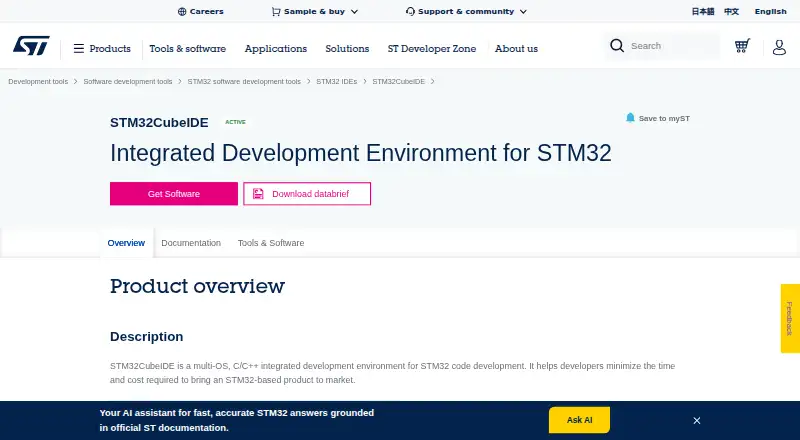
What STM32CubeIDE is
STM32CubeIDE is a free C/C++ environment for editing, compiling, and debugging STM32 code. ST offers an Eclipse-based IDE and a Visual Studio Code variant, and identifies the VS Code version as its primary IDE focus. The Eclipse variant supports all STM32 microcontrollers and microprocessors, while the VS Code variant supports all STM32 microcontrollers. Both are listed for 64-bit Windows, Linux, and macOS. The product page lists GCC and Clang toolchains and debugging features such as breakpoints, CPU core registers, memory view, live data, SFR registers, RTOS debugging, and fault analysis. It supports ST-LINK and SEGGER J-Link debug probes. ST says it is commonly used with STM32CubeMX and is compatible with TouchGFX Designer, STM32Cube AI Studio, and motor control workbench. The VS Code version uses CMake and Ninja and can accommodate existing CMake code bases. Telemetry is optional and can be disabled in Visual Studio Code settings. The application is proprietary ST software, though free to download and use.
Who it suits
It suits developers editing, compiling, or debugging code for STM32 devices. The choice of Eclipse or VS Code variant depends on the target device support and preferred environment.
What it does well
- Free to download and use
- Supports GCC and Clang toolchains
- Includes RTOS debugging and fault analysis
- Supports ST-LINK and SEGGER J-Link probes
- Available for 64-bit Windows, Linux, and macOS
What to know first
- Supports 64-bit operating systems only
- Application is proprietary ST software
- VS Code variant supports STM32 MCUs, not all MPUs
Limits
The IDE supports 64-bit Windows, Linux, and macOS only. The software is free to download and use, but the application itself is proprietary.
Plans
| Plan | Billed and limits | Price |
|---|---|---|
| STM32CubeIDE | Free to download and use · proprietary ST application | Free |
As st.com lists them, read 4 Oct 2026. The maker's own page has the final word.
Getting started
- Choose the Eclipse-based IDE or STM32CubeIDE for Visual Studio Code.
- Download the free application from ST’s website.
- Install it on a 64-bit Windows, Linux, or macOS system.
- Use the C/C++ editor with GCC or Clang to edit and compile STM32 code.
- Connect an ST-LINK or SEGGER J-Link probe to use the debugging tools.
- Optionally disable telemetry in Visual Studio Code settings for the VS Code edition.
Verdict
STM32CubeIDE combines editing, build, and debugging tools for STM32 development across two variants. Check which variant supports your target and note the 64-bit operating-system requirement.
Questions
How much does STM32CubeIDE cost?
The listed plan is free. ST says it is free to download and use.
Is there a free trial?
No. The product is available as a free plan.
Which operating systems does it support?
It supports 64-bit Windows, Linux, and macOS.
What STM32 devices are supported?
The Eclipse edition supports all STM32 MCUs and MPUs; the VS Code edition supports all STM32 MCUs.
Is STM32CubeIDE open source?
No. ST describes the application as proprietary software, though free to download and use.
Which tools and probes does it work with?
It supports GCC and Clang toolchains, and ST-LINK and SEGGER J-Link probes. ST says it is commonly used with STM32CubeMX and is compatible with TouchGFX Designer, STM32Cube AI Studio, and motor control workbench.
Facts from STM32CubeIDE's own pages
- Debugging
- Listed debug features include breakpoints, CPU core registers, memory view, live data, SFR registers, RTOS debugging, and fault analysis. · st.com, 4 Oct 2026
- Debug probes
- The IDE supports ST-LINK and SEGGER J-Link debug probes. · st.com, 4 Oct 2026
- Device support
- The Eclipse variant supports all STM32 MCUs and MPUs; the VS Code variant supports all STM32 MCUs. · st.com, 4 Oct 2026
- Editor and toolchains
- The product page lists a C/C++ editor and support for GCC and Clang toolchains. · st.com, 4 Oct 2026
- Integrations
- ST says the IDE is commonly used with STM32CubeMX and is compatible with TouchGFX Designer, STM32Cube AI Studio, and motor control workbench. · st.com, 4 Oct 2026
- License
- ST says STM32CubeIDE is free to download and use, while the application itself is proprietary software from ST. · st.com, 4 Oct 2026
- Notable limit
- The product page specifies 64 bit operating systems only. · st.com, 4 Oct 2026
- Operating systems
- The IDE supports 64 bit Windows, Linux, and macOS. · st.com, 4 Oct 2026
- Purpose
- STM32CubeIDE is a C/C++ development environment for editing, compiling, and debugging STM32 code. · st.com, 4 Oct 2026
- Support resources
- ST links users to online documentation, debugging tutorials, and its community and support resources. · st.com, 4 Oct 2026
- Telemetry
- The VS Code documentation says telemetry collects minimal, non-personal information, is optional, and can be disabled through Visual Studio Code settings. · dev.st.com, 4 Oct 2026
- Two variants
- ST offers an Eclipse based IDE and STM32CubeIDE for Visual Studio Code, and says it is focusing resources on the VS Code variant as its primary IDE platform. · st.com, 4 Oct 2026
- VS Code build workflow
- The VS Code variant uses CMake and Ninja and ST says it can bring existing CMake code bases into the environment with close to zero porting effort. · st.com, 4 Oct 2026
Where STM32CubeIDE stands on Freedom251
- IoT Development Tools#7 of 16
- Embedded Systems Toolchains#15 of 30
- Embedded Development IDEs#15 of 29
- IDE Software#28 of 53
- C++ IDEs#17 of 24