Freedom251 › AI Song Cover Generators
DDSP-SVC
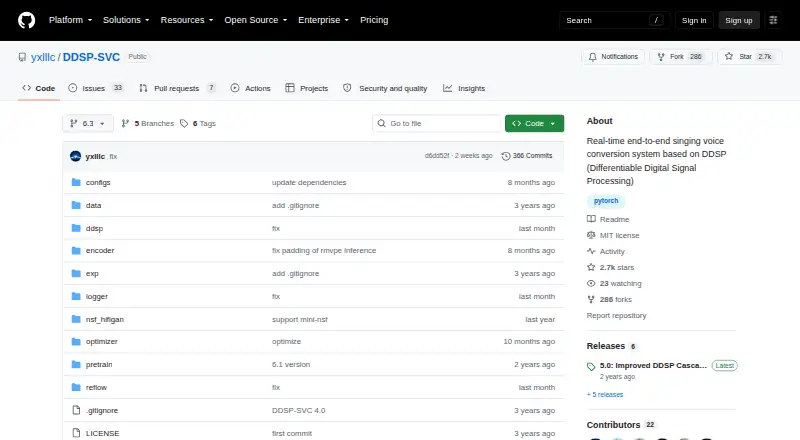
What DDSP-SVC is
DDSP-SVC is a free, open-source project for real-time singing voice conversion on a personal computer. It runs locally on Windows with Python dependencies and pretrained model assets. Its GUI handles real-time conversion using sliding windows, cross-fading, SOLA-based splicing and contextual semantic reference. For offline work, its command-line interface converts an input WAV file to an output WAV file, with pitch-shift and speaker options. The project also documents preparing audio datasets and training models with a rectified-flow script, including multi-speaker setups using a speaker count and speaker-numbered folders. Setup instructions support ContentVec or HubertSoft encoders, an NSF-HiFiGAN vocoder and the RMVPE pitch extractor; PyTorch is recommended, and TensorBoard can show training status and generated test audio. Dataset guidance suggests about 1,000 training clips and about 10 validation clips, each at least two seconds long. The author asks users to work only with legally obtained, authorized data and avoid illegal use of models or generated audio.
Who it suits
It suits people seeking a locally run singing voice conversion tool, including users who want to train single- or multi-speaker models. Users should be prepared to install Python dependencies and pretrained model assets.
What it does well
- Free, open-source personal-computer software.
- Real-time GUI and offline WAV conversion.
- Supports pitch-shift and speaker options.
- Training supports multi-speaker models.
- Exports converted audio as WAV.
What to know first
- Requires local Python dependencies and pretrained model assets.
- Dataset guidance calls for about 1,000 training clips.
- Author restricts training data and use to authorized, legal purposes.
Limits
The free plan is personal-computer software that requires local Python dependencies and pretrained model assets. Dataset guidance recommends about 1,000 training clips and about 10 validation clips, each at least two seconds long.
Plans
| Plan | Billed and limits | Price |
|---|---|---|
| Free | Personal computer software · Requires local Python dependencies and pretrained model assets | Free |
As github.com lists them, read 9 Oct 2026. The maker's own page has the final word.
Getting started
- Open the project website on GitHub.
- Use a Windows computer for the documented self-hosted setup.
- Install the local Python dependencies and pretrained model assets.
- Choose an encoder and configure the vocoder and pitch extractor.
- Run the local conversion GUI or use the command-line interface for WAV conversion.
Verdict
DDSP-SVC combines real-time conversion with offline WAV processing and model training. Its local setup and dataset requirements are important considerations before getting started.
Questions
How much does DDSP-SVC cost?
The Free plan costs nothing.
Does it run locally?
Yes. The project describes installing dependencies and running its conversion GUI locally with Python; it is self-hosted and supports Windows.
Can it convert audio offline?
Yes. Its command-line interface converts an input WAV file to an output WAV file and accepts pitch-shift and speaker options.
Can I train a custom voice model?
The project documents dataset preprocessing and model training with a rectified-flow script, including multi-speaker training.
What audio format does it export?
WAV.
What data-use guidance does the author give?
The author asks users to train only with legally obtained, authorized data and not use models or generated audio for illegal purposes.
Facts from DDSP-SVC's own pages
- Data and legal use
- The author asks users to train only with legally obtained authorized data and not use models or generated audio for illegal purposes. · github.com, 9 Oct 2026
- Dataset guidance
- The project recommends about 1,000 training clips and about 10 validation clips, with each audio clip at least two seconds long. · github.com, 9 Oct 2026
- Hardware and setup
- The README says its default configuration suits 44.1 kHz training with an RTX 4060 and reports a working Python 3.11, Windows, CUDA 13.0, PyTorch 2.9.1, and torchaudio 2.9.1 setup. · github.com, 9 Oct 2026
- Integrations
- The README recommends installing PyTorch and documents TensorBoard for viewing training status and generated test audio. · github.com, 9 Oct 2026
- Intended users
- The project describes its goal as developing free AI voice-changer software that can be used on personal computers. · github.com, 9 Oct 2026
- Local processing
- The README describes installing dependencies and running the conversion GUI locally with Python. · github.com, 9 Oct 2026
- Model components
- The setup instructions support ContentVec or HubertSoft encoders, an NSF-HiFiGAN vocoder, and the RMVPE pitch extractor. · github.com, 9 Oct 2026
- Model training
- The project documents preprocessing audio datasets and training a model with a rectified-flow script. · github.com, 9 Oct 2026
- Multi-speaker support
- Training supports multi-speaker models configured with a speaker count and speaker-numbered audio folders. · github.com, 9 Oct 2026
- Offline conversion
- The command-line interface converts an input WAV file to an output WAV file and accepts pitch-shift and speaker options. · github.com, 9 Oct 2026
- Real-time conversion
- Its real-time interface uses sliding windows, cross-fading, SOLA-based splicing, and contextual semantic reference. · github.com, 9 Oct 2026
- What it does
- DDSP-SVC is an open-source project for real-time singing voice conversion. · github.com, 9 Oct 2026
Where DDSP-SVC stands on Freedom251
- AI Song Cover Generators#12 of 56
- AI Voice Changer Software#11 of 48