Freedom251 › Data Transformation Tools

Daft
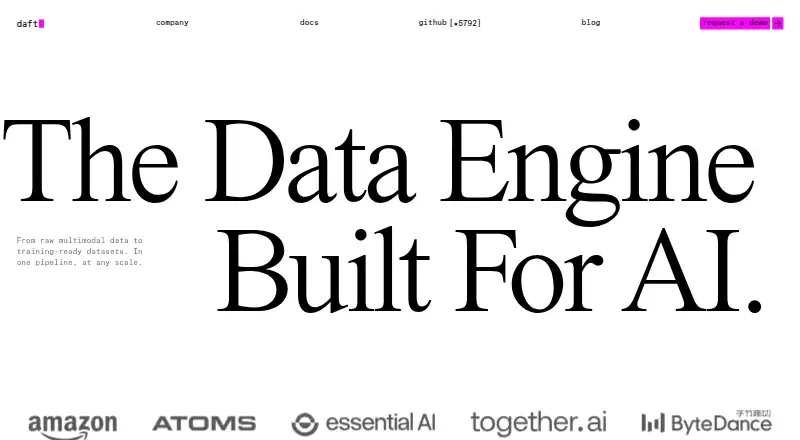
What Daft is
Daft is a free, self-hosted data engine for processing multimodal and structured data in AI workloads. It uses a Python API to work with images, audio, video, text, and structured records, and includes AI operations for prompts, text and image embeddings, and zero-shot text and image classification. Processing runs locally by default and can extend across multiple machines with Ray or Kubernetes.
Supported formats include CSV, JSON, line-delimited JSON, Parquet, Hudi, Iceberg, Delta Lake, Paimon, Lance, PDF documents, and media files. Documented object storage connectors include AWS S3, Azure Blob Storage, Google Cloud Storage, Tencent Cloud COS, and GooseFS. It also documents table format support for Hudi, Iceberg, and Delta Lake, and catalog support for AWS Glue and Unity Catalog. Named AI providers include OpenAI, Hugging Face Transformers, Google, and LM Studio.
Daft is code-driven and supports Linux and macOS. Installation requires Python 3.10 or higher, and the documented installation command is `pip install -U daft`. Usage telemetry collects non-identifiable system metadata and can be disabled with `DO_NOT_TRACK=true`. The Dashboard has no built-in authentication, and its documentation advises against exposing it directly to the public internet.
Who it suits
Daft suits engineers building AI workloads that process large volumes of multimodal and structured data through Python. It is a fit for teams that want local execution with an option to distribute processing across machines, and can work with its documented storage, table, catalog, and AI provider connections.
What it does well
- One Python API handles images, audio, video, text, and structured data.
- Includes prompts, embeddings, and zero-shot classification operations.
- Can scale from local execution to Ray or Kubernetes deployments.
- Documents multiple storage, table, catalog, and AI provider integrations.
- Free to use and self-hosted.
What to know first
- Requires Python 3.10 or higher.
- Supports Linux and macOS platforms.
- The Dashboard has no built-in authentication.
Limits
Daft is free to use. Installation requires Python 3.10 or higher, and the Dashboard has no built-in authentication.
Plans
| Plan | Billed and limits | Price |
|---|---|---|
| Daft | Open-source data engine; free to use | Free |
As daft.ai lists them, read 7 Oct 2026. The maker's own page has the final word.
Getting started
- Use a Linux or macOS environment with Python 3.10 or higher.
- Install Daft with `pip install -U daft`.
- Use the Python API to process supported structured or multimodal data.
- Connect documented storage, table, catalog, or AI provider integrations as needed.
- Run locally by default or scale across machines with Ray or Kubernetes.
Verdict
Choose Daft if you need a free, code-driven engine for AI workloads across structured data and media, with local execution and distributed scaling options. Consider the Dashboard security limit when deciding how to deploy it, especially if the Dashboard could be reachable from the public internet.
Questions
How much does Daft cost?
The Daft plan is free. It is open-source and free to use.
Which operating systems does Daft support?
The listed platforms are Linux and macOS.
What data can Daft process?
It handles structured data, text, images, audio, video, and PDF documents. Listed formats include CSV, JSON, line-delimited JSON, Parquet, Hudi, Iceberg, Delta Lake, Paimon, and Lance.
Can Daft run across multiple machines?
Yes. It runs locally by default and can scale across multiple machines using Ray or Kubernetes.
Does Daft collect usage telemetry?
Its telemetry collects non-identifiable system metadata, not proprietary code or data. It can be disabled with `DO_NOT_TRACK=true`.
Is the Daft Dashboard protected by built-in authentication?
No. The Dashboard has no built-in authentication, and its documentation advises against exposing it directly to the public internet.
Facts from Daft's own pages
- AI operations
- Built-in AI functions include prompts, text and image embeddings, and zero-shot text and image classification. · docs.daft.ai, 7 Oct 2026
- AI providers
- Documented AI providers include OpenAI, Hugging Face Transformers, Google, and LM Studio. · docs.daft.ai, 7 Oct 2026
- Dashboard security limit
- The Daft Dashboard has no built-in authentication, and its documentation advises against exposing it directly to the public internet. · docs.daft.ai, 7 Oct 2026
- Data types
- Daft processes images, audio, video, text, and structured data through a unified Python API. · daft.ai, 7 Oct 2026
- Execution
- Daft runs locally by default and can scale across multiple machines using Ray or Kubernetes. · docs.daft.ai, 7 Oct 2026
- Installation requirement
- Daft requires Python 3.10 or higher and can be installed with pip install -U daft. · docs.daft.ai, 7 Oct 2026
- Intended users
- Eventual describes Daft as an open-source engine for engineers processing petabytes of multimodal data. · eventual.ai, 7 Oct 2026
- Purpose
- Daft is a high-performance data engine for processing multimodal and structured data in AI workloads. · docs.daft.ai, 7 Oct 2026
- Security and privacy
- Daft's usage telemetry collects non-identifiable system metadata, not proprietary code or data, and can be disabled with DO_NOT_TRACK=true. · docs.daft.ai, 7 Oct 2026
- Storage integrations
- Documented object storage connectors include AWS S3, Azure Blob Storage, Google Cloud Storage, Tencent Cloud COS, and GooseFS. · docs.daft.ai, 7 Oct 2026
- Support
- The documentation directs users to the Distributed Data Slack Community and the #daft-dev channel for contributor guidance. · docs.daft.ai, 7 Oct 2026
- Table and catalog integrations
- Daft documents support for table formats including Hudi, Iceberg, and Delta Lake, and catalogs including AWS Glue and Unity Catalog. · docs.daft.ai, 7 Oct 2026
Where Daft stands on Freedom251
- Data Transformation Tools#10 of 37