Freedom251 › AI Podcast Editing Software
cutti
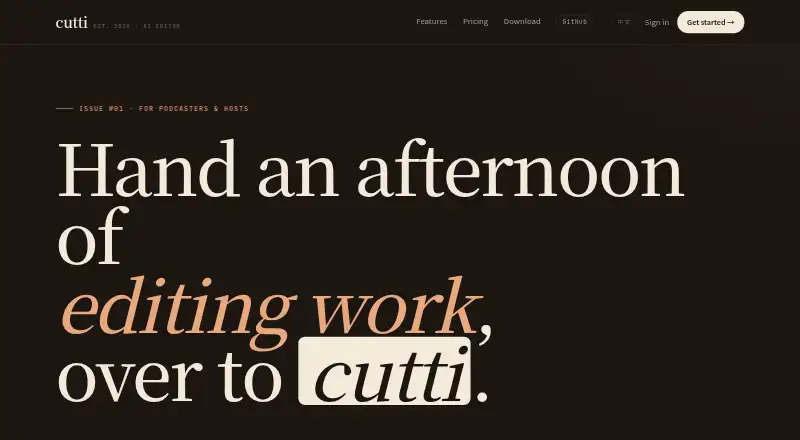
What cutti is
cutti is a paid Mac video editor with an AI co-pilot that builds an editable timeline from raw footage. It is aimed mainly at podcasters, talking-head creators, and interviewers. The app creates word-level transcripts, and deleting transcript text applies the matching cuts to the timeline. Users can also describe edits in natural language, such as removing small talk or adding a title card. Video and audio stay on the Mac during normal editing, while transcription runs on-device. Transcription, timeline editing, and export work offline; AI commands need an internet connection and send transcript text and instructions rather than original media. Users may add their own provider API key, with that provider’s billing and limits applying to supported commands. Optional cloud rendering sends projects and referenced clips to Microsoft Azure, then deletes them after delivery or within 24 hours. cutti requires macOS 14 Sonoma or later and an Apple Silicon M-series Mac; 8 GB unified memory is recommended.
Who it suits
cutti suits podcasters, talking-head creators, and interviewers using a compatible Apple Silicon Mac. It is useful for transcript-based editing and offline timeline work.
What it does well
- Creates word-level transcripts
- Edits video by deleting transcript text
- Accepts natural-language editing instructions
- Offline editing and export
- Video and audio stay on the Mac
What to know first
- Requires macOS 14 or later
- Requires an Apple Silicon M-series Mac
- AI commands need internet access
- No free plan
Limits
The Starter plan provides 5,000 API Tokens one time, Plus provides 20,000, and Pro provides 50,000; these tokens never expire. Yearly supplies 5,000 managed API Tokens per month, while AI commands still require an internet connection.
Plans
| Plan | Billed and limits | Price |
|---|---|---|
| Plus | ¥129 one-time · 20,000 API Tokens · Never expire | 129 CNY, paid once |
| Yearly | ¥199/ year · 5,000 managed API Tokens / month (60,000 / year) · Unlimited projects & exports · Priority email support | 199 CNY a year |
| Pro | ¥299 one-time · 50,000 API Tokens · Never expire | 299 CNY, paid once |
| Starter | ¥39 one-time · 5,000 API Tokens · Never expire | 39 CNY, paid once |
As cutti.app lists them, read 5 Oct 2026. The maker's own page has the final word.
Getting started
- Open https://cutti.app/
- Download cutti on a Mac meeting the system requirements
- Choose Starter, Plus, Pro, or Yearly
- Add your own provider API key in Settings if needed
- Import footage and create a transcript
- Edit by deleting transcript text or entering natural-language instructions
- Export the finished timeline
Verdict
cutti focuses on transcript-driven editing for Mac creators, with offline core editing and optional AI assistance. Hardware requirements and separate AI connectivity or provider limits should be considered before purchase.
Questions
Does cutti have a free plan?
No. cutti uses paid plans, including one-time purchases and a yearly option.
What platforms does cutti support?
cutti supports macOS. The download requires macOS 14 Sonoma or later and an Apple Silicon M-series Mac.
Can cutti work offline?
Transcription, timeline editing, and export work offline. AI commands require an internet connection.
What happens when cloud rendering is requested?
The project and referenced media clips are sent to Microsoft Azure and deleted after delivery or within 24 hours, whichever comes first.
Can I use my own AI provider key?
Yes. You can add a provider API key in Settings, with provider billing and limits applying to supported AI commands.
Which plan includes priority support?
The Yearly plan includes priority email support.
Facts from cutti's own pages
- AI provider option
- Users can add their own provider API key in Settings, with provider billing and limits applying to supported AI commands. · cutti.app, 5 Oct 2026
- Cloud render
- If a user requests cloud rendering, the project and referenced media clips are sent to Microsoft Azure and deleted after delivery or within 24 hours, whichever comes first. · cutti.app, 5 Oct 2026
- Integrations
- The privacy policy names OpenAI for text AI inference, Microsoft Azure for explicitly requested cloud rendering, Stripe for payments, and Cloudflare for hosting and backend services. · cutti.app, 5 Oct 2026
- Intended users
- The product is aimed primarily at podcasters, talking-head creators, and interviewers. · cutti.app, 5 Oct 2026
- Local processing
- Video and audio stay on the Mac and transcription runs on-device; AI commands send transcript text and instructions rather than original media. · cutti.app, 5 Oct 2026
- Natural language
- Users can give editing instructions in natural language, such as removing small talk or adding a title card. · cutti.app, 5 Oct 2026
- Offline use
- Transcription, timeline editing, and export work offline, while AI commands require an internet connection. · cutti.app, 5 Oct 2026
- Product
- cutti is a Mac video editor with an AI co-pilot that creates an editable timeline from raw footage. · cutti.app, 5 Oct 2026
- Security
- The privacy policy says passwords are bcrypt-hashed, network traffic uses TLS 1.2 or higher, and backend services run inside Cloudflare with strict firewall rules. · cutti.app, 5 Oct 2026
- Support
- The yearly plan includes priority email support, and the site lists [email protected] for help. · cutti.app, 5 Oct 2026
- System requirements
- The download page requires macOS 14 Sonoma or later and an Apple Silicon M-series Mac, with 8 GB unified memory recommended. · cutti.app, 5 Oct 2026
- Transcript editing
- It creates word-level transcripts and lets users edit video by deleting transcript text, with cuts applied to the timeline. · cutti.app, 5 Oct 2026
Where cutti stands on Freedom251
- AI Podcast Editing Software#25 of 26