Freedom251 › Co-Parenting Apps

CustodyTrac
What CustodyTrac is
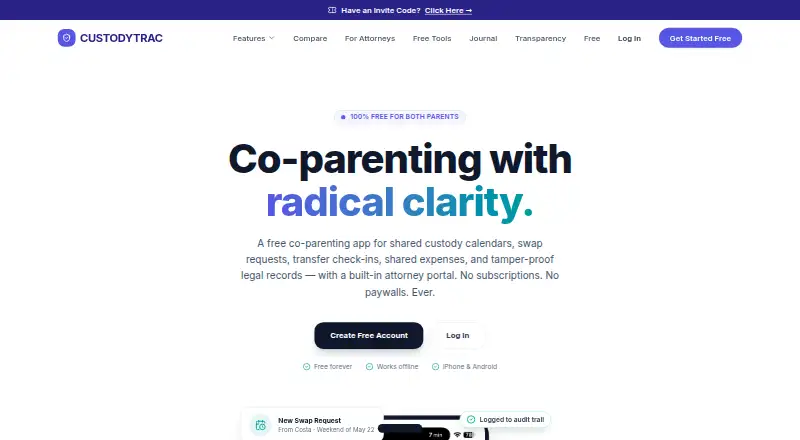
CustodyTrac is a co-parenting app for coordinating shared custody schedules and keeping records of family logistics. Parents can add events, request schedule swaps that require sign-off, and record exchanges as on time, late, or missed. Location information can be included with transfer records. Messages show timestamps and per-person read receipts, and cannot be edited or deleted.
Expense tools support custom splits, reimbursement requests, receipts, running balances, and PDF or CSV exports. CustodyTrac also stores documents and creates legal reports that combine custody history across selected date ranges into formatted PDFs for attorneys, mediators, or courts. Parents can provide professionals with secure, revocable, read-only portal links, and portal views are logged. The service is available on Android, iOS, and the web, and the feature page lists in-app support from a real person.
CustodyTrac says it does not sell personal information or use family data for advertising, and users can export or delete their data. Its privacy policy describes encryption in transit using TLS 1.3 and at rest using AES-256, bcrypt password hashing, and SOC 2 Type II compliance. The company was founded in 2022. Its Free forever plan costs nothing and includes all features for both parents, with no per-parent fees.
Who it suits
CustodyTrac suits co-parents who want shared schedules, messaging, expense records, and custody documentation in one app. Its read-only portal links and formatted legal reports also support attorneys and mediators who need access to records.
What it does well
- Free forever plan includes all features for both parents
- No per-parent fees
- Messages show timestamps and per-person read receipts
- Expense records support PDF and CSV exports
- Legal reports create formatted PDFs over selected date ranges
- Secure, revocable read-only portal links for professionals
What to know first
- Messages cannot be edited or deleted
- There is no free trial
Plans
| Plan | Billed and limits | Price |
|---|---|---|
| Free forever | All features · both parents · no per-parent fees | Free |
As custodytrac.com lists them, read 7 Oct 2026. The maker's own page has the final word.
Getting started
- Visit the CustodyTrac website
- Choose the Free forever plan at no cost
- Access the service on Android, iOS, or the web
- Set up shared custody schedules, events, and swap requests
- Invite the other parent and create read-only portal links for attorneys or mediators if needed
CustodyTrac is a co-parenting workspace for families that need schedules, financial records, exchange logs, and legal documentation together. It fits co-parents whose arrangements may need attorney, mediator, or court review. Its free-forever plan includes both parents and every feature, while its permanent message history requires deliberate communication.
Overview
CustodyTrac connects custody calendars, events, swap approvals, messaging, expenses, transfers, incident reports, and legal exports in one record. That combination is more useful than a calendar-only app when reimbursement disputes, missed exchanges, or formal documentation are recurring concerns. Swap requests require sign-off, giving schedule changes an explicit approval trail.
The company was founded in 2022. CustodyTrac says it does not sell personal information or use family data for advertising, and users can export or delete their data. Its stated protections include TLS 1.3 for data in transit, AES-256 for data at rest, bcrypt password hashing, and SOC 2 Type II compliance. In-app support includes help from a real person.
Key features
Schedules and communication
Shared custody schedules and events keep both parents working from the same plan. Signed-off swap requests are particularly useful where verbal agreements often cause later disputes. Messages include timestamps and per-person read receipts, which clarify delivery and acknowledgment. They cannot be edited or deleted, however, so an accidental, overly emotional, or sensitive message remains part of the record.
Expenses and payments
Expense tracking supports custom splits, reimbursement requests, receipts, running balances, and PDF or CSV exports. This suits families dividing costs in unequal proportions or needing a clear accounting trail. Payment processing is included, reducing the need to separate a reimbursement workflow from the expense record.
Transfers and incidents
Parents can log exchanges as on time, late, or missed, with optional location information. That creates a structured history for recurring handoff problems, while optional locations let users document context without making it mandatory. Incident reports add another formal record alongside routine custody entries.
Legal reports and professional access
Legal reports combine custody history across selected date ranges into formatted PDFs for attorneys, mediators, or courts. Parents can also create secure, revocable, read-only portal links for professionals; portal views are logged. Read-only access limits accidental changes while the access log shows when a professional viewed the record. These tools make CustodyTrac a stronger fit for legally involved co-parenting than an app focused only on chat.
Pricing
Free forever — free. The plan includes all features, both parents, and no per-parent fees. Expense tracking, document storage, advanced court reports, and payment processing are included. There is no free trial because the core offering is already free, and no paid upgrade or renewal condition is presented. For families wanting comprehensive records without a subscription, this removes a significant cost barrier. The trade-off is not a reduced feature set but the irrevocable nature of sent messages, which applies even when the price is zero.
Platforms
CustodyTrac runs on Android, iOS, and the web. That combination supports mobile logging during exchanges and browser access for reviewing records or preparing reports on a larger screen.
Who it's for
Choose CustodyTrac if both parents need one shared custody record covering schedules, swaps, expenses, transfers, incidents, and court-ready PDFs. It is especially appropriate when attorneys or mediators need controlled, read-only visibility. Families seeking casual coordination with the ability to revise conversation history should look elsewhere because sent messages cannot be changed or removed.
Pros and cons
- Pros: All features are free for both parents, with no per-parent fees.
- Pros: Custom expense splits, receipts, balances, reimbursement requests, and exports support detailed financial accountability.
- Pros: Date-range legal PDFs and revocable professional portals make records practical for formal proceedings.
- Pros: Read receipts, timestamps, sign-off requests, and transfer statuses create specific accountability points.
- Cons: Sent messages cannot be edited or deleted, so communication mistakes remain in the record.
- Cons: Location logging is optional, which means transfer records may be less complete when parents do not add it.
Alternatives
Browse Co-Parenting Apps for a wider comparison. Pick Custody X Change instead if you need Android, iOS, macOS, web, and Windows coverage and can accept a limited free version with subscription-gated features.
AppClose is the better choice when a free hardship or domestic-violence waiver, a free trial, or a paid monthly web plan matters. Choose Beacon Co-Parenting App for free everyday tools on Android, iOS, and web, including a no-card free arrangement.
BestInterest suits parents who want free secure messaging, Solo Mode, coaching sessions, calls, calendars, tasks, and expenses. CoreParent is worth considering when iOS, macOS, and web access is sufficient and you prefer explicit free caps on expenses and court documents.
Choose Peaceful CoParenting Messenger for messaging-focused coordination on Android, iOS, and macOS. dip is an alternative for a free, ad-free service that says it does not sell data. Fayr fits families wanting a free core app on Android and iOS with a paid tier for location logs, file storage, and PDF exports.
Verdict
CustodyTrac is a strong choice for co-parents who want a complete, court-oriented record without subscription costs. Its expense tools, transfer history, professional portals, and advanced reports provide more structure than a basic calendar or messenger. Look elsewhere if editable or deletable messages are essential, or if you need desktop platforms beyond the web.
Verdict
Co-parents who want shared custody records, expense tracking, and legal reports at no charge should consider CustodyTrac. The main limitation to weigh is that sent messages cannot be changed or deleted; attorneys and mediators have read-only portal access.
Questions
How much does CustodyTrac cost?
The Free forever plan costs nothing and includes all features for both parents, with no per-parent fees.
Is there a free trial?
No. CustodyTrac lists no free trial; it offers a Free forever plan.
Which platforms does CustodyTrac support?
CustodyTrac is available on Android, iOS, and the web.
Can attorneys or mediators access records?
Parents can create secure, revocable read-only portal links for attorneys or mediators. Portal views are logged.
Can users export or delete their data?
Yes. CustodyTrac says users can export or delete their data.
Does CustodyTrac have payment processing?
Yes. Payment processing is listed as a feature.
Facts from CustodyTrac's own pages
- Company founding
- The company’s about page states that it was founded in 2022. · app.custodytrac.com, 7 Oct 2026
- Custody schedules
- The app provides shared custody schedules, events, and swap requests that require sign-off. · custodytrac.com, 7 Oct 2026
- Expenses
- Expense tracking supports custom splits, reimbursement requests, receipts, running balances, and PDF or CSV exports. · custodytrac.com, 7 Oct 2026
- Founded
- 2022 · custodytrac.com, 28 Sept 2026
- Intended users
- The app is presented for co-parents and also offers read-only access and reports for attorneys and mediators. · custodytrac.com, 7 Oct 2026
- Legal records
- Legal reports combine custody history across selected date ranges into formatted PDFs for attorneys, mediators, or courts. · custodytrac.com, 7 Oct 2026
- Messaging
- Messages have per-person read receipts and timestamps, and the page says they cannot be edited or deleted. · custodytrac.com, 7 Oct 2026
- Privacy
- CustodyTrac says it does not sell personal information or use family data for advertising, and users can export or delete their data. · app.custodytrac.com, 7 Oct 2026
- Professional access
- Parents can create secure, revocable read-only portal links for attorneys or mediators, with portal views logged. · custodytrac.com, 7 Oct 2026
- Purpose
- CustodyTrac is a co-parenting app for shared custody calendars, messaging, transfers, expenses, incident reports, and court-ready PDF exports. · custodytrac.com, 7 Oct 2026
- Security
- The privacy policy states that data is encrypted in transit using TLS 1.3 and at rest using AES-256, passwords are hashed with bcrypt, and the company maintains SOC 2 Type II compliance. · app.custodytrac.com, 7 Oct 2026
- Support
- The features page lists in-app support with help from a real person. · custodytrac.com, 7 Oct 2026
- Transfer tracking
- Parents can log exchanges and track whether they were on time, late, or missed, with optional location information. · custodytrac.com, 7 Oct 2026
Where CustodyTrac stands on Freedom251
- Co-Parenting Apps#5 of 33