Freedom251 › Personal CRM Software

Cultivar
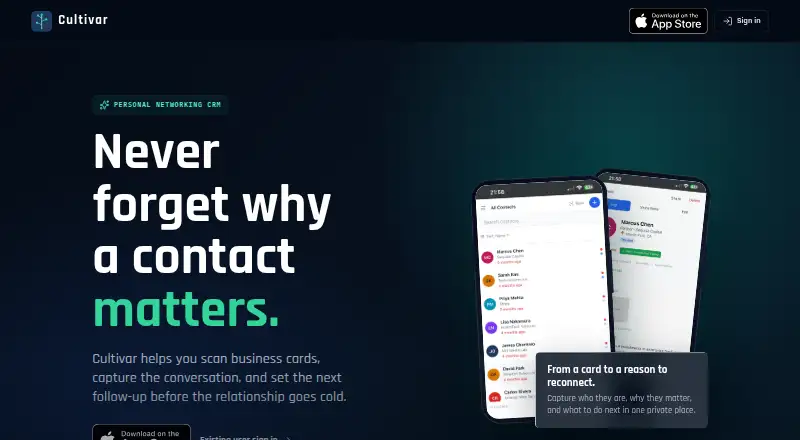
What Cultivar is
Cultivar is a personal CRM for keeping track of professional relationships, contacts, meeting context, and follow-ups. It can scan business cards and extract details with OCR and AI for review before saving. You can also record meeting recaps as voice notes; Cultivar transcribes them and organizes the information into fields. Contact records can include how you met, notes, projects, relationship goals, tags, and touchpoints. Follow-up reminders, relationship summaries, and suggested next actions help you keep connections in view. Search spans names, organizations, notes, projects, location, and relationship context. Contacts can be imported from Google Contacts, iOS Contacts, Outlook, and HubSpot. Google import is optional and read-only for selected contacts; its OAuth token is not kept after the import session. Cultivar describes itself as a private relationship system rather than a public social network. It is available on iOS and the web, with a free plan. Premium costs $9.99 a month or $99.99 a year.
Who it suits
Cultivar may suit professionals, founders, fellows, and veterans transitioning to civilian careers whose work depends on relationships. It is available on iOS and the web.
What it does well
- Scans business cards with OCR and AI.
- Transcribes and structures recorded meeting recaps.
- Offers follow-up reminders and suggested next actions.
- Imports contacts from four listed services.
- Free plan available.
What to know first
- iPhone requires iOS 15 or later.
- iPad requires iPadOS 15 or later.
- Premium costs $9.99 a month or $99.99 a year.
- Privacy disclosures include data linked to the user; Apple says they are unverified.
Limits
The free plan is available, but its limits are not described in the listed facts.
Plans
| Plan | Billed and limits | Price |
|---|---|---|
| Cultivar Premium Monthly | — | $9.99 a month |
| Cultivar Premium Annual Sub | — | $99.99 a year |
As cultivarcrm.com lists them, read 4 Oct 2026. The maker's own page has the final word.
Getting started
- Visit https://cultivarcrm.com/
- Use Cultivar on the web or an iOS device
- Import contacts from Google Contacts, iOS Contacts, Outlook, or HubSpot if needed
- Review extracted details before saving scanned business cards
Verdict
Cultivar combines contact records, meeting context, search, and follow-up tools in a personal CRM. A free plan is available, while Premium is listed at $9.99 a month or $99.99 a year.
Questions
Does Cultivar have a free plan?
Yes. Cultivar has a free plan; Premium is listed at $9.99 a month or $99.99 a year.
Which platforms does Cultivar support?
Cultivar is available on iOS and the web. The iOS app requires iOS 15 or later on iPhone and iPadOS 15 or later on iPad.
Can I import existing contacts?
Yes. Cultivar supports imports from Google Contacts, iOS Contacts, Outlook, and HubSpot. Google Contacts import is optional and read-only for selected contacts.
What can I save in a contact record?
Records can include how you met, notes, projects, relationship goals, tags, and touchpoints. Cultivar also supports meeting voice notes, follow-up reminders, relationship summaries, and suggested next actions.
Who makes Cultivar?
The listed facts do not identify Cultivar's maker.
Is Cultivar a public social network?
No. Cultivar describes itself as a private relationship system rather than a public social network.
Facts from Cultivar's own pages
- App compatibility
- The App Store listing says Cultivar requires iOS 15 or later on iPhone and iPadOS 15 or later on iPad. · apps.apple.com, 4 Oct 2026
- App privacy disclosures
- The developer indicates that app privacy practices may include usage data used for tracking, and contact information, user content, identifiers, and usage data linked to the user; Apple says these disclosures are unverified. · apps.apple.com, 4 Oct 2026
- Business card scanning
- The app scans business cards and uses OCR and AI to extract contact details for review before saving. · cultivarcrm.com, 4 Oct 2026
- Contact imports
- Cultivar supports contact imports from Google Contacts, iOS Contacts, Outlook, and HubSpot. · apps.apple.com, 4 Oct 2026
- Follow-ups
- Cultivar offers follow-up reminders, relationship summaries, and suggested next actions for contacts. · cultivarcrm.com, 4 Oct 2026
- Google access
- Google Contacts import is optional, uses read-only access for selected contacts, and does not retain the OAuth token after the import session ends. · cultivarcrm.com, 4 Oct 2026
- Intended users
- The maker says Cultivar is for professionals, veterans transitioning to civilian careers, fellows, founders, and others whose work depends on relationships. · cultivarcrm.com, 4 Oct 2026
- Privacy positioning
- Cultivar describes itself as a private relationship system rather than a public social network. · cultivarcrm.com, 4 Oct 2026
- Product
- Cultivar is a personal CRM and networking app for capturing contacts, meeting notes, and follow-ups. · cultivarcrm.com, 4 Oct 2026
- Relationship context
- Users can record how they met someone, notes, projects, relationship goals, tags, and touchpoints. · cultivarcrm.com, 4 Oct 2026
- Search
- Search covers names, organizations, notes, projects, location, how users met, and relationship context. · cultivarcrm.com, 4 Oct 2026
- Voice notes
- Users can record meeting recaps that Cultivar transcribes and structures into useful fields. · cultivarcrm.com, 4 Oct 2026
Where Cultivar stands on Freedom251
- Personal CRM Software#5 of 26