Freedom251 › Video Background Removal Software

Corridor Key
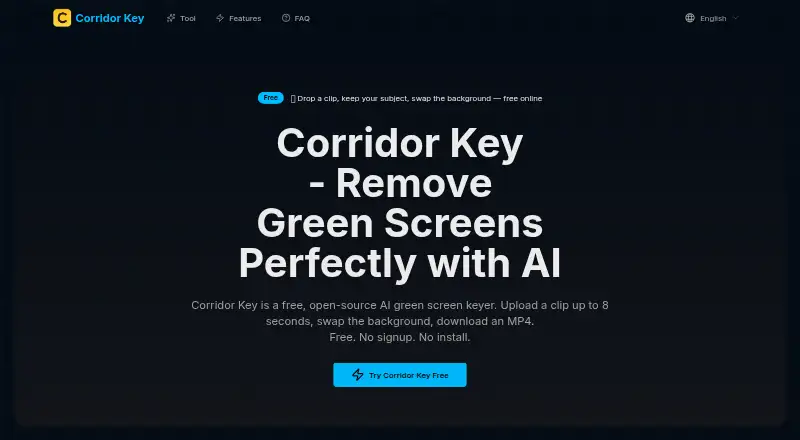
What Corridor Key is
Corridor Key is a browser-based AI tool for removing a video background and replacing it with a solid color, still image, or another video. It accepts standard MP4 clips and returns a re-encoded H.264 MP4 with the replacement background. The site says its keying preserves fine details such as flyaway hair, fur, glass, eyewear, and sheer fabric. Fast Mode processes an 8-second clip in seconds; Full Mode takes longer to produce sharper edge detail.
The service runs in a browser on desktop, tablet, and mobile, with video processing on its servers. It requires no account or installation, and the free plan has no daily or monthly usage cap, though each clip can be up to 8 seconds. Corridor Key sends uploads to a Hugging Face Space running the open-source BiRefNet model. The service says it does not store clips or finished outputs on its own servers; Hugging Face's processing and retention terms apply while files are on that infrastructure. The site lists Shorts, TikTok, Reels, YouTube, vlogs, product demos, and ecommerce content as use cases. Output quality can vary with edges, motion, lighting, and source quality, while availability can depend on Hugging Face uptime and GPU queue delays.
Who it suits
Corridor Key suits people making short social videos, vlogs, product demonstrations, or ecommerce content who want to replace a clip's background in a browser. It can also work for users who need access on a desktop, tablet, or mobile device without an account or installation.
What it does well
- Replaces video backgrounds with a color, still image, or video.
- Accepts MP4 and returns H.264 MP4 output.
- Offers Fast and Full processing modes.
- No account, installation, daily cap, or monthly usage limit.
- Runs in desktop, tablet, and mobile browsers.
What to know first
- The free plan limits each clip to 8 seconds.
- Availability can depend on Hugging Face uptime and GPU queue delays.
- Output quality can vary with motion, lighting, edges, and source quality.
Limits
The free plan processes clips up to 8 seconds each, with MP4 upload and download and no daily or monthly usage cap. Fast Mode is quicker, while Full Mode takes longer for sharper edge detail.
Plans
| Plan | Billed and limits | Price |
|---|---|---|
| Free | Up to 8 seconds per clip · MP4 upload and download · no daily or monthly usage cap | Free |
As corridorkey.org lists them, read 9 Oct 2026. The maker's own page has the final word.
Getting started
- Open the Corridor Key website in a browser on desktop, tablet, or mobile.
- Upload a standard MP4 clip of up to 8 seconds.
- Choose a solid color, still image, or video as the replacement background.
- Select Fast Mode or Full Mode.
- Download the re-encoded H.264 MP4.
Verdict
Choose Corridor Key for short MP4 clips when you want browser-based background replacement with no account or installation. Its free plan has no usage cap, but each clip is limited to 8 seconds. Consider the stated processing dependencies and variable output quality when deciding whether it suits your workflow.
Questions
How much does Corridor Key cost?
The Free plan costs nothing.
Is there a usage limit?
There is no daily or monthly usage cap, but each clip can be up to 8 seconds.
Which video formats does it support?
It accepts standard MP4 and returns a re-encoded H.264 MP4.
Do I need an account or installation?
No account or installation is required.
Is Corridor Key open source?
Uploaded clips are processed by a Hugging Face Space that runs the open-source BiRefNet model.
Where are uploaded clips processed?
Clips are sent to the Hugging Face Space named innova-ai/video-background-removal. Corridor Key says it does not store uploaded clips or keyed outputs on its own servers; Hugging Face's processing and retention terms apply while files are on its infrastructure.
Facts from Corridor Key's own pages
- Analytics
- The policy names Google Analytics 4 and Microsoft Clarity for anonymous usage analytics, including page views, browser type, device type, and geographic region. · corridorkey.org, 9 Oct 2026
- Background options
- Users can choose a solid color, still image, or video as the replacement background. · corridorkey.org, 9 Oct 2026
- Devices
- The service runs in a browser on desktop, tablet, and mobile, with processing on its servers. · corridorkey.org, 9 Oct 2026
- Edge handling
- The site says its AI preserves details such as flyaway hair, fur, glass, eyewear, and sheer fabric. · corridorkey.org, 9 Oct 2026
- File formats
- The service accepts standard MP4 and returns a re-encoded H.264 MP4 with the new background. · corridorkey.org, 9 Oct 2026
- Intended users
- The site describes use cases including Shorts, TikTok, Reels, YouTube, vlogs, product demos, and ecommerce content. · corridorkey.org, 9 Oct 2026
- Output rights
- The terms say users own keyed MP4 outputs made from clips they have the right to use and may use them commercially. · corridorkey.org, 9 Oct 2026
- Processing modes
- Fast Mode processes an 8-second clip in seconds, while Full Mode takes more time for sharper edge detail. · corridorkey.org, 9 Oct 2026
- Processing provider
- Uploaded clips are sent to a Hugging Face Space named innova-ai/video-background-removal, which runs the open-source BiRefNet model. · corridorkey.org, 9 Oct 2026
- Purpose
- Corridor Key is a browser-based AI green screen keyer that removes a video background and replaces it with a new one. · corridorkey.org, 9 Oct 2026
- Security
- The policy says data transmission uses HTTPS encryption and that data sent to and from Hugging Face is encrypted in transit. · corridorkey.org, 9 Oct 2026
- Service limitations
- The terms say availability may be affected by Hugging Face Space downtime or GPU queue delays, and that output quality can vary with edges, motion, lighting, and source quality. · corridorkey.org, 9 Oct 2026
- Support
- The site lists [email protected] as its support contact. · corridorkey.org, 9 Oct 2026
- Usage and access
- The site says Corridor Key is free, requires no account or installation, and has no daily cap or monthly usage limit. · corridorkey.org, 9 Oct 2026
- Video retention
- The policy says Corridor Key does not store uploaded clips or keyed MP4 outputs on its own servers, and that Hugging Face's processing and retention terms apply while clips are on its infrastructure. · corridorkey.org, 9 Oct 2026
Where Corridor Key stands on Freedom251
- Video Background Removal Software#10 of 24