Freedom251 › Incentive Compensation Management Software

CommissionCentral
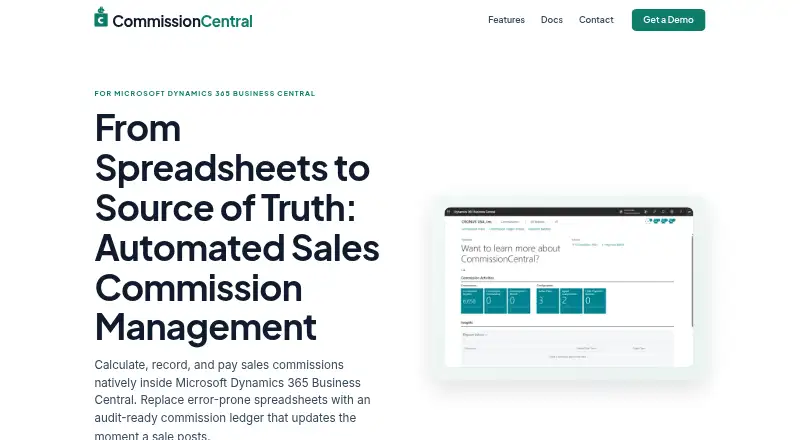
What CommissionCentral is
CommissionCentral calculates, records, and pays sales commissions within Microsoft Dynamics 365 Business Central. Its plan builder supports date-scoped plans, ordered rules, tiered rates, and filters for salespeople, customers, items, and other dimensions. Commissions can be based on sales, margin, or a flat amount per unit, and recognized when a transaction is posted, paid, or shipped. Sales can be split across multiple agents; active customer or ship-to splits must total 100%. Payment batches can generate accounts-payable purchase invoices for vendor agents and payroll journal lines for employees. The system also supports draws, advances, and period caps. Managers can inspect outstanding, payable, and paid totals, with drill-down details and audit trails. An append-only ledger records source documents, rules, calculations, and posting users; credit memos create offsetting entries. Promotion to payable can happen automatically or require finance or manager review. The maker describes it as a cloud-safe, upgrade-safe extension for Business Central SaaS. Pricing is on request, there is no free plan, and a trial is available in a sandbox or via guided demo access.
Who it suits
It suits companies paying sales representatives, channel partners, or managers, including employees and external vendors. It is intended for users of Microsoft Dynamics 365 Business Central, with the guide specifying Business Central 28, Runtime 17.0, and Cloud (Online).
What it does well
- Supports sales-, margin-, and unit-based calculations.
- Payment batches support vendor invoices and payroll lines.
- Managers can review team totals and drill-down details.
- Ledger records rules, calculations, and posting users.
- Trial available in a sandbox or guided demo.
What to know first
- Requires Microsoft Dynamics 365 Business Central.
- No free plan.
- Pricing is available on request.
- Already-paid reversals require manual finance reconciliation.
Getting started
- Visit https://commissioncentral.app/.
- Use the web platform with Business Central SaaS; the guide specifies Business Central 28 and Runtime 17.0.
- If you use Business Central, try CommissionCentral in a sandbox.
- If you do not have Business Central, request guided access to a demo environment.
- Request pricing from the maker.
Verdict
CommissionCentral covers commission planning through approvals, payout recording, and reporting inside Business Central. Its rules, splits, and audit ledger support detailed commission processes, but pricing requires an inquiry.
Questions
Is CommissionCentral free?
No. It has no free plan; pricing is on request.
Is there a free trial?
Yes. Business Central users can try it in a sandbox. Users without Business Central can request guided access to a demo environment.
Which platform and Business Central version does it target?
The listed platform is web. The guide specifies Business Central 28, Runtime 17.0, and a Cloud (Online) target.
How are commissions calculated and recognized?
Calculations can be based on sales, margin, or a flat amount per unit. Recognition can occur on posting, payment collected, or shipment.
How are agent payments handled?
Payment batches can generate accounts-payable purchase invoices for vendor agents and payroll journal lines for employees.
How does CommissionCentral connect to Business Central?
The maker says it reads Business Central sales, customers, items, and vendors without external data syncs, middleware, or connectors.
Facts from CommissionCentral's own pages
- Agent assignments
- A sale can be split across agents assigned to a customer or ship-to address, and active splits must total 100%. · commissioncentral.app, 11 Oct 2026
- Agent splits
- A sale can be assigned across multiple agents, with active customer splits validated to total exactly 100%. · commissioncentral.app, 10 Oct 2026
- Approvals
- Commission promotion to payable can be automatic or require finance or manager review and release. · commissioncentral.app, 10 Oct 2026
- Audit controls
- The commission ledger is append-only, traces entries to source documents and calculation details, and supports holds, releases, and payout approvals. · commissioncentral.app, 11 Oct 2026
- Calculation methods
- Commissions can be calculated as a percentage of sales, a percentage of margin, or a flat amount per unit. · commissioncentral.app, 11 Oct 2026
- Compatibility
- The site describes CommissionCentral as a cloud-safe, upgrade-safe extension for Business Central SaaS. · commissioncentral.app, 10 Oct 2026
- Draws and caps
- The system supports draws, advances, and period caps, applying the cap before netting draws and flooring net payable at zero. · commissioncentral.app, 10 Oct 2026
- Integration
- The product is a cloud-safe Business Central extension that reads sales, customer, item, and vendor data without external syncs or middleware. · commissioncentral.app, 11 Oct 2026
- Intended users
- The maker describes the product for companies paying sales reps, channel partners, and managers, including internal employees and external vendors. · commissioncentral.app, 10 Oct 2026
- Payments
- Payment batches can generate accounts-payable purchase invoices for vendor agents and payroll journal lines for employees. · commissioncentral.app, 11 Oct 2026
- Plan builder
- It supports date-scoped plans, ordered rate rules, tiered rates, and filters for salespeople, customers, items, and other dimensions. · commissioncentral.app, 10 Oct 2026
- Plans
- Its plan builder supports date-scoped plans, ordered rate rules, scope matrices, and tiered waterfall rates. · commissioncentral.app, 11 Oct 2026
- Purpose
- CommissionCentral calculates, records, and pays sales commissions inside Microsoft Dynamics 365 Business Central. · commissioncentral.app, 11 Oct 2026
- Recognition timing
- Commissions can be recognized on posting, on payment collected, or on shipment. · commissioncentral.app, 11 Oct 2026
- Reporting
- Manager dashboards show outstanding, payable, and paid totals with drill-down, and reports include commission detail and audit trails. · commissioncentral.app, 11 Oct 2026
- Returns and credits
- Posting a credit memo creates offsetting negative commission entries; already-paid reversals are flagged for manual finance reconciliation. · commissioncentral.app, 11 Oct 2026
- Target platform
- The user guide specifies Business Central 28, Runtime 17.0, and a Cloud (Online) target. · commissioncentral.app, 11 Oct 2026
- Trial
- Business Central users can try it in a sandbox, while users without Business Central can request guided access to a demo environment. · commissioncentral.app, 11 Oct 2026