Freedom251 › Podcast Clip Makers

Clypt
What Clypt is
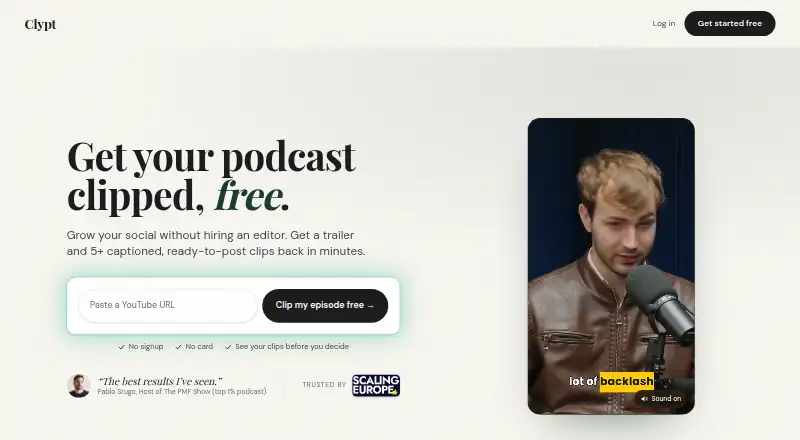
Clypt turns podcast episodes into trailers and editorial clips for business audiences. It accepts YouTube links, channel auto-imports, RSS feeds, and audio uploads. For each episode, it can create a 60 to 90 second vertical trailer, ranked clip suggestions, animated captions, speaker tracking, branded end cards, and show notes. Its clip-selection model was trained on more than 870 editorial decisions and supplies a written reason for each pick. Users can skip, edit, or regenerate suggestions before publication. Posts can be scheduled to LinkedIn and X, or clips can be exported as MP4 files. Exports support 9:16 and 16:9 layouts; audio-only episodes can use a static background with animated captions. Clypt is available on macOS, Windows, and the web. Downloading rendered videos requires an account and the free Clypt Helper for Mac or Windows. One episode is available free without a card, while unused paid-plan episodes roll over up to twice the monthly limit. Plans are Starter at $49 a month for four episodes, Growth at $99 a month for ten, and Pro at $199 a month for 25. There is no free plan.
Who it suits
Clypt is aimed at business podcasters with guest-led interview shows for founders, investors, and operators. The maker says it is not intended for consumer, daily news, or true-crime podcasts.
What it does well
- Accepts YouTube, RSS, and audio inputs
- Provides ranked clips with written rationales
- Supports animated captions and speaker tracking
- Schedules posts to LinkedIn and X
- Offers 9:16 and 16:9 exports
What to know first
- There is no free plan
- Rendered-video downloads require an account
- Downloads require the free Clypt Helper
- The maker excludes several podcast types
Limits
The free offer covers one episode and does not require a card. Paid plans include 4, 10, or 25 episodes per month, with rollover caps of 8, 20, or 50 unused episodes respectively.
Plans
| Plan | Billed and limits | Price |
|---|---|---|
| Pro | $199/mo · 25 episodes per month · Rollover up to 50 unused episodes | $199 a month |
| Starter | $49/mo · 4 episodes per month · Rollover up to 8 unused episodes | $49 a month |
| Growth | $99/mo · 10 episodes per month · Rollover up to 20 unused episodes | $99 a month |
As useclypt.com lists them, read 8 Oct 2026. The maker's own page has the final word.
Getting started
- Open https://useclypt.com/
- Choose a YouTube link, channel import, RSS feed, or audio upload
- Process one free episode or select a paid plan
- Review, skip, edit, or regenerate suggested clips
- Schedule to LinkedIn or X, or export MP4 files
Verdict
Clypt focuses on turning business podcasts into reviewable, branded social clips and trailers. Its publishing tools and multiple input sources support a managed podcast-to-social workflow, with paid episode limits.
Questions
How much does Clypt cost?
Clypt is paid, starting at $49/mo. Starter is $49/mo, Growth is $99/mo, and Pro is $199/mo.
Is there a free plan or trial?
There is no free plan, but Clypt offers one free episode without requiring a card.
Which platforms are supported?
Clypt is available on macOS, Windows, and the web.
Can Clypt publish directly to social networks?
Yes. Users can schedule posts directly to LinkedIn and X, or export MP4 files for manual posting.
What podcast sources can it import?
It supports YouTube links, YouTube channel auto-import, RSS feeds, and audio uploads.
What happens to unused paid episodes?
Unused episodes roll over up to twice the monthly plan limit: 8 on Starter, 20 on Growth, and 50 on Pro.
Facts from Clypt's own pages
- Audience
- Clypt says it is built for business podcasters with guest-led interview shows, especially audiences of founders, investors, and operators. · useclypt.com, 8 Oct 2026
- Clip selection
- Its clip selection model was trained on more than 870 editorial decisions and supplies a written rationale for each pick. · useclypt.com, 8 Oct 2026
- Download requirement
- Downloading rendered videos requires an account and the free Clypt Helper for Mac or Windows. · useclypt.com, 8 Oct 2026
- Export formats
- Clips export in 9:16 and 16:9 formats, and audio-only episodes can render with a static background and animated captions. · useclypt.com, 8 Oct 2026
- Free episode
- Clypt offers one episode free with no card required; unused paid-plan episodes roll over up to twice the monthly limit. · useclypt.com, 8 Oct 2026
- Input sources
- Clypt supports YouTube links and channel auto-import, RSS feeds, and audio uploads. · useclypt.com, 8 Oct 2026
- Notable fit limit
- The maker says Clypt is not intended for consumer, daily news, or true-crime podcasts. · useclypt.com, 8 Oct 2026
- Outputs
- Each episode can produce a 60 to 90 second vertical trailer, ranked clips, animated captions, speaker tracking, branded end cards, and show notes. · useclypt.com, 8 Oct 2026
- Review controls
- Users can skip, edit, or regenerate suggested clips before anything is published. · useclypt.com, 8 Oct 2026
- Social publishing
- Users can schedule posts directly to LinkedIn and X or export MP4 files to post themselves. · useclypt.com, 8 Oct 2026
- Support contact
- The site lists [email protected] as its contact email. · useclypt.com, 8 Oct 2026
- What it does
- Clypt turns podcast episodes into trailers and editorial clips aimed at business audiences. · useclypt.com, 8 Oct 2026
Where Clypt stands on Freedom251
- Podcast Clip Makers#24 of 30