Freedom251 › AI Sports Highlight Generators

Clutch Sports
What Clutch Sports is
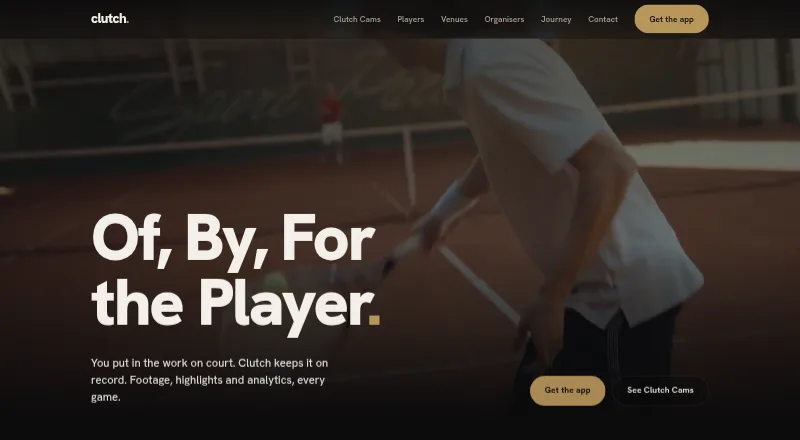
Clutch Sports provides recording, footage, AI highlights and match analytics for pickleball, padel, tennis and badminton played on Clutch-enabled courts. Players scan a court QR code to start background recording through venue-connected cameras, then access footage in the app. The Player app includes full recordings, highlight reels, analytics, a sporting profile and tournament registration. Analytics can include serve speed, rally count, win patterns and, through the Clutch Cams integration with PB Vision, shot effectiveness, insights and tips. Automatically generated highlights and analytics are paid add-ons, and their completeness and accuracy are not guaranteed. Venues use a separate app for recordings, payouts and manager access, and receive a share when players buy footage or add-ons. Tournament tools cover event listings, categories, formats, scheduling, live scoring and post-game analytics. Referees can manage digital tosses, scoring and matches. Venues can livestream events to YouTube, including tournament feeds with live referee scoring. The service is available on Android, iOS and web; its camera subscription price is not listed.
Who it suits
It suits players and venues using Clutch-enabled courts, as well as organisers and referees running tournaments. Players under 18 are not eligible to hold accounts.
What it does well
- Players can access full recordings and highlight reels.
- Analytics include serve speed, rally count and win patterns.
- Tournament tools include scheduling and live scoring.
- Venues can livestream to YouTube with referee scoring.
What to know first
- Recording requires a Clutch-enabled court and connected cameras.
- Highlights and analytics are paid add-ons.
- Paid add-on accuracy and completeness are not guaranteed.
- Camera subscription pricing is not listed.
Limits
Players need a Clutch-enabled court with equipment connected to its cameras to record. Paid features are priced in the app; a platform fee may apply and is shown to the user. Camera subscription plans are provided by contacting Clutch.
Plans
| Plan | Billed and limits | Price |
|---|---|---|
| Clutch Cams camera subscription | Per-camera subscription; plans provided by contacting Clutch | On request |
As theclutchsports.com lists them, read 29 Sept 2026. The maker's own page has the final word.
Getting started
- Visit the Clutch Sports website.
- Use an Android or iOS app, or access the web platform.
- At a Clutch-enabled court, scan its QR code to start recording.
- Check in-app pricing for paid footage, highlights or analytics.
- Contact Clutch for camera subscription plans.
Overview
Clutch Sports links court-camera recording with player, venue and tournament apps. It is a fit for players at participating clubs and for venues that want recording and event operations in one service. The trade-off is that footage depends on venue-connected cameras, while highlights and analytics are paid add-ons.
Clutch supports pickleball, padel, tennis and badminton. Players scan a court QR code to start recording and access footage in the app; Clutch is made by Curved Consistency Technologies Private Limited, based in Bengaluru, India.
Key features
Player footage and analytics
The Player app brings together full recordings, highlight reels, a sporting profile and tournament registration. Analytics include serve speed, rally count and win patterns; Clutch Cams also describes shot-effectiveness insights and tips through its PB Vision integration. These tools give players ways to review their play, but highlights and analytics are paid add-ons, and their completeness and accuracy are not guaranteed.
Recording uses equipment connected to a venue’s cameras, not a player’s phone alone. The system supports live processing and automatic event detection, with AI highlight, session and shareable reels available through the Clutch app or social sharing.
Venue, tournament and referee tools
The Venue app provides access to court recordings, payouts and manager access.
Clutch Compete covers event listings, category management, single- and double-elimination brackets, and group stages followed by knockouts. Smart seeding and lucky-loser slots add flexibility to tournament formats, while scheduling, live scoring and post-game analytics support event operations. Referees can handle digital tosses, match management and sport-specific score validation in the Referee app.
Venues can livestream matches and tournaments to YouTube. Tournament streams can overlay live referee scoring, which ties the broadcast to match operations rather than making it just a camera feed.
Privacy and security
Users control sharing of recordings. Making content public and using footage or images for marketing are separate opt-in choices, and Clutch says it does not sell or license footage for third parties’ independent commercial use. Its privacy policy describes encryption in transit and at rest, least-privilege access, monitoring, secure development practices and a breach-response process.
The apps are for people aged 18 or older; under-18 account holders are blocked and their accounts deleted. Razorpay processes payments and settlements, Google Maps supports location features, and Google or social-media accounts may be used for sign-in or connection. Clutch says it aims to respond to inquiries within a day at [email protected].
Pricing
The Clutch Cams camera subscription has custom pricing on a per-camera basis, with plans obtained by contacting Clutch.
Paid footage, highlights and analytics are priced in the app and processed by Razorpay. A platform fee may apply and is shown to the user. Since highlights and analytics are add-ons, players should check their in-app price before relying on those features as part of a regular review routine.
Platforms
Clutch is available on Android, iOS and the web. Its camera workflow also depends on venue-connected Clutch Cams or court cameras, so app availability alone does not provide access to recordings at a court without compatible equipment.
Who it's for
Clutch is best suited to players who regularly use a participating venue and want recordings, performance analytics and tournament registration together. Clubs and organisers have a stronger case for it if they need court footage, payout and manager access, tournament administration, referee scoring or YouTube streams. Players whose courts do not use compatible cameras, or who want highlights and analytics included without add-on charges, should look elsewhere.
Pros and cons
Pros
- One workflow for play and events: Player recordings and profiles sit alongside tournament registration, while organisers and referees have dedicated event tools.
- Useful review metrics: Serve speed, rally count and win patterns give players concrete measures to revisit, with additional shot insights described through PB Vision.
- Broadcast-ready scoring: Tournament livestreams can display live referee scoring on YouTube.
- Explicit sharing choices: Public content and marketing use require separate opt-ins, and users can control recording sharing.
Cons
- Venue-dependent recording: Players need a participating court with connected camera equipment and the QR-code workflow.
- Key analysis costs extra: Highlights and analytics are paid add-ons, with a possible platform fee.
- Automated output is not assured: Clutch does not guarantee the completeness or accuracy of highlights and analytics.
- Adult-only eligibility: The service is not suitable for under-18 athletes, whose accounts are blocked and deleted.
Alternatives
PlaySight is another freemium option on Android, iOS and the web. Consider it if you want an alternative in the same broad category before committing to a camera-dependent Clutch setup.
PeakTraining AI has a free plan on Android, iOS and the web for logging workouts and game stats and maintaining a basic athletic profile. Choose it when personal tracking matters more than venue-based footage and tournament operations.
Pitchwise offers a $2.99 a month Player Add-on, billed monthly, with a personal highlight reel, player profile, career stats, performance tracking and season review; it requires a Team or Pro plan. It is worth considering when those player-focused tools better match your needs than court-camera access.
Spherely is a freemium option for Android, iOS and macOS, with in-app diamond purchases. Consider it if its platform coverage or purchase model is a better fit.
GameCut is a freemium web option. WSC Sports, Magnifi and Pdleye are paid alternatives to compare.
For a broader shortlist, see AI Sports Highlight Generators.
Verdict
Choose Clutch if you play at a compatible venue or manage one and want court footage connected to analytics, tournament operations and livestream scoring. Its strongest case is the combination of player review and venue-side event tools. Look elsewhere if your court lacks connected cameras, you need service for minors, or you want highlights and analytics without add-on costs.
Verdict
Clutch brings court footage, player analytics and tournament operations into one service for participating venues. Check whether a venue uses Clutch cameras and review in-app add-on pricing before relying on footage or analytics.
Questions
Is Clutch Sports free?
Clutch Sports has a free plan. Paid features such as footage, highlights or analytics are priced in the app, and a platform fee may apply.
Which platforms does it support?
Clutch lists Android, iOS and web.
Which sports are supported?
The listed sports are pickleball, padel, tennis and badminton.
How do players record a match?
Players scan a court QR code to start recording through equipment connected to the venue's cameras.
Who makes Clutch Sports?
The maker identifies itself as Curved Consistency Technologies Private Limited and lists its office in Bengaluru, India.
How do venues get camera subscription plans?
The per-camera subscription plans are provided by contacting Clutch.
Facts from Clutch Sports's own pages
- Analytics
- Player analytics include serve speed, rally count and win patterns. · theclutchsports.com, 28 Sept 2026
- Company
- The maker identifies itself as Curved Consistency Technologies Private Limited and lists its office in Bengaluru, India. · theclutchsports.com, 29 Sept 2026
- Court footage
- Players scan a venue court's QR code to start recording using equipment connected to the venue's cameras. · theclutchsports.com, 29 Sept 2026
- Eligibility
- The apps are for individuals aged 18 or older; Clutch says it collects date of birth at sign-up and blocks underage access. · theclutchsports.com, 29 Sept 2026
- Headquarters
- Bengaluru, Karnataka, India · theclutchsports.com, 28 Sept 2026
- Highlights and analytics
- The player app offers paid add-ons for automatically generated highlights and analytics, whose completeness and accuracy are not guaranteed. · theclutchsports.com, 29 Sept 2026
- Livestream integration
- Venues can livestream matches and tournaments to YouTube, and tournament streams can show live referee scoring. · theclutchsports.com, 28 Sept 2026
- Other integrations
- The privacy policy names Razorpay for payment processing and settlements, Google Maps for maps and location features, and Google or social-media accounts for sign-in or connection. · theclutchsports.com, 28 Sept 2026
- Payments
- Paid features are priced in the app and processed by Razorpay; a platform fee may apply and is shown to the user. · theclutchsports.com, 29 Sept 2026
- Platforms
- The maker links its Player, Venue, Organiser and Referee apps to the Apple App Store and Google Play. · theclutchsports.com, 29 Sept 2026
- Player analytics
- Clutch Cams describes analytics including shot effectiveness, insights and tips, powered by its PB Vision integration. · theclutchsports.com, 29 Sept 2026
- Player features
- Players can manage recordings, build a sporting profile, share recordings, and discover, register for and follow tournaments in the Player app. · theclutchsports.com, 29 Sept 2026
- Privacy
- Clutch says it does not sell or license users' footage to third parties for their independent commercial use, and uses footage for marketing only with separate opt-in consent. · theclutchsports.com, 29 Sept 2026
- Privacy choices
- Marketing use of footage and images and making content public are described as separate opt-in choices; users can control sharing of recordings. · theclutchsports.com, 28 Sept 2026
- Product
- Clutch provides technology for recording, viewing, analysing and sharing sporting activity, building sporting profiles, and running or joining tournaments. · theclutchsports.com, 29 Sept 2026
- Recording
- Players scan a court QR code to start background recording and access footage in the app. · theclutchsports.com, 28 Sept 2026
- Referee tools
- The Referee app supports digital tosses, live scoring, match management and sport-specific score validation. · theclutchsports.com, 28 Sept 2026
- Security
- The privacy policy describes least-privilege access controls, encryption in transit and at rest, monitoring, secure development practices, and a data-breach handling process. · theclutchsports.com, 29 Sept 2026
- Streaming
- Clutch says venues can take matches and tournaments live on YouTube, and its tournament page describes live referee scoring overlaid on the feed. · theclutchsports.com, 29 Sept 2026
- Support
- The contact page says Clutch will get back to enquiries within a day and lists [email protected]. · theclutchsports.com, 29 Sept 2026
- Tournament formats
- Organisers can use single elimination, double elimination, and group plus knockout formats, with smart seeding and lucky loser slots. · theclutchsports.com, 29 Sept 2026
- Tournament tools
- Clutch Compete supports event setup, registrations, scheduling, live scorekeeping and post-game analytics. · theclutchsports.com, 29 Sept 2026
- Venue features
- The Venue app provides access to court recordings, payouts and manager access; venues receive a share when players buy footage, highlights or analytics. · theclutchsports.com, 28 Sept 2026
- What it does
- Clutch provides footage, AI highlights and match analytics for sports played on Clutch-enabled courts. · theclutchsports.com, 28 Sept 2026
Where Clutch Sports stands on Freedom251
- AI Sports Highlight Generators#1 of 24