Freedom251 › AI Sports Highlight Generators
GameCut
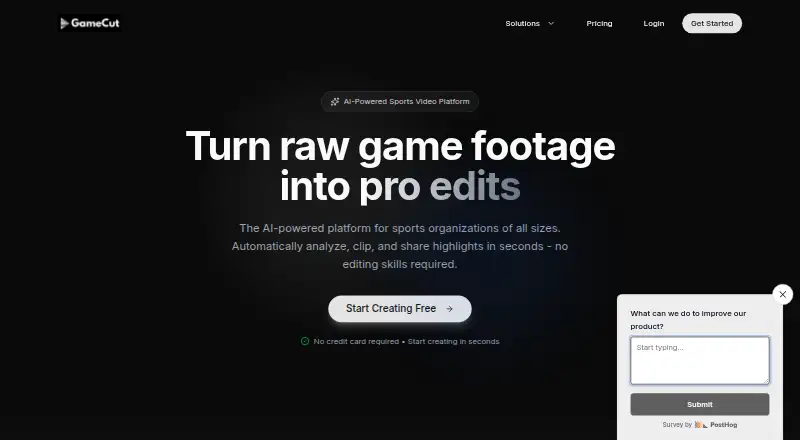
What GameCut is
GameCut is a web-based sports video platform that analyzes game footage and helps create shareable highlights. Users can upload video by dragging files onto the site or pasting a URL; MP4 and MOV are among the listed formats. Natural-language prompts can locate moments, such as goals by player number or particular kinds of plays. Searches can span uploaded games across a season to build player reels, and AI can generate a reel from a prompt specifying duration and selected plays. Users can add team logos, sponsor graphics, and custom intros and outros.
GameCut can process multiple games at once, create shareable links, and prepare exports for TikTok, Instagram Reels, YouTube Shorts, YouTube, Instagram, and Twitter/X. Team tools include player-specific reels, tagged-moment review, and sharing to team apps, social media, and messaging platforms. League features include API access, an analytics dashboard, role-based multi-user management, bulk processing, and white-label options. A free tier is available without a credit card to start, and the teams page advertises a 7-day free trial. Creator costs $99 a month; Studio costs $299 a month.
Who it suits
GameCut suits schools, coaches, teams, leagues, tournaments, sports clubs, and content creators who need to find and share moments from game footage. Its league tools include bulk processing, user management, analytics, and white-label options.
What it does well
- Searches footage with natural-language prompts.
- Can search across games for season-long player reels.
- Processes multiple games at once.
- Adds team logos and sponsor graphics to highlights.
- Free tier requires no credit card to start.
What to know first
- Creator costs $99 a month.
- Studio costs $299 a month.
- Enterprise pricing is custom and not listed.
Plans
| Plan | Billed and limits | Price |
|---|---|---|
| Studio | $299/month · Unlimited projects · 30 hours (1800 min) of video per month · Unlimited rendering · AI clip search & analysis · Secure file storage · Dedicated support · Team collaboration · Brand templates | $299 a month |
| Creator | $99/month · 10 projects · 8 hours (480 min) of video per month · Unlimited rendering · AI clip search & analysis · Secure file storage · Priority support · Brand templates | $99 a month |
| Enterprise | Custom · Unlimited projects · Custom video limits · AI clip search & analysis · Brand templates · White-label options · Dedicated account manager · Custom integrations | On request |
As gamecut.ai lists them, read 5 Oct 2026. The maker's own page has the final word.
Getting started
- Open https://www.gamecut.ai/ in a web browser.
- Start with the free tier; the site says no credit card is required.
- Upload game video by dragging files into the service or pasting a URL.
- Choose a paid plan if you need its listed project, video-hour, support, or collaboration features.
- Search for moments or generate a reel, then brand and share or export the highlights.
Verdict
GameCut focuses on turning uploaded game footage into searchable and shareable highlights, with tools for teams and leagues as well as individual clip creation. A free tier is available, while listed paid plans start at $99 a month.
Questions
Is GameCut free?
Yes. The homepage says a free tier is available and starting requires no credit card. A teams page also advertises a 7-day free trial with no credit card required.
How much do the paid plans cost?
Creator is $99 per month and Studio is $299 per month. Enterprise has custom pricing.
What platforms does GameCut support?
GameCut is available on the web.
What video can I upload?
Users can upload video files or paste URLs. MP4 and MOV are among the supported formats.
What does Creator include?
Creator includes 10 projects, 8 hours (480 minutes) of video per month, unlimited rendering, AI clip search and analysis, secure file storage, priority support, and brand templates.
Can leagues use API and white-label tools?
The leagues page lists API access, an analytics dashboard, role-based multi-user management, bulk processing, and white-label options.
Facts from GameCut's own pages
- AI generation
- The service can generate a highlight reel from a prompt, including a requested duration and selection of plays. · gamecut.ai, 5 Oct 2026
- Batch processing
- Users can upload and process multiple games at once. · gamecut.ai, 5 Oct 2026
- Branding
- Users can add team logos, sponsor graphics, and custom intros and outros to highlights. · gamecut.ai, 5 Oct 2026
- Free access
- The homepage says a free tier is available and that starting requires no credit card; a teams page advertises a 7-day free trial with no credit card required. · gamecut.ai, 5 Oct 2026
- Intended users
- The site describes use by schools, coaches, teams, leagues, tournaments, sports clubs, and content creators. · gamecut.ai, 5 Oct 2026
- League tools
- The leagues page lists API access, an analytics dashboard, role-based multi-user management, bulk processing, and white-label options. · gamecut.ai, 5 Oct 2026
- Natural language search
- Users can search footage with prompts such as finding goals by a player number or locating specific types of plays. · gamecut.ai, 5 Oct 2026
- Product
- GameCut describes itself as an AI-powered sports video platform that automatically analyzes, clips, and shares game highlights. · gamecut.ai, 5 Oct 2026
- Season search
- GameCut says users can search across uploaded games for moments and build player highlight reels from an entire season. · gamecut.ai, 5 Oct 2026
- Security
- The pricing page lists secure file storage for Creator and Studio, and the teams page says game footage and highlights are stored securely in one place. · gamecut.ai, 5 Oct 2026
- Sharing
- GameCut generates shareable links and says exported highlights are ready for TikTok, Instagram Reels, YouTube Shorts, or other platforms. · gamecut.ai, 5 Oct 2026
- Support
- Creator includes priority support, Studio includes dedicated support, and Enterprise includes a dedicated account manager. · gamecut.ai, 5 Oct 2026
- Team use
- The teams page describes player-specific reels, tagged moment review, and one-click sharing to team apps, social media, and messaging platforms. · gamecut.ai, 5 Oct 2026
- Upload
- Users can drag and drop game videos or paste a URL, and the site lists MP4 and MOV among supported formats. · gamecut.ai, 5 Oct 2026
Where GameCut stands on Freedom251
- AI Sports Highlight Generators#6 of 24