Freedom251 › Stop Motion Software
Cloud Stop Motion
What Cloud Stop Motion is
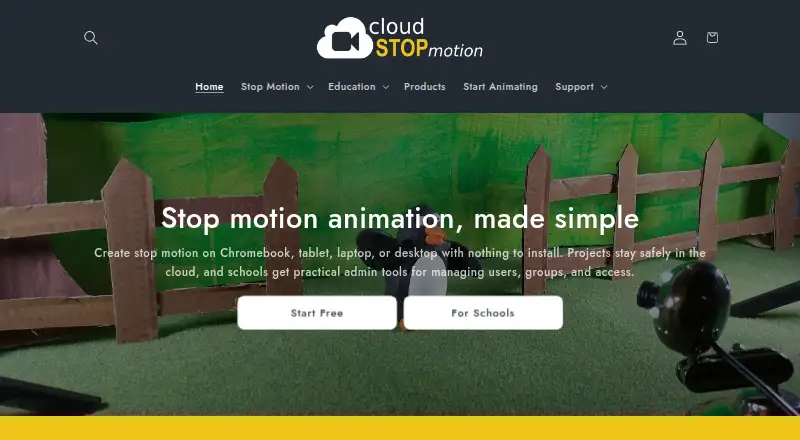
Cloud Stop Motion is a browser-based tool for making, editing, saving and sharing stop-motion animations. It captures frames one at a time from webcams or built-in device cameras, with onion skinning and timing controls. Its timeline lets users reorder, trim and duplicate clips, and they can import or record music, sound effects and narration. Chroma key tools replace backgrounds; users can also import images and make timelapse sequences. Finished movies can be rendered to MP4, kept in an online library and shared. Projects are stored online so users can continue working across signed-in devices without installing software. The maker describes browser use on Chromebooks, Windows, macOS, tablets and supported devices including Android and Linux. Schools can sign in with Google or Microsoft, or use username and password accounts. Free individual accounts are not available for educational use; students at school must be added to an organization account. The Free Starter plan costs nothing. Personal Premium costs $4.50 per year, and Schools & Organizations plans start at $4.00 per user per year.
Who it suits
Cloud Stop Motion suits individuals making animations in a browser and schools that want to organize student projects. School students must use an organization account rather than a free individual account for educational use.
What it does well
- Captures frames with onion skinning and timing controls
- Timeline supports clip reordering, trimming and duplication
- Exports finished movies to MP4
- Projects can continue across signed-in devices
What to know first
- Free individual accounts cannot be used for education
- School plans start from five users
- Personal Premium costs $4.50 per year
Limits
Free Starter includes secure cloud saving and MP4 export, but free individual accounts are not for educational use. Personal Premium is $4.50 per year and includes 5GB of premium cloud storage; Schools & Organizations starts at $4.00 per user per year, from five users, with 5GB premium storage per user.
Plans
| Plan | Billed and limits | Price |
|---|---|---|
| Free Starter | No card required · cloud saving · MP4 export · premium tools/storage require upgrade | Free |
| Schools & Organizations | annual per user · 5GB storage per user · admin tools · plans start at 5 users | $4 a year |
| Personal Premium | annual · 5GB cloud storage · green screening · timelapse · transitions · image import · audio import | $4.50 a year |
As cloudstopmotion.com lists them, read 14 Oct 2026. The maker's own page has the final word.
Getting started
- Open the Cloud Stop Motion website in a supported browser.
- Choose the Free Starter, Personal Premium, or Schools & Organizations plan.
- Sign in to save projects online and continue across devices.
- For a school, create an organization account and add students individually or in bulk.
- Capture frames from a webcam or built-in device camera, then edit the sequence and add audio or media.
- Render the finished movie as an MP4 and share it.
Overview
Cloud Stop Motion is a browser-based stop-motion editor for individual creators and classrooms that want to capture and assemble animation without installing software. Frame-by-frame capture, timeline editing, audio, and online project storage make it a practical all-in-one workflow for short productions. Its strongest fit is an individual who wants a low-cost way to start; schools must use paid organization accounts for students.
Key features
- Frame capture: Capture one image at a time from a webcam or built-in camera, with onion skinning and timing controls. This supports deliberate, frame-by-frame movement rather than recording a scene as ordinary video.
- Timeline and audio: Reorder, trim, and duplicate clips, then import or record music, sound effects, and narration. These tools cover basic sequencing and sound without requiring a separate editor for those tasks.
- Visual media: Green-screen background replacement, image import, and timelapse creation expand what a project can include. These capabilities are useful creative additions, but Personal Premium is required for them.
- Cloud projects and export: Work is saved online and can be continued on another device after signing in. Finished movies can be rendered as MP4, kept in an online library, and shared with students, families, or collaborators; the convenience depends on having an internet-connected browser workflow.
- Classroom controls: Organization admins can create accounts individually or in bulk, manage classes, roles and permissions, review projects, and monitor storage and subscriptions. Schools can use Google or Microsoft sign-in, or username-and-password accounts for younger learners and shared devices.
Pricing
The Free Starter plan costs nothing, requires no card, and includes secure cloud saving and MP4 export. It is a sensible entry point for personal projects, but it does not include the premium storage and creative tools of paid plans. Free individual accounts cannot be used for education.
Personal Premium costs From £3.75 / $4.50 per year and includes 5GB premium cloud storage, green screening, timelapse, transitions, image import, and audio import. It suits an individual who needs those additions; the free plan gives up those listed premium features.
Schools & Organizations costs From £3.25 / $4.00 per user per year, with plans starting from 5 users. It includes 5GB premium storage per user and admin tools for users, classes, groups, permissions, and usage. This is the required route for students using the service at school, so even a small class starts with a five-user commitment rather than individual free accounts.
Platforms
Cloud Stop Motion runs in a browser and supports web, Windows, Android, and Linux. The maker describes browser use on Chromebooks, Windows and macOS computers, tablets, and supported Android and Linux devices. That broad browser workflow helps mixed-device groups continue projects across devices after signing in, without installing software.
Who it's for
It suits beginners, individual creators, and educators seeking capture, editing, sound, and sharing in one browser-based tool. Schools get meaningful account and class administration, but should budget for at least five organization seats. Anyone needing premium green-screen or image and audio import tools for personal work will need to pay; someone seeking only a free personal starting point can use Free Starter.
Pros and cons
- Pro: Capture, editing, audio, MP4 export, and online storage sit in one workflow, reducing the need to assemble a basic project across separate tools.
- Pro: Cross-device browser access makes it possible to continue a signed-in project on supported devices without installing an app.
- Pro: Organization accounts combine class and permission management with project review and usage monitoring, useful for school administrators.
- Con: Students cannot use free individual accounts for schoolwork, and organization plans start at five users, making the free option unsuitable for classroom adoption.
- Con: Green screening, timelapse, transitions, image import, and audio import sit behind Personal Premium for individuals.
Alternatives
Stop Motion Software is a useful category starting point if you want to compare stop-motion tools before choosing one.
- MOTK Shoot is worth considering if a free plan and browser-based capture are priorities; it also offers a Windows local edition and an optional Companion for vendor camera control and RAW capture.
- Stop Motion Studio fits users who want a downloadable option on Android, iOS, macOS, or Windows; its free plan is free to download and use, while its iPhone and iPad Pro option has no subscription and includes all features sold separately.
- Eagle Animation may suit users who prioritize free, open-source software with desktop and browser access across Linux, macOS, and Windows.
- Aardman Animator is a free-to-download alternative for Android and iOS.
- Lapse It may suit users focused on timelapse on Android, iOS, or macOS; its free tier has lower capture resolution and some unavailable features, while Pro supports 1080p Full HD video.
- qStopMotion is a free, open-source application for Linux, macOS, and Windows.
- Tahoma2D is a free, open-source option for 2D and stop-motion animation creation on Linux, macOS, and Windows.
- AnimaShooter is another freemium option for Windows and Linux.
Verdict
Choose Cloud Stop Motion if you want a browser-based stop-motion workflow that combines frame capture, editing, audio, online saving, and sharing, especially when projects need to move between devices. Its main drawback is the split between a useful individual free tier and paid classroom access: schools must purchase at least five organization seats, while individuals need Personal Premium for several creative tools.
Verdict
Cloud Stop Motion brings frame capture, editing, audio and sharing into a browser-based workflow. Its free plan is available for individual use, while schools need organization accounts for students.
Questions
Is Cloud Stop Motion free?
Yes. The Free Starter plan costs nothing and requires no card.
What do the paid plans cost?
Personal Premium is $4.50 per year. Schools & Organizations is from £3.25 / $4.00 per user per year and starts from five users.
Which platforms does it support?
Listed platforms are web, Windows, Android, and Linux. The maker also describes browser use on Chromebooks, macOS, and tablets.
Can students use free individual accounts at school?
No. Students using the service at school must be added to an organization account.
Who made Cloud Stop Motion?
It was created by ZuLogic Ltd, a software development company based in Great Britain.
Does it support onion skinning and audio?
Yes. It includes onion skinning and supports importing or recording music, sound effects, and narration.
Facts from Cloud Stop Motion's own pages
- API and SDKs
- The maker's public site and help-centre navigation describe the web app, integrations and support articles but do not publish API or SDK documentation. · help.cloudstopmotion.com, 14 Oct 2026
- Audio
- Users can import music, sound effects and narration or record audio inside the app. · cloudstopmotion.com, 14 Oct 2026
- Classroom administration
- Organization admins can create users individually or in bulk, organize classes and roles, manage permissions, review projects, and monitor storage and subscriptions. · cloudstopmotion.com, 30 Sept 2026
- Cloud workflow
- Projects, frames, edits and audio remain available after signing in on another device. · cloudstopmotion.com, 14 Oct 2026
- Company age
- Companies House records Zulogic Limited under company number 05388029 and show incorporation-related filings dating from 2005. · find-and-update.company-information.service.gov.uk, 14 Oct 2026
- Company headquarters
- LinkedIn lists the headquarters as Ulcombe, Kent, United Kingdom. · uk.linkedin.com, 14 Oct 2026
- Company history
- LinkedIn says ZuLogic has been building software since 2009 and reports more than 350,000 users of its apps and services worldwide. · uk.linkedin.com, 14 Oct 2026
- Company legal identity
- The terms name Zulogic Limited, company number 05388029, trading as Cloud Stop Motion, with registered address in Aylesford, Kent and trading address in Ulcombe, Kent. · cloudstopmotion.com, 14 Oct 2026
- Company size
- LinkedIn lists ZuLogic Limited as a privately held IT-services company with 2–10 employees. · uk.linkedin.com, 14 Oct 2026
- Data controls
- Account holders can request closure and erasure, while school administrators can delete pupil profiles and content. · help.cloudstopmotion.com, 14 Oct 2026
- Device support
- The maker describes browser use on Chromebooks, Windows, macOS, tablets, and supported devices including Android and Linux. · cloudstopmotion.com, 30 Sept 2026
- Documentation and support
- The help centre has searchable articles covering organization accounts, storage, troubleshooting, camera permissions and project recovery, with ticket submission for logged-in users. · help.cloudstopmotion.com, 14 Oct 2026
- Editing and audio
- The timeline supports reordering, trimming, and duplicating clips, and users can import or record music, sound effects, and narration. · cloudstopmotion.com, 30 Sept 2026
- Export
- Finished movies can be rendered to MP4 and retained in an online library for sharing. · cloudstopmotion.com, 14 Oct 2026
- Export and sharing
- Finished movies can be rendered to MP4, kept in an online library, and shared with students, families, or collaborators. · cloudstopmotion.com, 30 Sept 2026
- Frame capture
- It captures animation one frame at a time from webcams or built-in cameras and provides onion-skinning and timing controls. · cloudstopmotion.com, 14 Oct 2026
- Google integration
- Schools can import Google Education rosters and use Google single sign-on. · help.cloudstopmotion.com, 14 Oct 2026
- Green screen
- Built-in chroma-key tools replace backgrounds and support layered scenes. · cloudstopmotion.com, 14 Oct 2026
- Green screen and media
- Built in chroma key tools replace backgrounds, and users can import images and create timelapse sequences. · cloudstopmotion.com, 30 Sept 2026
- Headquarters
- Ulcombe, Kent, UK · cloudstopmotion.com, 28 Sept 2026
- Image import and timelapse
- The product imports existing images and can create time-lapse sequences. · cloudstopmotion.com, 14 Oct 2026
- Installation model
- The maker describes browser use with no software installation and an installable progressive web app on supported devices. · cloudstopmotion.com, 14 Oct 2026
- Licence
- The terms identify Cloud Stop Motion as commercially licensed software and explicitly say it is not open source, freeware or shareware. · cloudstopmotion.com, 14 Oct 2026
- Limit: browser storage dependency
- If browser storage is full and the internet connection is unavailable, newly created work may have no recoverable local or cloud copy. · help.cloudstopmotion.com, 14 Oct 2026
Where Cloud Stop Motion stands on Freedom251
- Stop Motion Software#1 of 29