Freedom251 › Click Fraud Software
ClickHelm
What ClickHelm is
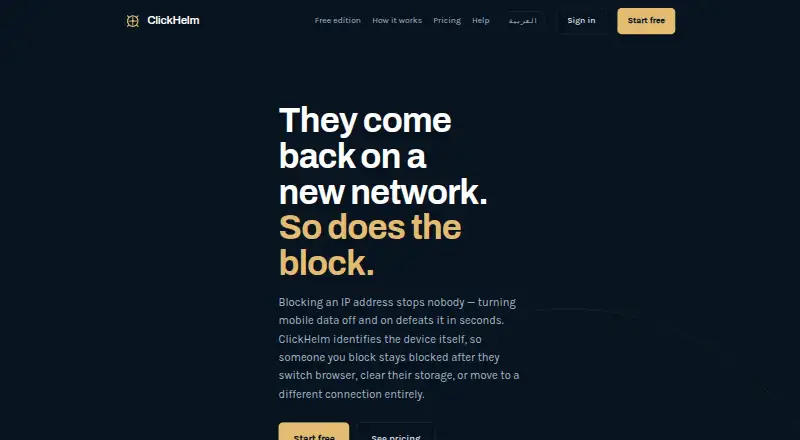
ClickHelm is click-fraud protection for websites, available as a web service or self-hosted WordPress setup. It scores visits using device characteristics, network type, click identifiers and on-site behavior, and identifies devices rather than relying on IP addresses. Detection and blocking cover Google Ads, Meta, Microsoft Ads, TikTok, organic search and direct traffic; campaign-spend matching is specific to Google Ads. Blocking is not automatic by default: customers need to create a rule to enable it. The free edition records and scores visitors, identifies VPNs and crawlers, and counts calls, WhatsApp messages, forms and orders, but does not block visitors. Paid plans add blocking and, depending on plan, features such as Google Ads reporting, rules, alerts and client reporting. Self-hosting requires WordPress 5.6 or newer, PHP 7.2 or newer, and MySQL or MariaDB. Visitor data stays in the customer's WordPress database, though addresses may be sent for network classification. ClickHelm starts recording after installation and does not import historical traffic. Paid plans start at $29/mo.
Who it suits
ClickHelm suits website operators who want to identify and manage suspicious clicks across several traffic sources. It may also fit WordPress users who prefer to keep visitor data in their own database.
What it does well
- Scores visits using device and on-site signals
- Covers paid, organic and direct traffic
- Free edition records and scores visitors
- Visitor data stays in the WordPress database
What to know first
- Free edition does not block visitors
- Blocking requires a customer-created rule
- Does not import historical traffic
- Paid plans start at $29/mo
Limits
The free edition has no blocking, rules or automatic actions, weekly email report, or Google charge reconciliation. On paid plans, exceeding the visit allowance pauses blocking for new visitors and reporting screens until an upgrade or the next month; existing blocks remain active.
Plans
| Plan | Billed and limits | Price |
|---|---|---|
| Free edition | free forever · 1 website · unlimited visits · records and scores visitors · no blocking | Free |
| Growth | $149/month; $119/month billed yearly · up to 40,000 visits/month · 5 websites · priority support | $149 a month |
| Local | $29/month; $23/month billed yearly · up to 2,000 visits/month · 1 website · fingerprint blocking · Google Ads reporting · weekly email report | $29 a month |
| Agency | $299/month; $239/month billed yearly · up to 120,000 visits/month · 20 websites · priority support · client reporting | $299 a month |
| Starter | $69/month; $55/month billed yearly · up to 5,000 visits/month · 2 websites · rules and instant alerts · automatic Google Ads exclusions · refund claim file · verified click reconciliation | $69 a month |
As clickhelm.com lists them, read 14 Oct 2026. The maker's own page has the final word.
Getting started
- Visit the ClickHelm website.
- Choose the free edition or a paid plan; paid plans start at $29 a month.
- For self-hosting, use WordPress 5.6 or newer, PHP 7.2 or newer, and MySQL or MariaDB.
- Install ClickHelm; recording begins from installation and does not include earlier traffic.
- Review visitor scores and create rules if you want automatic blocking.
- Optionally connect Google Ads for daily click and campaign reporting.
ClickHelm is website click-fraud protection that scores visitors and lets customers create rules to block them. It suits advertisers who want device-based controls across multiple traffic sources, especially those using Google Ads reporting. Its main appeal is customer control; blocking is not automatic by default, and the free edition never blocks.
Overview
ClickHelm assesses visitors using device characteristics, network type, click identifiers and on-site behavior, producing a named risk score. Its device-based approach is intended to identify a person or device rather than relying on an IP address alone. That can help when the same visitor changes networks, while leaving customers responsible for deciding which traffic to stop.
Scoring does not itself block anyone: automatic blocking only begins after a customer writes an enabling rule. ClickHelm also starts recording at installation, with no historical import or backfill, so it cannot provide a pre-installation baseline.
Key features
Scoring and traffic coverage
Detection combines device fingerprinting, repeat-click patterns, network classification, crawler identity checks, click-ID reconciliation and on-site behavior. Network classification covers VPNs, proxies, Tor and data-centre addresses. Detection and blocking apply to visits from Meta, Microsoft Ads and TikTok as well as organic search and direct traffic. This broadens its use beyond paid search, though Google Ads is the only platform with campaign-spend matching.
Google Ads reporting and controls
The optional Google Ads connection reads click reporting, campaign, ad group and keyword names, plus cost figures, once a day. Paid tiers add reporting and, at higher levels, automatic exclusions, verified click reconciliation and a Google refund claim file. Daily data retrieval is useful for campaign review, but it is not real-time spend matching.
Customers retain control over blocking by defining rules. That avoids automatic intervention without a chosen policy, but requires someone to configure and maintain those rules. The free edition records and scores visitors, identifies VPNs and crawlers, and counts calls, WhatsApp messages, forms and orders; it has no blocking, rules, automatic actions, weekly email report or Google charge reconciliation.
Data and operating limits
Visitor data stays in the customer's WordPress database rather than being copied to ClickHelm. For VPN, proxy, Tor and data-centre classification, visitor addresses may be sent to ClickHelm through proxycheck.io; ClickHelm stores classification counts only. WordPress installations need version 5.6 or newer, PHP 7.2 or newer, and MySQL or MariaDB.
If a plan's monthly visit allowance is exceeded, existing blocks stay active, but blocking new visitors and reporting screens pause until the next month or an upgrade. Support requests are answered within one working day, usually sooner. A first payment on a new subscription can be refunded in full within seven days, without a reason.
Pricing
ClickHelm is freemium, with paid plans from $29 a month. There is no free trial. Annual billing lowers the stated monthly equivalent, while the free edition has no blocking or rules and omits weekly email reports and Google charge reconciliation.
| Plan | Price | Allowance and inclusions | Best fit |
|---|---|---|---|
| Free edition | free | Records and scores visitors; no blocking, rules or automatic actions, weekly email report, or Google charge reconciliation. | Trying visitor scoring and basic activity counts without blocking. |
| Local | $29 a month billed, or $23 a month billed yearly | Up to 2,000 visits a month, 1 website, fingerprint blocking, Google Ads reporting and weekly email report. | A single-site advertiser needing basic blocking and Google reporting. |
| Starter | $69 a month billed, or $55 a month billed yearly | Up to 5,000 visits a month, 2 websites, rules and instant alerts, automatic Google Ads exclusions, Google refund claim file and verified click reconciliation. | Small advertisers needing rule-based controls and more Google Ads tools. |
| Growth | $149 a month billed, or $119 a month billed yearly | Up to 40,000 visits a month, 5 websites and priority support. | Teams managing several sites or higher visit volumes. |
| Agency | $299 a month billed, or $239 a month billed yearly | Up to 120,000 visits a month, 20 websites, priority support and client reporting. | Agencies managing multiple client sites and reports. |
Local is the least expensive paid route to blocking, but its 2,000-visit and single-site caps constrain growth. Starter adds substantial Google Ads controls and doubles the site count, while Growth and Agency mainly raise visit and site ceilings, with client reporting reserved for Agency. Keep the overage pause in mind when choosing a quota: new blocking and reporting stop until renewal or upgrade once it is exceeded.
Platforms
ClickHelm is available as self-hosted software and on the web. Its WordPress requirements make the self-hosted option dependent on a compatible WordPress, PHP and database setup.
Who it's for
ClickHelm is a good fit for WordPress-based advertisers who want to score suspicious visits across Google Ads and other traffic sources, keep visitor data in their own database, and choose their own blocking rules. It is less suitable for businesses seeking automatic protection immediately after installation, historical traffic analysis, or Google-style spend matching across non-Google campaigns.
Pros and cons
- Pros: Device-based scoring combines several traffic signals, rather than treating the IP address as the sole identifier.
- Pros: Detection covers paid and unpaid traffic sources, while visitor data remains in the customer's WordPress database.
- Pros: The free edition provides scoring and activity counts, and Local adds blocking at $29 a month.
- Cons: Customers must write a rule to enable automatic blocking; the free edition cannot block at all.
- Cons: Recording starts at installation, so earlier visits cannot be analyzed or backfilled.
- Cons: Exceeding a visit allowance pauses new blocking and reporting, even though existing blocks remain active.
- Cons: Google campaign-spend matching is limited to Google Ads, and its connection reads data once a day.
Alternatives
- ClickLens is worth considering for API or web use when a free tier with 1,000 sessions per month, one site, basic scoring and seven-day retention is enough; its Starter plan is $49 a month for 10,000 sessions.
- ClickStopper offers API and web access, with its stated Pro plan at $49 a month for one social connection, 10,000 clicks a day and custom domains; its Enterprise plan is also $49 a month and includes unlimited social connections.
- Didva has a free Watchtower tier for up to 3,000 clicks per month, one site, seven-day retention and manual IP blocking; it may suit users who want a higher free click allowance and can work with manual blocking.
- Ads Defender is a paid web-based alternative.
- Clixtell is a paid option with a free trial and Android, iOS and web platforms.
- ClickGuardian is a paid, trial-enabled API and web alternative; its Starter plan is $49 a month for up to $6,000 a month in ad spend, one website and one Google Ads account.
- ProtectPPC is a paid, trial-enabled API and web alternative whose Starter plan costs $29 a month or 0.6% of ad spend, whichever is higher, for 10,000 clicks a month, one project and Google Ads sync.
- AdProtektor is a paid, trial-enabled API and web alternative, with a True Tracking Core plan at $39 a month for up to 10,000 tracked sessions a month and one domain.
For a broader comparison, browse Click Fraud Software.
Verdict
Choose ClickHelm if you run a compatible WordPress site and want device-oriented scoring, customer-defined blocking and Google Ads reporting, with detection extending to other traffic sources. The free edition is useful for recording activity but not protection; the main reason to look elsewhere is the need for historical data, hands-off blocking, or spend matching beyond Google Ads.
Verdict
ClickHelm combines device-based click scoring with customer-controlled blocking and coverage beyond Google Ads. The free edition can record activity, while blocking and additional reporting features require paid plans.
Questions
Does ClickHelm have a free plan or trial?
It has a free edition. A free trial is not offered.
How much do paid plans cost?
Local is $29 a month, or $23 a month billed yearly. Other listed monthly prices are Starter at $69.00, Growth at $149.00, and Agency at $299.00; yearly-billed rates are $55, $119, and $239 a month, respectively.
Does the free edition block visitors?
No. It records and scores visitors, identifies VPNs and crawlers, and counts calls, WhatsApp messages, forms, and orders, but it never blocks anyone.
Which platforms and ad sources does it support?
It is available on web and self-hosted platforms. Detection and blocking work for Google Ads, Meta, Microsoft Ads, TikTok, organic search, and direct traffic.
What is required for self-hosting?
ClickHelm requires WordPress 5.6 or newer, PHP 7.2 or newer, and MySQL or MariaDB.
Does ClickHelm import past traffic, and where is visitor data stored?
It starts recording when installed and does not import historical traffic. Visitor data is stored in the customer's WordPress database and is not copied to ClickHelm.
Facts from ClickHelm's own pages
- Behavior signals
- It records time on page, scrolling, interactions, forms, calls, WhatsApp taps and WooCommerce orders as behavioral evidence. · clickhelm.com, 14 Oct 2026
- Blocking control
- Nothing is blocked automatically unless the customer writes a rule enabling automatic blocking. · clickhelm.com, 1 Oct 2026
- Changelog change
- Version 6.93.0 removed an automatic-blocking control from the edition that contains no blocking capability. · bo.wordpress.org, 14 Oct 2026
- Click reconciliation
- Google Ads click identifiers are matched with clicks Google charged to distinguish arrived, missing and fabricated clicks. · clickhelm.com, 14 Oct 2026
- Compliance statement
- The maker says its Google API data handling follows Google API Services User Data Policy and Limited Use requirements. · clickhelm.com, 14 Oct 2026
- Crawler checks
- It compares claimed crawler identities with network ownership to identify impostor crawlers. · clickhelm.com, 14 Oct 2026
- Data location
- Visitor records remain in tables in the customer’s own WordPress database rather than being proxied through ClickHelm. · clickhelm.com, 14 Oct 2026
- Data storage
- Visitor data is stored in the customer's WordPress database and is not copied to ClickHelm. · clickhelm.com, 1 Oct 2026
- Deployment model
- Installation is a WordPress plugin uploaded to the customer’s own hosting, with database tables created on activation. · clickhelm.com, 14 Oct 2026
- Detection
- It measures device characteristics, network type, click identifiers and on-site behavior to produce a named risk score. · clickhelm.com, 1 Oct 2026
- Developer API and SDKs
- The cited documentation describes Google Ads API use but does not publish a ClickHelm REST API, SDK or developer portal. · clickhelm.com, 14 Oct 2026
- Device fingerprinting
- It identifies returning devices across browser changes, cleared storage and network changes instead of relying only on IP addresses. · clickhelm.com, 14 Oct 2026
- Documentation
- The help material covers installation, tracking-template setup, missing data, risk scores and blocking behavior. · clickhelm.com, 14 Oct 2026
- False-positive handling
- Possible device matches can be rejected manually, which immediately lifts a carried-over block. · clickhelm.com, 14 Oct 2026
- Free edition
- The free edition records and scores visitors, identifies VPNs and crawlers, and counts calls, WhatsApp messages, forms and orders, but never blocks anyone. · clickhelm.com, 1 Oct 2026
- Free-edition limitation
- The WordPress listing says the free edition records and explains traffic but does not block visitors; blocking and rules are in a separate paid edition. · wordpress.com, 14 Oct 2026
- Google Ads integration
- The Google Ads connection reads click reports, campaign names, ad-group names, keyword names and cost figures once daily. · clickhelm.com, 14 Oct 2026
- Google Ads write scope
- When enabled, ClickHelm can add its tracking template and maintain an account-level IP exclusion list, but it does not change campaigns, ads, budgets or bids. · clickhelm.com, 14 Oct 2026
- Google data security
- Google access tokens are encrypted with AES-256-GCM during the server exchange and requests use TLS. · clickhelm.com, 14 Oct 2026
- History limitation
- ClickHelm starts recording when installed and does not import historical traffic or backfill earlier data. · clickhelm.com, 1 Oct 2026
- Independent directory status
- WP PlugIndex lists version 6.92.0, active status, testing through WordPress 7.1 and no WordPress.org ratings. · wpplugindex.com, 14 Oct 2026
- Independent installation count
- The WordPress developer profile lists fewer than 10 active installations. · profiles.wordpress.org, 14 Oct 2026
- Independent rating
- Rating on WordPress.org: 0 out of 5 from 0 reviews. · bo.wordpress.org, 14 Oct 2026
- Independent version status
- The WordPress developer profile records version 6.93.0 committed on October 9, 2026. · profiles.wordpress.org, 14 Oct 2026
Where ClickHelm stands on Freedom251
- Click Fraud Software#1 of 30