Freedom251 › Time Billing Software

Clerq
What Clerq is
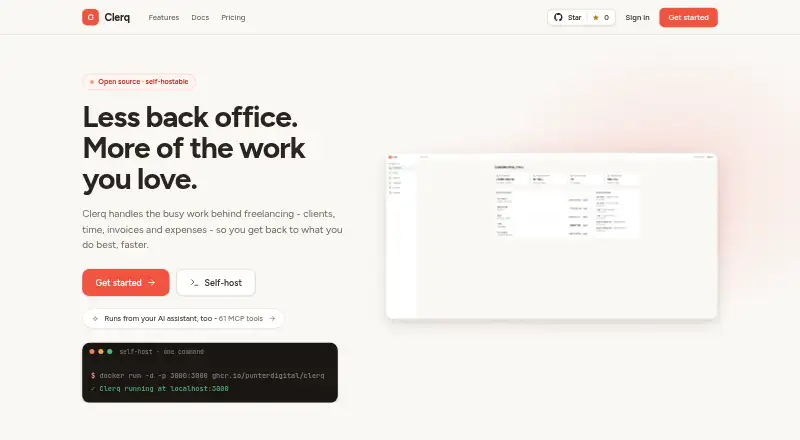
Clerq is a back-office suite for freelancers and small development studios, bringing client and project records, time tracking, invoicing, and expenses together. Projects can be managed in Kanban or list views, with a live task timer, weekly timesheets, and billable flags. Clerq can generate invoices from unbilled time, handle multiple currencies with live exchange rates, apply three VAT treatments, and produce branded PDFs or signed links. Expense entries can include a vendor, category, notes, paid or unpaid status, and image or PDF receipts. Teams can use seven predefined roles, create custom roles, and set access overrides for individual members. An optional MCP server offers 61 tools for connected AI assistants to work with business data, including creating invoices and recording expenses. Clerq is available through the web, an API, or self-hosting. Clerq Cloud is hosted in the EU/EEA and includes automatic updates and backups; its passwords are stored as secure hashes and traffic uses HTTPS. Self-hosted data remains on infrastructure controlled by the operator, who is responsible for security and backups. Both listed plans cost £0: self-hosting is free, while Clerq Cloud is free during open beta and includes full data export and small-team support with roles.
Who it suits
Clerq suits freelancers and small development studios that want client, project, time, invoice, and expense records in one back-office suite. Teams that need role-based access or connected AI assistant tools may also find its team controls and optional MCP server useful.
What it does well
- Creates invoices from unbilled time with multiple currencies and VAT treatments.
- Tracks work with a live timer, weekly timesheets, and billable flags.
- Stores expense details and image or PDF receipts.
- Offers seven predefined roles, custom roles, and member access overrides.
- Cloud hosting includes automatic updates, backups, and full data export.
- Self-hosting is free and data stays on operator-controlled infrastructure.
What to know first
- Self-hosted users are responsible for security and backups.
- Self-hosted support is community support on GitHub.
- Clerq Cloud is currently described as free during open beta.
Plans
| Plan | Billed and limits | Price |
|---|---|---|
| Clerq Cloud | Free during open beta · Managed hosting · automatic updates, backups and uptime · encrypted servers · full data export | Free |
| Self-host | Free forever · Own infrastructure · Docker Compose deployment · AGPL-3.0 source · optional Google SSO · full data control | Free |
As useclerq.net lists them, read 15 Oct 2026. The maker's own page has the final word.
Getting started
- Visit https://useclerq.net/.
- Choose Clerq Cloud or the Self-host plan; both are listed at £0.
- Use the web platform, API, or self-hosted deployment.
- For self-hosting, keep the deployment on infrastructure you control and manage its security and backups.
Verdict
Pick Clerq if you want project and time tracking alongside invoicing and expense management, with a free cloud or self-hosted route. Consider the self-hosted option only if you can manage its security and backups; its listed support is community support on GitHub.
Questions
How much does Clerq cost?
Self-hosting is listed at £0 forever. Clerq Cloud is £0 per month during open beta.
Is there a free plan?
Yes. The Self-host plan is free, and Clerq Cloud is free during open beta.
What platforms does Clerq support?
The listed platforms are web, API, and self-hosted.
Is Clerq open source?
Yes. The Self-host plan is identified as AGPL-3.0.
Where is Clerq Cloud hosted?
Clerq Cloud is hosted in the EU/EEA.
What support is included?
Clerq Cloud lists small-team support with roles. Self-hosted users receive community support on GitHub.
Facts from Clerq's own pages
- AI integration
- An optional MCP server provides 61 tools that let connected AI assistants work with business data, including creating invoices and recording expenses. · useclerq.net, 9 Oct 2026
- AI receipt scanning
- Optional Groq vision scanning extracts receipt details into the expense form for user review. · useclerq.net, 15 Oct 2026
- Authentication secret
- BETTER_AUTH_SECRET signs session cookies and short-lived invoice PDF links, with at least 32 random characters recommended. · useclerq.net, 15 Oct 2026
- Clients
- Client records support multiple contacts, VAT numbers, default rates, notes and an activity thread. · useclerq.net, 15 Oct 2026
- Cloud hosting
- Clerq Cloud is hosted in the EU/EEA, with automatic updates and backups listed as cloud features. · useclerq.net, 9 Oct 2026
- Cloud security statement
- Clerq Cloud says customer data is held on managed encrypted servers. · useclerq.net, 15 Oct 2026
- Currencies
- Invoices support multiple currencies using European Central Bank or Frankfurter reference rates with manual overrides. · useclerq.net, 15 Oct 2026
- Data portability
- Businesses can export their data as a documented JSON file, while full Postgres dumps support instance backups. · useclerq.net, 15 Oct 2026
- EasyPanel deployment
- EasyPanel deployment uses separate Postgres and app services, with migrations applied during first boot. · useclerq.net, 15 Oct 2026
- Expenses
- Expenses store descriptions, amounts, currencies, dates, vendors, categories, notes and paid or unpaid status. · useclerq.net, 15 Oct 2026
- Headquarters
- Prague, Czech Republic · useclerq.net, 28 Sept 2026
- Hosting price limit
- Cloud is free during open beta, and the pricing page says self-hosting will remain free if paid hosting is introduced later. · useclerq.net, 9 Oct 2026
- Independent listing mismatch
- The G2 Clerq profile is for a Toronto patent-research product rather than the useclerq.net invoicing application, so its review data should not be attributed to this product. · g2.com, 15 Oct 2026
- Invoice documents
- Invoices receive sequential yearly numbers and can produce branded PDFs and signed links. · useclerq.net, 15 Oct 2026
- Invoice generation
- Unbilled time can be converted into invoices grouped by person and rate, task or one combined line. · useclerq.net, 15 Oct 2026
- Invoicing
- Users can generate invoices from unbilled time, use multiple currencies with live exchange rates, apply three VAT treatments, and create branded PDFs and signed links. · useclerq.net, 9 Oct 2026
- Licence
- The home page identifies the self-hosted source as AGPL-3.0 licensed. · useclerq.net, 15 Oct 2026
- Limit: email
- Clerq does not require SMTP and does not send email; invitations are shareable links and invoices are exported as PDFs. · useclerq.net, 15 Oct 2026
- Limit: payment collection
- The product records payments, while sending messages and taking payments remain in the user's other tools. · useclerq.net, 15 Oct 2026
- Limit: registration control
- There is currently no environment variable to disable new registrations on a self-hosted instance. · useclerq.net, 15 Oct 2026
- Limit: self-host operations
- Self-hosted operators must arrange their own database backups, restores and upgrade redeployments. · useclerq.net, 15 Oct 2026
- Limit: serverless scheduling
- Serverless deployments need an external scheduler calling the protected cron endpoint for recurring invoices. · useclerq.net, 15 Oct 2026
- Maker copyright date
- PunterDigital's site footer carries a 2018-2025 copyright notice. · punterdigital.com, 15 Oct 2026
- Maker legal entity
- The external maker site identifies the company as PunterDigital Limited with company number 11498511. · punterdigital.com, 15 Oct 2026
Where Clerq stands on Freedom251
- Time Billing Software#1 of 31